
Squarespace vs Stable Diffusion: Full Comparison 2026 — Two Very Different Tools, One Clear Answer
📅 Updated August 4, 2026
⏱️ 11 min read
Try Squarespace →
Free 14-day trial available
Every week, someone lands on a Google search comparing Squarespace and Stable Diffusion — and honestly, we get why. Both tools appear in conversations about “building an online creative presence” in 2026, and both have expanded their feature sets into territory that feels adjacent. But here’s the blunt truth: comparing these two tools head-to-head is a bit like comparing a Swiss Army knife to a scalpel. They’re built for fundamentally different jobs.
That said, this comparison exists for a reason. Photographers, digital artists, freelancers, and small business owners frequently ask us: “Do I need Squarespace if I’m already using Stable Diffusion to create my portfolio visuals? Can Squarespace replace my image generation workflow? Which one should I invest in first?” These are legitimate questions, and we’ve spent serious time testing both platforms — including Squarespace’s updated 2026 AI tools and Stable Diffusion’s most popular front-end interfaces — to give you a definitive answer.
This article covers what each tool actually does, where they overlap, how they’re priced, and exactly who should use which. By the end, you’ll know precisely where to put your money and your time.
What Are Squarespace and Stable Diffusion?
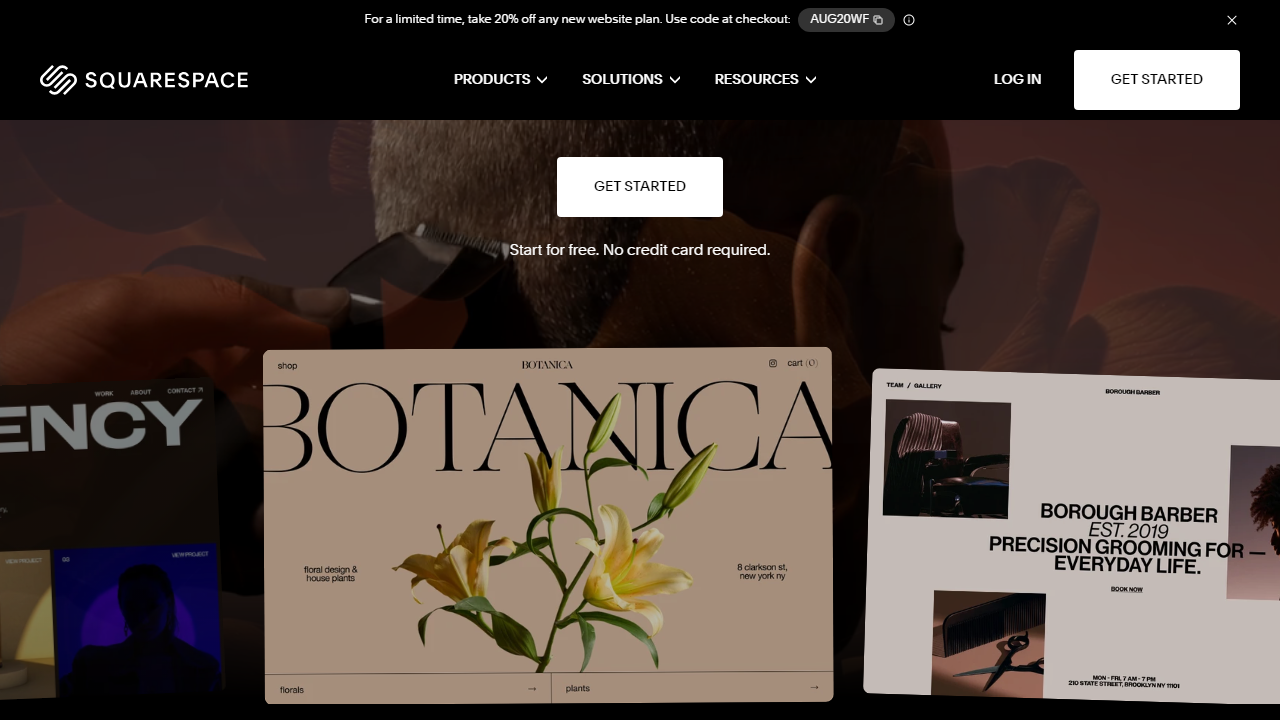
Squarespace is a fully hosted website builder founded in 2004 and headquartered in New York. As of 2026, it powers over 4.6 million active websites globally, ranging from photographer portfolios and restaurant booking pages to full e-commerce stores doing six figures in monthly revenue. The platform has evolved significantly — it now bundles AI copywriting, basic image editing, a scheduling tool (formerly Acuity), email marketing campaigns, and even a rudimentary AI image generator into its core subscription plans.
Stable Diffusion, on the other hand, is an open-source AI image generation model originally developed by Stability AI and first released in August 2022. By 2026, it has become the backbone of a sprawling ecosystem of tools — including DreamStudio (Stability AI’s official cloud interface), ComfyUI, Automatic1111, and dozens of third-party platforms like NightCafe and Leonardo.ai. You can run Stable Diffusion locally on your own GPU, use it via API, or access it through subscription-based cloud platforms. It generates photorealistic images, illustrations, concept art, product mockups, and more from text prompts.
The overlap between them is narrow but real: Squarespace’s 2026 plans include a feature called Blueprint AI and an image enhancement layer that uses diffusion-based models behind the scenes. Meanwhile, digital artists using Stable Diffusion often need a professional website to showcase and sell their work — which is where Squarespace enters the picture. These two tools can and often do serve the same user, just for completely different tasks.
Key Features Compared
Rather than reviewing each tool in complete isolation, we’ve mapped their features against the practical needs of the users most likely to consider both platforms.
Website Building (Squarespace Only)
Squarespace’s drag-and-drop editor is genuinely one of the best in the no-code website builder space. The 2026 version includes a fluid canvas editor that supports nested sections, custom animations, and scroll-triggered effects — features that used to require developer help. Templates are organized by industry and all pass Google’s Core Web Vitals benchmarks out of the box. Stable Diffusion has no website-building capability whatsoever.
AI Image Generation (Stable Diffusion Wins Decisively)
Stable Diffusion’s image generation quality, especially with SDXL Turbo and the newer SD3.5 architecture widely deployed across platforms in 2026, is in a completely different league from Squarespace’s built-in image tools. Stable Diffusion supports ControlNet for pose and structure control, LoRA fine-tuning for brand-consistent characters, inpainting, outpainting, and img2img workflows. Squarespace’s image AI is good for quick banner generation but tops out at basic prompt-to-image with limited style control.
E-Commerce Tools (Squarespace)
Squarespace’s Commerce plans support physical and digital product sales, subscription boxes, print-on-demand via Printful integration, and checkout with Apple Pay, Stripe, and PayPal. The platform takes 0% transaction fees on Business plans and above. Artists using Stable Diffusion to create print-on-demand designs frequently use Squarespace as their storefront — this is arguably the most common overlap between the two tools in 2026.
Customization and Extensibility (Stable Diffusion)
Squarespace offers customization within defined boundaries — you can inject custom CSS and limited JavaScript, but you can’t access the server or install arbitrary plugins. Stable Diffusion, being open source, is infinitely extensible: you can train your own models, build custom pipelines in ComfyUI, or deploy it on a private server for commercial use. For technical users, this is a significant differentiator.
SEO and Marketing (Squarespace)
Squarespace includes a solid SEO toolkit: auto-generated sitemaps, clean URL structures, Open Graph tags, and a built-in blogging platform. The 2026 update added AI-powered meta description generation and an SEO audit panel. Stable Diffusion has no marketing or SEO features — it generates images, period.
Pricing Plans
These two tools have radically different pricing models. Squarespace is a traditional SaaS subscription. Stable Diffusion is open source but has costs depending on how you access it — via cloud API credits or local GPU hardware. We’ve broken both down below.
Squarespace Pricing (2026, billed annually):
| Plan | Price/mo | Best For | Key Limit |
|---|---|---|---|
| Personal | $16/mo | Portfolios, blogs | No e-commerce |
| Business | $23/mo | Small businesses, creatives selling online | 3% transaction fee |
| Commerce Basic | $28/mo | Active online stores | No abandoned cart recovery |
| Commerce Advanced | $52/mo | High-volume stores, subscriptions | None significant |
Stable Diffusion Access Pricing (2026):
| Access Method | Cost | Best For | Key Requirement |
|---|---|---|---|
| Local (self-hosted) | Free (hardware cost) | Power users, developers | 8GB+ VRAM GPU |
| DreamStudio (API credits) | ~$0.03–$0.08/image | Occasional users, developers | Credit top-up |
| Leonardo.ai Pro | $12/mo | Creatives wanting a polished UI | 2,500 tokens/day |
| RunDiffusion Cloud | $0.50/hr GPU rental | Users without local GPU | Internet connection |
Who Should Use Each Tool?
Best Alternatives to Both Tools
Depending on what you actually need, there are strong alternatives to both Squarespace and Stable Diffusion in 2026. Here’s a practical breakdown:
| Tool | Starting Price | Best For | Our Rating |
|---|---|---|---|
| Wix | $17/mo | Flexible website building, small biz | 4.1/5 |
| Webflow | $18/mo | Designers wanting code-level control | 4.4/5 |
| Midjourney v7 | $10/mo | AI image gen without local setup | 4.6/5 |
| Adobe Firefly | $9.99/mo (CC bundle) | Commercial-safe AI images, existing Adobe users | 4.3/5 |
Frequently Asked Questions
Can Stable Diffusion replace Squarespace for building a website?
No. Stable Diffusion is an AI image generator, not a website builder. You can use it to create artwork or graphics, but you still need a platform like Squarespace to publish, host, and manage an actual website.
Can I use Stable Diffusion images on my Squarespace site?
Absolutely. Many creators generate custom visuals with Stable Diffusion and upload them directly to Squarespace pages, blog posts, or product listings. The two tools complement each other well in a creative workflow.
Which tool is better for someone with no technical skills?
Squarespace is the clear winner for non-technical users. It offers a polished drag-and-drop editor with no setup required. Stable Diffusion, especially self-hosted versions, requires Python knowledge, GPU configuration, and ongoing maintenance.
Is Squarespace worth the cost in 2026?
For most small businesses, portfolios, and online stores, yes. Squarespace bundles hosting, SSL, templates, and e-commerce tools into one subscription, making it cost-competitive when you factor in what you would pay separately elsewhere.
Final Verdict
Comparing Squarespace and Stable Diffusion is genuinely an apples-to-oranges situation — one builds websites, the other generates images. If you arrived here trying to decide between them for a web project, the answer is straightforward: Squarespace is the tool you need. It handles everything from domain management to checkout flows without requiring a single line of code, making it the right choice for entrepreneurs, creatives, and small business owners who want professional results fast.
That said, Stable Diffusion earns its place in a modern creator’s toolkit as a powerful, cost-effective image engine — particularly for those comfortable with local installation. The smartest workflow in 2026 is to use both: generate striking, unique visuals with Stable Diffusion and showcase them on a beautifully structured Squarespace site. Together, they cover the full spectrum from creation to publication.
⭐ Editor’s Pick 2026
Squarespace — Best Website Builder Overall
Stunning templates, built-in e-commerce, zero hosting headaches.
Jamie Mercer
Senior Software & Tools Reviewer. Jamie has tested 80+ website builders and AI tools since 2019, helping readers cut through hype and find software that actually ships results.


