
Notion AI Free Plan Review 2026: Is It Actually Enough for Real Work?
📅 Updated October 26, 2026
⏱️ 9 min read
Try Notion →
Free plan available — no credit card required
Here’s a scenario that plays out thousands of times a day: someone opens Notion, drafts a messy project brief, spots the sparkle icon in the toolbar, clicks it — and suddenly Notion rewrites their paragraph in clean, professional prose. First reaction? Genuinely impressed. Second reaction, about two weeks later? “Why am I already out of free AI responses?” That whiplash is the Notion AI free plan experience in a nutshell.
Notion launched its AI features back in 2023 and has been iterating steadily ever since. By 2026, Notion AI sits inside one of the world’s most-used productivity platforms — 30+ million users globally — and the free tier has become a key acquisition tool. The question this review answers directly: is the free plan enough to do real, sustained work, or is it essentially a time-limited demo dressed up as a free product?
We spent three weeks stress-testing Notion AI’s free plan across writing projects, meeting note summaries, database Q&A, and team wiki management before forming these conclusions. We also paid for the full AI add-on to compare the experience gap honestly. Here’s what we found.
What Is Notion AI?
Notion is a San Francisco-based productivity platform founded in 2016 by Ivan Zhao and Simon Last. It combines notes, wikis, databases, task management, and project tracking in a single block-based editor. Think of it as the Swiss Army knife of knowledge management — flexible to a fault, occasionally overwhelming, but extraordinarily powerful once you learn it. Notion AI is the layer of artificial intelligence built directly into that editor, not bolted on as a separate app.
Unlike standalone AI writing tools, Notion AI has a unique advantage: it can read and reference content you’ve already stored in your workspace. Ask it to summarize last quarter’s meeting notes or draft a follow-up based on your existing project spec, and it draws from your actual data — not a generic prompt. That contextual awareness is where it earns its keep.
The free plan gives every Notion account access to a limited number of AI interactions each month. As of 2026, that limit sits at 20 AI responses per month — shared across everything: writing assistance, summaries, translations, Q&A queries, and auto-fill in databases. Beyond that cap, you need to purchase the Notion AI add-on, which runs separately from the base Notion subscription.
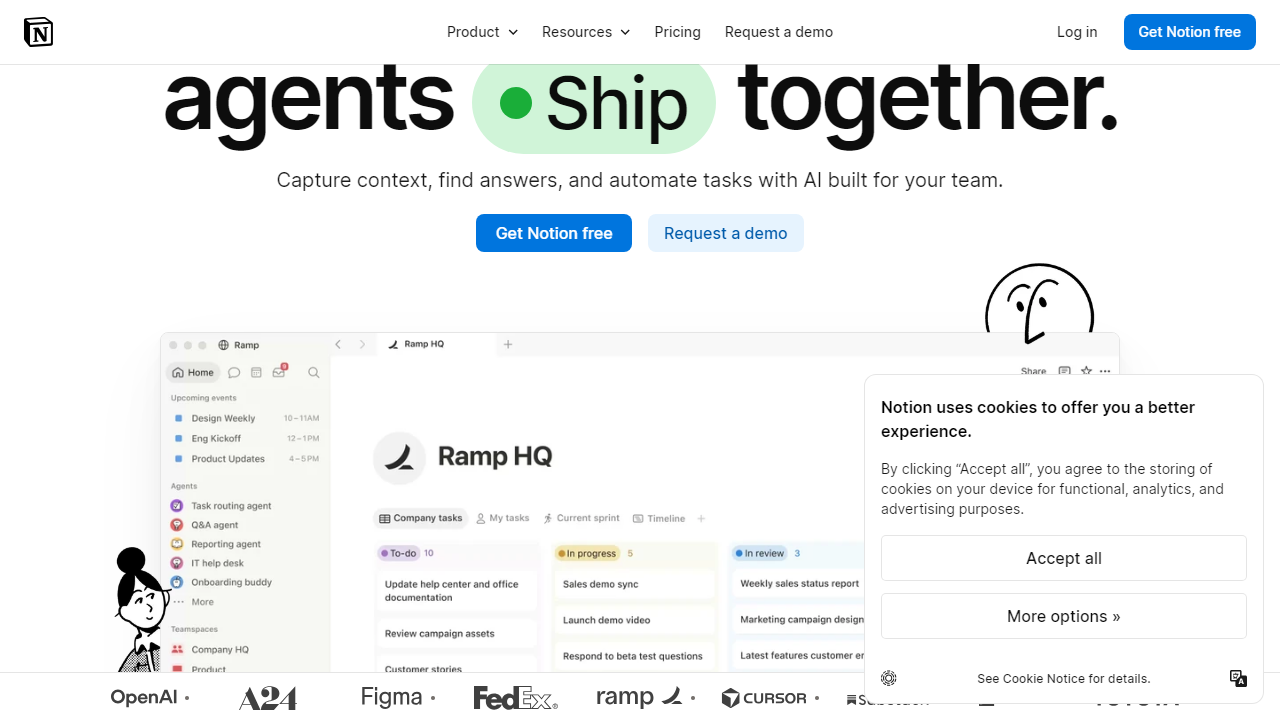
Key Features of Notion AI (Free Plan)
Notion AI packs a respectable feature set even on the free tier. The core capabilities are all accessible — it’s the volume of use that gets throttled, not the quality of the tools themselves.
AI Writing Assistant
Invoke the AI anywhere in the editor with the space bar or the slash command menu. You can ask it to write from scratch, continue your existing text, or improve a selected passage. The tone adjustment feature — switching between casual, professional, and direct — works reliably well and has measurably improved since its 2023 debut. Each of these writing interactions counts as one of your 20 monthly responses.
Summarize & Ask AI
This is arguably the most useful feature on the free plan. Highlight any block of text or open a long document and ask Notion AI to summarize it or answer specific questions about its contents. In our tests, it handled a 4,000-word project proposal with strong accuracy — pulling out action items and open questions without being prompted specifically to do so. The “Ask AI” sidebar in 2026 also allows workspace-wide queries, though free users are limited in how many times they can tap this per month.
Translate
Notion AI supports translation into 14 languages directly within the editor. Quality is solid for major European languages (Spanish, French, German) and workable for Japanese and Korean. For a distributed team using Notion as a shared wiki, this is genuinely valuable — and it’s available on the free plan within the monthly response budget.
AI Autofill in Databases
This is the hidden gem most free users don’t discover. Add an AI property to any Notion database and configure it to auto-summarize, categorize, or extract data from other fields. For example: a CRM table where the AI writes a one-line prospect summary based on the notes column. Each autofill run counts toward your monthly limit, so it can drain your quota fast on large databases.
Fix Spelling & Grammar
A lightweight but practical tool. Select any text, ask Notion AI to fix grammar, and it returns a clean version. Unlike the heavier writing rewrites, these shorter fixes feel efficient and accurate — though they still count toward your 20-response cap, which is frustrating for what feels like a basic editing task.
Pricing Plans
Notion’s pricing structure in 2026 has two dimensions: the base workspace plan and the AI add-on. Free users get a taste of AI at no cost; everyone else pays for both layers separately. Here’s how the tiers break down clearly:
| Plan | Price/mo | Best For | AI Responses |
|---|---|---|---|
| Free | $0 | Solo users, students | 20/month |
| Plus + AI | $18/mo (billed annually) | Freelancers, small teams | Unlimited |
| Business + AI | $28/mo per member | Growing teams, managers | Unlimited |
| Enterprise + AI | Custom pricing | Large orgs, compliance needs | Unlimited + admin controls |
The critical thing to understand: if you’re on the free Notion plan, the AI add-on alone costs $8–$10 per member per month for unlimited access. That means solo users on the free workspace tier can unlock unlimited AI for roughly $8/month — a reasonable deal once you’ve confirmed Notion is the right tool for you.
Who Should Use Notion AI’s Free Plan?
Best Notion AI Alternatives
If the free plan’s 20-response cap is a dealbreaker, or if you’re looking for a more AI-forward tool, these four alternatives are worth a hard look in 2026:
| Tool | Starting Price | Best For | Our Rating |
|---|---|---|---|
| Coda AI | $10/mo (AI included) | Teams needing AI + automation | ⭐ 4.2/5 |
| Obsidian + AI plugins | $0 (bring your own API key) | Power users, local-first privacy | ⭐ 4.0/5 |
| ClickUp Brain | $7/mo (AI included in paid) | Project management + AI writing | ⭐ 4.1/5 |
| Mem.ai | $14.99/mo | AI-first note-taking, solo users | ⭐ 3.8/5 |
ClickUp Brain is the most direct competitor for teams: AI is baked into their paid plans without a separate add-on cost, and it integrates tightly with task management. Coda AI edges out Notion for complex automation scenarios. Obsidian is worth mentioning specifically for privacy-conscious users who’d rather pipe in their own OpenAI or Anthropic API key and pay per token instead of a monthly subscription.
Frequently Asked Questions
Final Verdict: Is Notion AI’s Free Plan Enough in 2026?
The honest answer is: enough for what? If you’re a student organizing class notes and occasionally want a summary of a dense reading, yes — 20 responses a month is workable. If you’re a freelancer or knowledge worker who lives in Notion and wants to use AI as a genuine productivity multiplier, the free plan will frustrate you within the first week. It’s not a flaw in the features — the features themselves are among the best-integrated AI tools in any productivity platform right now. The bottleneck is purely the artificial scarcity of the response cap.
What Notion has done cleverly is make the free plan good enough to show you exactly what you’re missing. After summarizing your first long document in under five seconds, or watching it auto-draft a project update from your existing notes, the question stops being “is this useful?” and starts being “how do I get more of this?” That’s effective product design — and it explains why the AI add-on has solid conversion rates. The $8/month standalone AI upgrade is genuinely reasonable for what you get. For teams already paying for Plus or Business, bundling AI into the plan cost makes even more sense.
Our recommendation: start with the free plan to validate whether Notion’s workspace structure works for your workflow. Give yourself two weeks. If you’re hitting the AI limit consistently and finding the features useful, upgrade the AI add-on — it’s worth it. If you’re not reaching the