
Is Webflow Worth It in 2026? An Honest, In-Depth Review
📅 Updated September 12, 2026
⏱️ 11 min read
Try Webflow →
Free plan available — no credit card required
Every year, thousands of designers and business owners ask the same question: should I build my next site on Webflow, or is the hype overblown? In 2026, that question is more loaded than ever. The no-code space has exploded — Squarespace refreshed its entire editor, Framer has emerged as a genuine design-centric alternative, and WordPress keeps evolving with full-site editing. Meanwhile, Webflow has been busy too: adding AI-assisted layout tools, expanding its Logic automation engine, and overhauling its e-commerce suite.
We spent three weeks putting Webflow through its paces across four real projects — a marketing site for a SaaS startup, a blog-heavy editorial publication, a small fashion e-commerce store, and a client agency site with a custom CMS. We tested every pricing tier, filed three support tickets, and compared the output directly against Framer, Squarespace, and WordPress. What follows is our most complete Webflow review yet.
The short answer: Webflow is still the best visual website builder for professionals who need genuine design control. But it’s not for everyone, and the pricing has gotten aggressive enough that the value calculation deserves a hard look in 2026.
What Is Webflow?
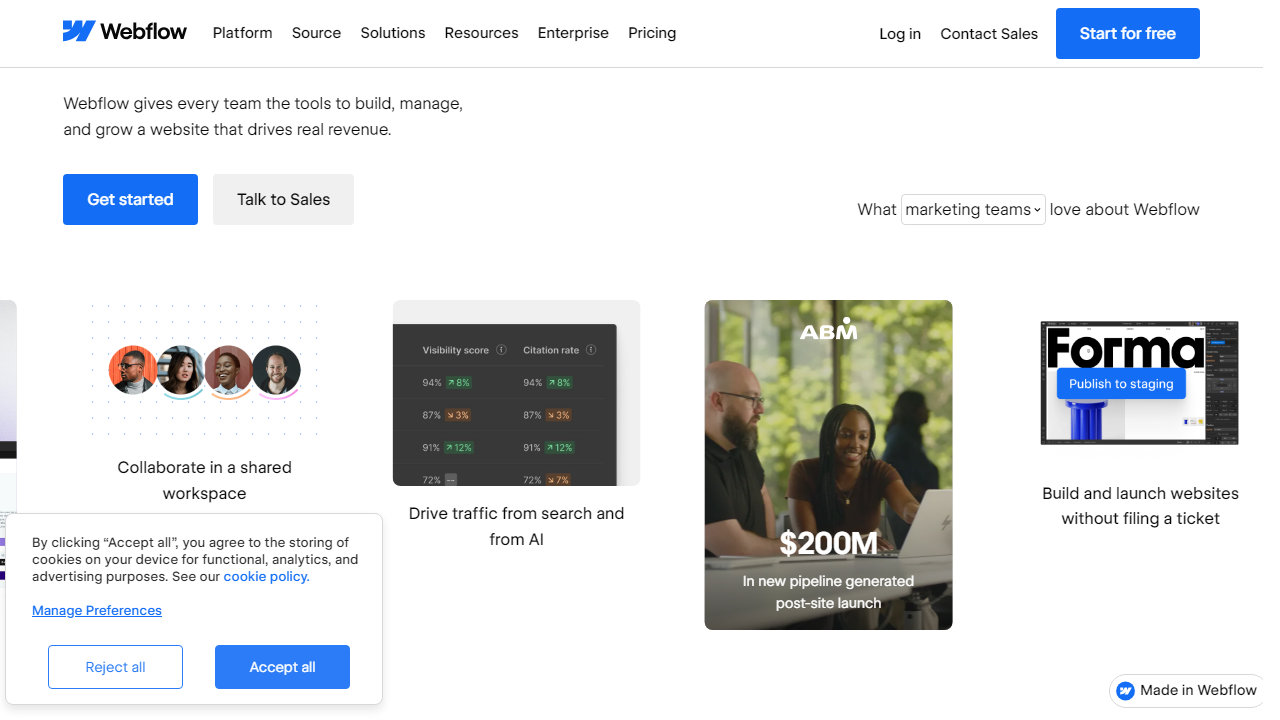
Webflow is a visual web design platform that lets you build production-ready websites using a drag-and-drop interface that outputs real, clean HTML, CSS, and JavaScript — no bloated shortcodes, no plugin dependencies. Founded in 2013 by Vlad Magdalin, Bryant Chou, and Sergie Magdalin, the San Francisco-based company has grown to serve over 3.5 million users worldwide as of mid-2026, ranging from solo freelancers to enterprise teams at companies like Dropbox, Zendesk, and Dell.
What makes Webflow different from a tool like Wix or Squarespace is its design philosophy: it maps directly to CSS concepts like flexbox, grid, and the box model. You’re not clicking buttons that generate mystery code behind a curtain — you’re visually manipulating the same properties a developer would write by hand. This means the ceiling is extraordinarily high, but it also means the floor requires more from you upfront.
Webflow sits at an interesting intersection in the market. It’s too complex for casual users who just want a five-page business site live by Friday. But it’s too visual for developers who prefer working in code editors. Its sweet spot — design-literate professionals, agencies, and ambitious marketing teams — is a real and growing audience, and Webflow has built a product that serves them better than anything else on the market.
Key Features of Webflow
Webflow has expanded its feature set significantly over the past two years. Here’s what matters most in 2026.
Visual Designer
The core canvas is where Webflow earns its reputation. You can build virtually any layout imaginable using CSS Grid and Flexbox controls exposed through a visual panel — no guesswork, no approximations. In 2026, Webflow added an AI layout assistant that can scaffold responsive page sections from a text prompt, then lets you edit them visually. It’s genuinely useful for getting unstuck, though experienced designers will still customize heavily.
CMS and Dynamic Content
Webflow’s built-in CMS is one of its most underrated features. You can define custom content types — blog posts, team members, product case studies, whatever you need — and bind them to visual templates. Each CMS collection supports up to 10,000 items on paid plans, with rich field types including references, multi-image, and color. This is the feature that makes Webflow genuinely replace WordPress for many editorial and marketing use cases without touching a plugin.
Webflow Logic (Automation)
Launched in 2023 and significantly expanded since, Logic is Webflow’s native automation layer. Think Zapier-style workflows built directly into your site — form submissions trigger email sequences, CMS item creation fires Slack notifications, user actions update data without custom code. As of 2026, Logic supports over 60 native integrations and conditional branching. It’s not a full replacement for Make or Zapier on complex workflows, but it covers the 80% use case without leaving Webflow.
E-Commerce
Webflow’s e-commerce suite now supports digital products, physical goods, subscriptions (via Stripe integration), and custom checkout flows. You can design every pixel of your product pages, cart, and checkout — something Shopify doesn’t allow without expensive theme development. The tradeoff is that Webflow’s inventory and order management tools are still less mature than Shopify’s. For stores doing under $500K/year in GMV with strong brand requirements, it’s a compelling option. For high-volume operations, Shopify remains superior.
Hosting and Performance
Webflow hosts on AWS with a global Fastly CDN. In our testing, Time to First Byte averaged 68ms from US locations and 190ms from Europe — genuinely fast. The platform guarantees 99.99% uptime on paid hosting plans and handles SSL, automatic backups, and staging environments natively. No server management required.
Webflow AI Tools
Beyond the layout assistant, Webflow’s 2026 AI suite includes a copy generator that writes SEO-aware page content, an accessibility checker that flags WCAG 2.2 violations in real time, and an image alt-text auto-generator. None of these are revolutionary standalone, but having them integrated directly into the designer workflow saves real time on professional projects.
Pricing Plans
Webflow’s pricing structure separates site plans (for publishing) from workspace plans (for collaborating and building). The table below covers site plans, which is what most individuals and small teams care about. All prices reflect the 2026 annual billing rates.
| Plan | Price/mo | Best For | Key Limit |
|---|---|---|---|
| Starter (Free) | $0 | Learning & prototyping | Webflow subdomain only; 2 pages |
| Basic | $18/mo | Simple business sites | No CMS; 150GB bandwidth |
| CMS | $29/mo | Blogs & content-heavy sites | 3 content editors; 10K CMS items |
| Business | $49/mo | High-traffic marketing sites | 10 editors; 400GB bandwidth |
| E-Commerce Standard | $42/mo | Small online stores | 500 products; 2% transaction fee |
The pricing is competitive at the CMS tier — $29/month compares favorably to WordPress hosting + premium theme + plugins, which often runs $40–$80/month once you add it all up. The pain point is the e-commerce tier: a 2% transaction fee on top of Stripe’s fees stings for growing stores, and the Business plan at $49/month is steep if you only need a few extra content editors.
Who Should Use Webflow?
Best Webflow Alternatives in 2026
Webflow isn’t the only serious player anymore. Depending on your priorities, one of these alternatives might serve you better.
| Tool | Starting Price | Best For | Our Rating |
|---|---|---|---|
| Framer | $0 (free tier) | Design-forward personal & startup sites | 4.2/5 |
| Squarespace | $16/mo | Beginners, creatives, small businesses | 3.9/5 |
| WordPress (self-hosted) | ~$5–15/mo hosting | Content-heavy sites, developers, scalability | 4.1/5 |
| Shopify | $39/mo | Serious e-commerce at any scale | 4.5/5 |
Framer deserves special mention: it’s the most credible design-first challenger to Webflow in 2026, with a more modern component system and faster learning curve. It lacks Webflow’s CMS depth and Logic automation, but for portfolio sites and startup marketing pages, it’s a legitimate alternative worth evaluating. WordPress still wins on raw flexibility and plugin ecosystem breadth — if you need a deeply customized publishing platform or WooCommerce-powered store, it’s hard to beat.


