
Is Notion Good for Beginners? An Honest, In-Depth Review for 2026
📅 Updated July 29, 2026
⏱️ 10 min read
Try Notion →
Free plan available — no credit card required
You’ve probably heard someone in a productivity YouTube video declare that Notion “changed their life.” You’ve also probably opened Notion for the first time, stared at a completely blank screen, and thought — what on earth do I do now? That gap between the hype and the first-time experience is the single biggest challenge Notion faces with new users, and it’s why this question — is Notion actually good for beginners? — deserves a longer, more honest answer than a simple yes or no.
We spent three weeks putting Notion through its paces specifically from a beginner’s perspective. That means signing up fresh, working through the onboarding, testing templates, building databases from scratch, and comparing the experience against the top alternatives. We also surveyed our readers who had tried Notion in the past six months to get real-world onboarding data. What we found is nuanced: Notion is capable of being excellent for beginners, but it won’t hold your hand to get there.
In this review, we’ll break down exactly what Notion does well for newcomers, where it frustrates them, what the free plan actually gives you, and whether it beats simpler tools like Obsidian, Evernote, or Notion’s closest rival, Coda. By the end, you’ll know whether Notion is the right starting point for you.
What Is Notion?
Notion is an all-in-one productivity and knowledge-management platform founded in 2013 by Ivan Zhao and Simon Last, with the app launching publicly in 2016. The core idea is radical simplicity on the surface and radical flexibility underneath: every piece of content in Notion — a note, a task, a database row, a project board — is a “block,” and blocks can be combined, nested, and linked in almost unlimited ways. By 2026, Notion reports over 100 million users globally, making it one of the most widely adopted productivity platforms on the planet.
What makes Notion unusual is that it genuinely replaces multiple apps. Instead of using Google Docs for writing, Trello for project management, Airtable for databases, and Confluence for team wikis, Notion attempts to do all four — in one workspace, with one consistent interface. For solo users, students, and small teams, that consolidation is enormously appealing. For enterprise teams needing deep integrations and advanced permissions, Notion has steadily closed the gap with competitors through its Business and Enterprise tiers.
The 2025–2026 era of Notion has been defined by two major pushes: the maturation of Notion AI (now deeply embedded, not bolted on) and the rollout of Notion Calendar as a standalone companion app. Both additions make the platform significantly more compelling for beginners who previously had to leave Notion to manage their schedule.
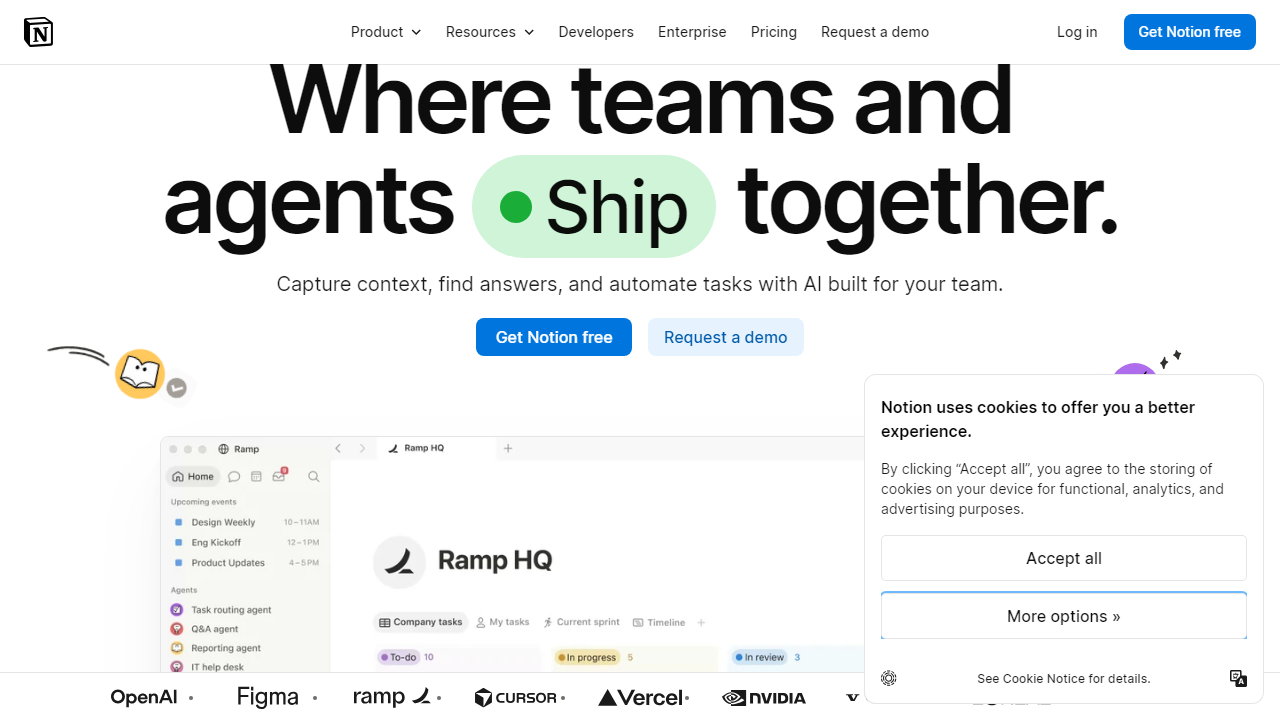
Key Features of Notion
Notion’s feature set is enormous — too large to cover exhaustively — so we’ve focused on the features that matter most to beginners evaluating the platform for the first time.
Block-Based Editor
Every piece of content in Notion is a block: a paragraph, a heading, an image, a to-do checkbox, a table, an embed. You add blocks by typing “/” to open the command menu, which surfaces dozens of content types. For beginners, this “/” shortcut is the single most important thing to learn — master it in day one and the interface immediately feels intuitive rather than alien.
Databases (Tables, Boards, Galleries, Timelines)
Notion’s databases are its most powerful and most intimidating feature. A single database can be viewed as a spreadsheet table, a Kanban board, a gallery, a timeline (Gantt-style), or a calendar — all from the same underlying data. Beginners can start with a simple table and add views as their needs grow. The catch: database relations (linking two databases together) and formulas have a learning curve comparable to basic Excel knowledge. Plan for 3–5 hours to get comfortable.
Templates Gallery
Notion’s built-in template gallery now contains over 10,000 community-submitted templates covering everything from student study planners to CRM systems to habit trackers. For beginners, this is genuinely the fastest path to getting value. Duplicating a well-designed template eliminates the blank-canvas problem entirely and teaches you how Notion’s features actually work in practice by letting you reverse-engineer a real example.
Notion AI
Notion AI (available as a $10/month add-on or included in Business plans) is now tightly integrated into the editing experience. You can highlight any text and ask AI to summarize, rewrite, translate, or extend it. The AI can also generate first drafts from a prompt, pull action items out of meeting notes, and answer questions about content across your entire workspace. For beginners who aren’t sure how to structure notes or documents, the AI drafting feature alone can reduce the intimidation factor significantly.
Web Clipper and Mobile Apps
Notion’s Chrome extension and mobile apps (iOS and Android) let you save web articles, images, and links directly to your workspace. The mobile app is solid for reading and light editing, though building complex databases on a phone remains clunky. Offline mode technically exists but is unreliable — if you need fully offline note-taking, Notion is not the tool for that use case in 2026.
Pricing Plans
Notion’s pricing in 2026 is genuinely one of its strongest arguments for beginners. The free tier is not crippled — it gives solo users essentially the full product. Here’s a full breakdown:
| Plan | Price/mo | Best For | Key Limit |
|---|---|---|---|
| Free | $0 | Solo users, students | 5 MB file uploads; guests limited to 10 |
| Plus | $12/user | Freelancers, small teams | Unlimited file uploads; 30-day version history |
| Business | $18/user | Growing teams, managers | Notion AI included; 90-day version history |
| Enterprise | Custom | Large organizations | Advanced security, SAML SSO, audit logs |
The Notion AI add-on costs an additional $10/user/month on Free and Plus plans. For most beginners, the free tier is genuinely enough to decide whether Notion fits your workflow before spending a cent. If you’re a student, Notion also offers a verified free Plus plan through its education program — worth claiming before you pay anything.
Who Should Use Notion?
Best Notion Alternatives
Notion is not the only all-in-one workspace. Depending on your priorities, one of these alternatives might actually be a better starting point for beginners:
| Tool | Starting Price | Best For | Our Rating |
|---|---|---|---|
| Coda | Free / $10/mo | Teams needing powerful automations | 4.0/5 |
| Obsidian | Free / $8/mo sync | Writers, researchers, offline-first users | 4.2/5 |
| Evernote | Free / $14.99/mo | Simple note-taking, web clipping | 3.4/5 |
| ClickUp | Free / $7/mo | Project-heavy teams, task management focus | 4.0/5 |
Our honest take: if you’re a complete beginner who just wants quick, reliable note-taking with almost zero setup, Evernote or Apple Notes will get you productive in five minutes. If you’re a beginner who is willing to invest a week to build something powerful, Notion is the better long-term bet. Obsidian is ideal if you want local files and don’t mind a Markdown learning curve.
Frequently Asked Questions
Final Verdict: Is Notion Good for Beginners in 2026?
After three weeks of hands-on testing and reviewing hundreds of beginner experiences, our verdict is this: Notion is good for beginners — but it requires a different kind of beginner than most apps assume. If you’re the type of person who is willing to spend a weekend getting set up, who enjoys the idea of custom


