
ClickUp Review 2026: Honest Look at Features, Pricing & Real-World Performance
📅 Updated November 9, 2026
⏱️ 12 min read
Try ClickUp →
Free plan available — no credit card required
If you’ve spent any time searching for a project management tool in 2026, you’ve inevitably hit the ClickUp homepage and its bold promise: “one app to replace them all.” It’s a claim that invites healthy skepticism — most tools that try to do everything end up doing nothing particularly well. After spending several weeks stress-testing ClickUp across a real marketing team, a freelance dev workflow, and a small agency environment, we can tell you the truth is more nuanced and more impressive than the marketing suggests.
ClickUp has matured significantly since it burst onto the scene in 2017 as a scrappy Asana challenger. The 2026 version is a genuinely sophisticated platform that combines task management, document collaboration, goal tracking, in-app chat, and AI-assisted work in a single workspace. The question isn’t really whether ClickUp has the feature you need — it almost certainly does. The question is whether your team will actually use them, and whether the platform’s complexity will pay off for your specific situation.
In this review, we cover everything: real pricing (including the AI add-on costs most reviews skip), an honest breakdown of where ClickUp shines and where it stumbles, and a clear recommendation of who should and shouldn’t sign up. Let’s get into it.
What Is ClickUp?
ClickUp is a cloud-based work management platform founded in 2017 by Zeb Evans and Alex Yurkowski, headquartered in San Diego, California. The company has grown to serve over 10 million users across more than 2 million teams as of 2026, making it one of the top three most-used project management platforms in the world alongside Asana and Monday.com. It is still privately held, having raised over $400 million in funding across multiple rounds.
The platform is built around a hierarchical structure: Workspaces contain Spaces, which contain Folders, which contain Lists, which contain Tasks. This nesting system gives teams enormous flexibility to mirror their actual org structure — but it’s also the source of the tool’s most common complaint: initial setup paralysis. Once configured, though, the hierarchy becomes a genuine strength, letting different departments work with radically different setups inside the same company account.
What separates ClickUp from competitors is sheer breadth. Beyond task management, you get a built-in doc editor (ClickUp Docs), real-time collaborative whiteboards, native time tracking, sprint management, OKR-style goal tracking, an in-app chat messenger, and since 2024, ClickUp AI — a suite of AI features now deeply embedded throughout the platform. No other tool at this price point comes close to matching the total package.
Key Features of ClickUp
ClickUp’s feature list is long enough to fill a textbook, so we’re focusing on the capabilities that actually move the needle for real teams — and flagging where the execution falls short of the promise.
Task Management & Views
ClickUp’s core task management is excellent. Tasks support nested subtasks (up to unlimited depth on paid plans), custom fields, priority levels, multiple assignees, and dependencies. Where ClickUp genuinely stands out is its 15+ view types: List, Board (Kanban), Gantt, Timeline, Calendar, Workload, Table, Map, Mind Map, and more. Most competitors charge for Gantt as a premium feature — ClickUp includes it on the Business plan and above. The Workload view in particular is a standout for managers tracking team capacity in real time.
ClickUp Docs
ClickUp Docs has evolved from a basic note-taking tool into a credible Notion competitor. You can create nested pages, embed tasks directly into documents, build wikis, and collaboratively edit with up to 50 simultaneous users on paid plans. It’s not quite as polished as Notion’s block editor, but the tight integration with tasks — being able to @mention a task from a doc and have it update live — is genuinely useful and something Notion still can’t match natively.
ClickUp AI
ClickUp AI received a major upgrade in late 2025 and is now one of the more practical AI implementations in the project management space. It can summarize task threads, generate subtask lists from a brief description, write and edit Doc content, auto-fill custom fields based on task context, and produce status update summaries for stakeholders. It works inside your actual workspace data, not just generic prompts. The catch: AI is a $7/user/month add-on on Free and Unlimited plans, though it’s bundled into Business and above.
Automations
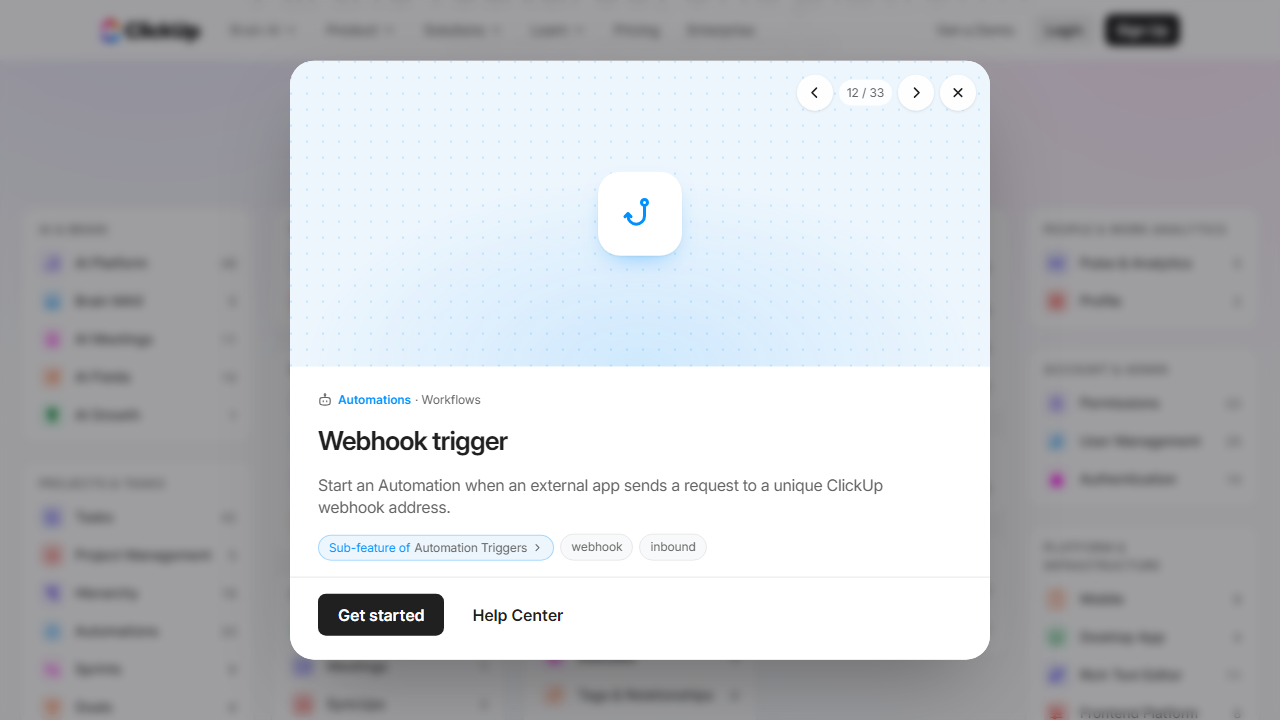
ClickUp’s automation builder supports over 100 trigger-action combinations and integrates with more than 1,000 external apps via native connectors and Zapier. On the Business plan you get 10,000 automation runs per month per workspace — enough for most mid-sized teams. The interface for building automations is cleaner than Monday.com’s and more flexible than Asana’s, though it still doesn’t match Zapier’s raw power for complex multi-step workflows.
Dashboards & Reporting
Dashboards allow teams to build real-time reporting views using widgets for task completion rates, time tracked, sprint velocity, goal progress, and more. You can pull data from multiple Spaces into a single dashboard — handy for executives or project managers needing a cross-team view. Dashboard customization is available on Business plans and above, with more widget types unlocking at higher tiers.
Time Tracking & Workload Management
Native time tracking is built in at every paid tier, with a global timer, manual time entry, and the ability to tag time entries to specific tasks or billable projects. Combined with the Workload view, this makes ClickUp a legitimate alternative to standalone tools like Harvest or Toggl for teams that want to consolidate. Time-tracking reports export cleanly to CSV for invoicing purposes.
Pricing Plans
ClickUp’s pricing is competitive — arguably the best value in the enterprise-tier project management category. Here’s the full breakdown for 2026, with per-user monthly rates reflecting annual billing (month-to-month is roughly 25–30% higher).
| Plan | Price/mo (per user) | Best For | Key Limit |
|---|---|---|---|
| Free Forever | $0 | Freelancers & tiny teams | 100MB storage, limited dashboards |
| Unlimited | $7 | Small teams (2–10 people) | 5 Spaces, limited automations (1,000/mo) |
| Business | $12 | Growing teams (10–100 people) | 10,000 automation runs/mo, AI included |
| Enterprise | Custom (est. $19–$29+) | Large orgs with security/SSO needs | Unlimited automations, HIPAA, MSA |
The Business plan at $12/user/month is the sweet spot for most teams. It includes Gantt charts, unlimited dashboards, timelines, workload management, 10,000 automation runs, and ClickUp AI — all features that competitors charge $20–$25/user for. If you’re currently paying for Asana Premium ($13.49) and a separate doc tool, ClickUp Business likely undercuts your total stack cost while adding functionality.
Who Should Use ClickUp?
Best ClickUp Alternatives
ClickUp isn’t perfect for every team. Here’s how it stacks up against the strongest alternatives in 2026, so you can make a genuinely informed comparison.
| Tool | Starting Price | Best For | Our Rating |
|---|---|---|---|
| Asana | $13.49/user/mo | Teams wanting simplicity & polish | 4.2/5 |
| Monday.com | $12/user/mo (3-seat min) | Marketing & sales teams | 4.0/5 |
| Notion | $12/user/mo | Docs-first teams & knowledge bases | 4.1/5 |
| Linear | $8/user/mo | Engineering & product teams only | 4.4/5 |
Frequently Asked Questions
Final Verdict: Is ClickUp Worth It in 2026?
After a thorough hands-on