
Calendly vs Obsidian: Which Is Better in 2026? (Honest Comparison)
📅 Updated August 7, 2026
⏱️ 11 min read
Try Calendly →
Free plans available on both tools
Here’s a scenario that plays out thousands of times a day in 2026: someone Googles “Calendly vs Obsidian” because they’re drowning in scattered notes, missed meetings, and productivity tool FOMO. They’ve seen both names float across LinkedIn and Reddit threads. They want to know which one to buy. The problem? These two apps are about as comparable as a power drill and a filing cabinet. Both live in the “productivity” drawer, but they do fundamentally different jobs.
After spending several weeks testing both tools extensively — running Calendly through dozens of real client scheduling scenarios and stress-testing Obsidian with a 4,000-note knowledge base migration — we can tell you with confidence that the “vs” framing here is a bit of a false choice. But that doesn’t mean this comparison is useless. Understanding what each tool genuinely excels at, where it falls short, and which type of professional actually needs it is exactly the clarity most buyers are missing.
In this review, we break down Calendly and Obsidian across features, pricing, ease of use, and ideal user profiles. We’ll also tell you when it makes sense to use both, and when one is clearly the priority. Let’s get into it.
What Are Calendly and Obsidian?
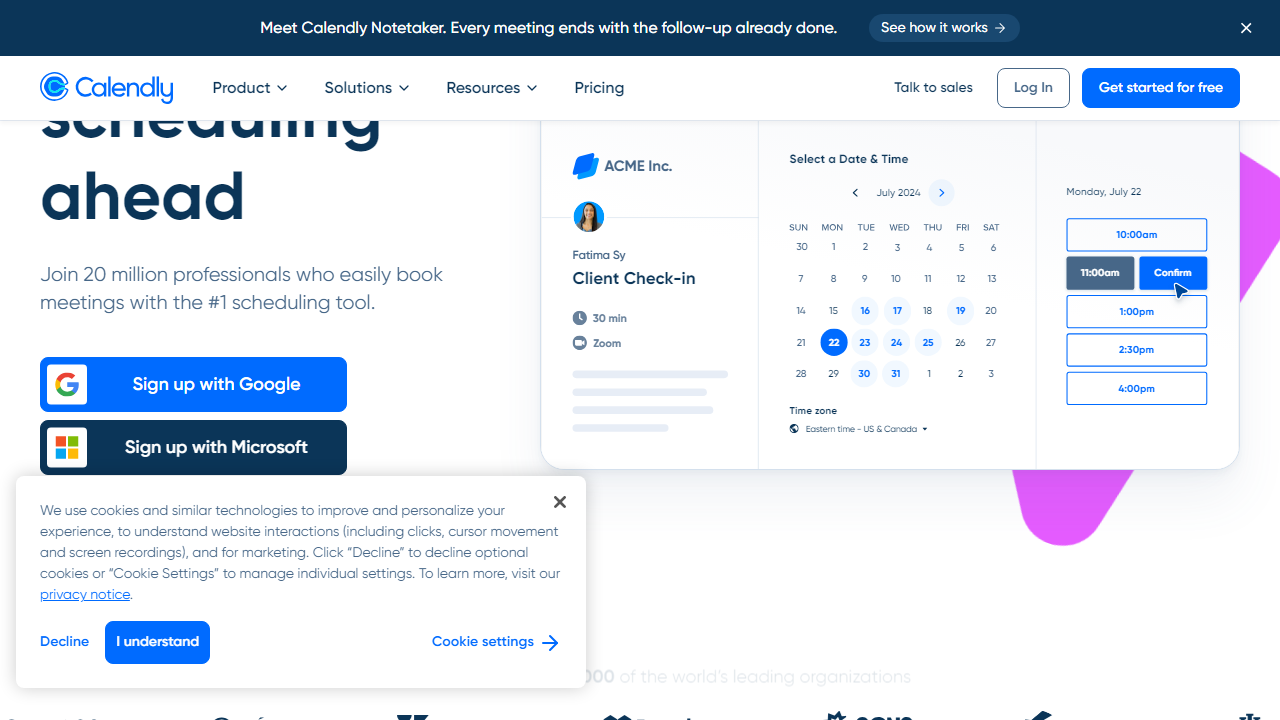
Calendly, founded in 2013 by Tope Awotona and headquartered in Atlanta, Georgia, is a scheduling automation platform. Its core promise is simple: stop the email tennis of “Does Tuesday at 2pm work for you?” You share a link, invitees pick a time from your live availability, and meetings get booked automatically. As of 2026, Calendly reports over 20 million users across 230+ countries, with a particularly strong footprint in sales, recruiting, and customer success teams. The company raised $350 million in a 2021 Series B at a $3 billion valuation and has continued growing its enterprise business aggressively.
Obsidian, by contrast, is a local-first markdown note-taking and knowledge management application developed by Shida Li and Erica Xu, launched in 2020. Where Calendly lives in the cloud and manages your external commitments, Obsidian lives on your hard drive and manages your internal thinking. It uses plain markdown files, meaning your notes are never locked into a proprietary format. You own the data completely. Obsidian has grown from a niche tool for developers and academics into a mainstream productivity staple, with an estimated 3–4 million active users in 2026 and one of the most vibrant plugin communities in the note-taking space.
The reason people search “Calendly vs Obsidian” typically isn’t because they’re weighing one against the other head-to-head. It’s because they have a fixed productivity budget, limited time to learn new software, and they’re trying to prioritize. That’s a completely valid question — and we’ll answer it directly by the end of this piece.
Key Features Compared
Rather than reviewing each tool in isolation, we’ve structured this section around the key capability categories that matter most to productivity-focused professionals in 2026.
Scheduling and Calendar Management (Calendly Wins)
Calendly’s core scheduling engine is genuinely excellent. You can create multiple event types (15-min calls, 30-min demos, 60-min strategy sessions), set buffer times between meetings, cap daily meeting limits, and configure complex availability rules. The Routing Forms feature, available on Teams and Enterprise plans, lets you qualify leads before they book — asking them questions and directing them to the right team member or calendar. This alone saves enterprise sales teams hours per week. Obsidian has no native calendar functionality whatsoever, though community plugins like the Calendar Plugin and Day Planner can add rudimentary date-based organization.
Knowledge Management and Note-Taking (Obsidian Wins)
Obsidian’s bidirectional linking system — where you can link any note to any other note and visualize those connections in a graph view — is the feature that converts casual users into lifelong devotees. Building a “second brain” of interconnected ideas, meeting notes, research, and project documents becomes genuinely powerful once your vault reaches critical mass. Calendly has no note-taking functionality. You won’t be capturing insights or building knowledge graphs in a scheduling app.
Integrations and Ecosystem
Calendly integrates natively with Google Calendar, Outlook, iCloud, Zoom, Microsoft Teams, HubSpot, Salesforce, Stripe (for paid bookings), and 100+ other tools via Zapier and native API. Its Salesforce integration, available on Enterprise plans, is particularly robust for revenue teams. Obsidian takes a different approach: its 1,600+ community plugins handle integrations, from Readwise sync to Zotero citation management to GitHub publishing. Neither ecosystem is “better” — they serve different integration needs entirely.
Collaboration Features
Calendly was built for teams from the ground up. Round-robin scheduling (automatically distributing bookings across team members), collective scheduling (requiring multiple hosts to all be free), and shared team pages are all available on paid plans. Obsidian is fundamentally a solo tool — its Obsidian Publish feature lets you share vaults publicly, but real-time collaboration remains limited compared to tools like Notion or Confluence. Multiplayer Obsidian workflows exist but require technical setup.
Data Ownership and Privacy
This is where Obsidian has a genuine philosophical advantage. Your notes are plain markdown files on your local drive — no vendor lock-in, no risk of a price hike making your data inaccessible, no privacy concerns about a SaaS company storing your thoughts. Calendly, as a cloud service, stores your scheduling data on its servers. For most users this is fine, but for privacy-conscious individuals or those in regulated industries, this distinction matters.
Pricing Plans Side-by-Side
Both tools offer free tiers, which is a genuine advantage for budget-conscious users. Here’s how the pricing stacks up in 2026:
Calendly Pricing (2026):
| Plan | Price/mo | Best For | Key Limit |
|---|---|---|---|
| Free | $0 | Freelancers, individuals | 1 event type, 1 calendar |
| Standard | $12/user | Growing professionals | Unlimited event types, no routing |
| Teams | $20/user | Sales & recruiting teams | Routing forms, round-robin |
| Enterprise | Custom (est. $35+/user) | Large orgs, Salesforce users | SSO, advanced analytics, SLA |
Obsidian Pricing (2026):
| Plan | Price/mo | Best For | Key Limit |
|---|---|---|---|
| Personal (Free) | $0 | Personal use, local only | No sync, no publish |
| Catalyst | $25 one-time | Supporters, early access | Insider builds, badge only |
| Sync Add-on | $10/mo | Multi-device users | End-to-end encrypted sync |
| Commercial License | $50/user/year | Business use (required) | Required for company use |
The value story here is notably different. Obsidian’s core app is free forever for personal use — you only pay for optional add-ons like Sync and Publish. Calendly’s free plan is quite limited (one event type), making upgrades almost inevitable for anyone using it seriously. For a solo professional using both tools, expect to budget roughly $22–$30/month: $12 for Calendly Standard and $10 for Obsidian Sync.
Who Should Use Which?
Best Alternatives to Each Tool
If neither Calendly nor Obsidian feels like the right fit, here are the strongest alternatives we’ve tested in 2026:
| Tool | Starting Price | Best For | Our Rating |
|---|---|---|---|
| Acuity Scheduling | $20/mo | Service businesses, spas, coaches | 4.2/5 |
| SavvyCal | $12/mo | Calendly alternative, invitee-friendly | 4.0/5 |
| Notion | $12/mo | Teams needing collaborative notes + DB | 4.3/5 |
| Logseq |
Frequently Asked Questions
Not directly — they serve entirely different purposes. Calendly handles scheduling and meeting bookings, while Obsidian is a markdown-based note-taking and knowledge management app. Some users embed Calendly links inside Obsidian notes as a workaround, but there is no native integration between the two tools.
Yes, Calendly offers a free plan that covers basic one-on-one scheduling with one event type. Paid plans start at around $10 per user per month and unlock team scheduling, workflows, analytics, and CRM integrations. For most freelancers, the free tier is a solid starting point.
Obsidian wins for offline-first, privacy-focused users who prefer plain markdown files stored locally. Notion is better for teams needing collaborative databases and real-time editing. The right choice depends on your workflow — neither is objectively superior to the other.
Calendly is the clear winner for small business owners who need to reduce back-and-forth scheduling emails and automate client bookings. Obsidian, while powerful, is a personal productivity tool and does not offer any client-facing or business automation features out of the box.
Final Verdict
Comparing Calendly and Obsidian is ultimately an apples-to-oranges exercise — they are built for completely different jobs. Calendly is purpose-built for automating appointment scheduling, reducing friction for clients, and integrating with your existing calendar and CRM stack. If your goal is saving time on meeting coordination and looking professional to clients in 2026, Calendly delivers measurable ROI from day one.
Obsidian, on the other hand, excels as a deeply personal knowledge management system for writers, researchers, and developers who want to build a connected second brain. It has no scheduling features and requires a steeper learning curve. If you need both tools, use both — but if you can only choose one for business productivity, Calendly wins by a wide margin for client-facing professionals.
We independently test and review productivity tools. Some links on this page are affiliate links — this helps support our work at no extra cost to you.


