
Wix Pricing Review 2026: Is It Worth the Cost? (Every Plan Analyzed)
📅 Updated May 22, 2026
⏱️ 12 min read
Try Wix →
Free plan available — no credit card required
You’ve probably seen the Wix ads. A celebrity builds a website in 30 seconds. It looks effortless. But when you sit down to actually pick a plan and pull out your credit card, things get considerably less glamorous. There are five paid tiers, a free option that’s more of a demo than a real website, and pricing that ranges from $0 to $159 per month. How do you know which plan actually gives you what you need without overpaying?
That’s the question we set out to answer. Over the past several weeks, our team signed up for and tested every Wix plan — building real sites across multiple categories including a portfolio, a local service business, and a small online store. We compared storage, bandwidth, feature access, and support response times at each tier. We also ran side-by-side comparisons against Squarespace, Hostinger, and Shopify to give you real context on where Wix sits in the market in 2026.
What follows is the most thorough, honest breakdown of Wix pricing you’ll find — covering exactly what you get at each price point, who each plan actually makes sense for, and where competitors offer better value. No fluff, no vague recommendations. Let’s dig in.
What Is Wix?
Wix is a cloud-based website building platform founded in Tel Aviv, Israel in 2006. It went public on the Nasdaq in 2011 and today serves over 250 million registered users across 190 countries, making it one of the most widely used website builders on the planet. The company generated approximately $1.76 billion in revenue in 2025, and its core product — the drag-and-drop website editor — remains the flagship offering that most users interact with daily.
At its core, Wix lets you build a fully functional website without writing a single line of code. You pick a template, customize it visually using a pixel-level drag-and-drop interface, and publish it to Wix’s hosting infrastructure. The platform has expanded significantly over the years to include ecommerce (Wix Stores), booking tools (Wix Bookings), a blogging engine, a members area, marketing automations, and even a headless CMS for developers via Wix Headless. It’s no longer just a simple website builder — it’s evolved into a full business platform.
What sets Wix apart from competitors like Squarespace is freedom of design. Squarespace enforces a structured layout system; Wix lets you drop elements anywhere on the canvas. That’s enormously appealing to creative users, but it also means less consistency if you’re not design-savvy. It’s a trade-off that runs throughout the entire Wix experience — and it’s worth keeping in mind as we walk through pricing.
Key Features of Wix
Before we get into the pricing breakdown, it’s worth understanding exactly what you’re paying for at the feature level. Wix has expanded its capabilities substantially over the past three years, and the gap between what’s available on basic versus premium plans is significant.
Drag-and-Drop Website Editor
Wix’s editor remains the best pure drag-and-drop experience in the website builder category. You can move any element — text box, image, button, video — to any position on the page with pixel-level precision. The 2026 version includes an AI-assisted layout suggestion engine that nudges you toward better design choices without forcing them. This editor is available on all plans including free, but only paid plans let you connect a custom domain and remove Wix’s own branding from your site.
Wix ADI (Artificial Design Intelligence)
Wix ADI is an onboarding wizard that asks you a series of questions about your business and auto-generates a complete website — pages, images, text, and structure — in under two minutes. It’s genuinely impressive for first-time users and has been updated with more nuanced styling options in 2026. The AI-generated sites are a starting point, not a finished product, but they eliminate the blank-canvas paralysis that trips up many new users. ADI is available across all plans.
Wix Stores (Ecommerce)
Wix Stores is the built-in ecommerce engine, available starting on the Core plan but with meaningful restrictions until you reach the Business tier. On Core, you can sell products but you’re capped on abandoned cart recovery, and Wix doesn’t offer a fully automated tax calculation engine. The Business plan ($36/mo) unlocks subscriptions, advanced shipping rules, and integrated dropshipping partnerships. Business Elite ($159/mo) adds priority support and a dedicated account manager — overkill for most sellers but relevant for high-volume merchants processing $50K+ per month.
Wix Bookings
Built-in appointment scheduling is included on all paid plans, making Wix a genuinely strong choice for service-based businesses — personal trainers, hair salons, consultants, tutors. The booking widget embeds directly into your site, syncs with Google Calendar, and handles payment collection. The free plan restricts you to five bookings per month; paid plans remove that cap. This feature alone justifies the Core plan upgrade for service providers who would otherwise pay separately for tools like Calendly or Acuity.
SEO and Marketing Tools
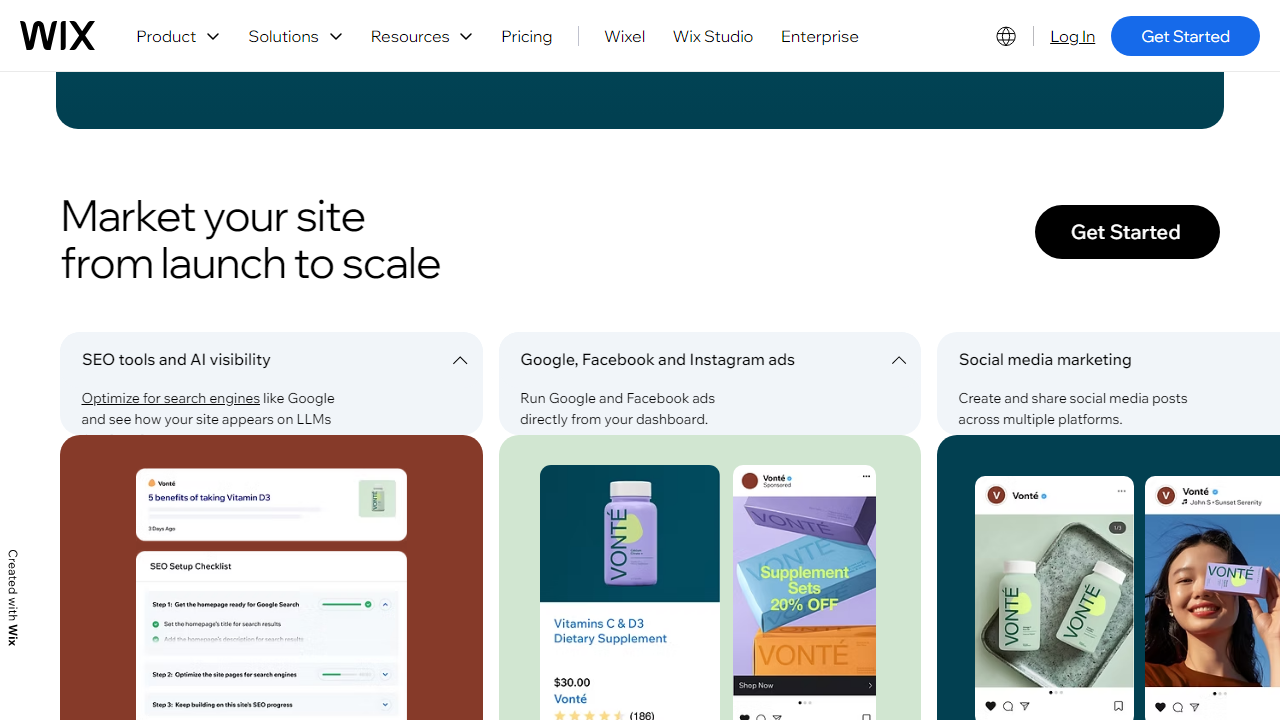
Wix’s SEO toolkit has matured considerably. The SEO Setup Checklist walks you through meta tags, sitemaps, structured data, and canonical URLs step by step. The built-in blog supports RSS feeds, categories, and Open Graph tags out of the box. On Business plans and above, you also get access to Wix Marketing Automations — triggered email sequences based on visitor behavior. Google Analytics integration works on all paid plans; the proprietary Wix Analytics dashboard is available at all tiers but shows more detailed data on Business and higher.
Storage and Bandwidth
This is where plan differentiation matters most for real-world performance. The free plan gives you 500MB of storage. Core offers 2GB. Business bumps that to 50GB. Business Elite is listed as unlimited. Bandwidth is unmetered on all paid plans, which is genuinely good news — you won’t get surprise overage fees even if a blog post goes viral. Storage is the real constraint to watch, particularly if you’re uploading high-resolution photography or video content.
Wix Pricing Plans: Full 2026 Breakdown
Wix currently offers one free plan and five paid tiers. The paid plans are split into two categories: Website Plans (for non-ecommerce sites) and Business Plans (for stores and bookings-heavy businesses). All prices below reflect monthly billing; annual billing saves roughly 30–40% depending on the tier, which is significant and worth considering if you’re committing to Wix long-term.
| Plan | Price/mo (Annual) | Best For | Key Limit |
|---|---|---|---|
| Free | $0 | Testing & experimenting only | Wix ads, subdomain, 500MB storage |
| Light | $17/mo | Simple personal sites & portfolios | 2GB storage, no ecommerce |
| Core | $29/mo | Small businesses & basic stores | 50GB storage, basic ecommerce |
| Business | $36/mo | Growing online stores | Subscriptions, advanced shipping |
| Business Elite | $159/mo | High-volume ecommerce | Unlimited storage, priority support |
A note on annual vs. monthly billing: Wix charges a significant premium for month-to-month billing — the Core plan jumps from $29/mo (annual) to $36/mo (monthly). If you’re confident about committing for a year, the annual rate is always the smarter financial choice. Wix also runs frequent promotional discounts — we’ve seen 50% off first-year deals during Black Friday and periodically throughout the year.
What about the free plan? The free plan is genuinely only useful as a sandbox environment. Your site URL will be something like username.wixsite.com/mysite, Wix ads run across all pages, and you’re limited to 500MB of storage with no custom domain support. For any real business purpose, the free plan is a non-starter. We’d suggest using it for two to three days to learn the editor, then upgrading before you invest serious time in your site.
Who Should Use Wix?
Best Wix Alternatives
If Wix doesn’t feel like the right fit, these four platforms are worth considering depending on your budget and goals.
| Tool | Price | Best For | Rating |
|---|---|---|---|
| Squarespace | From $16/mo | Designers & creatives | ⭐ 4.5/5 |
| Shopify | From $39/mo | Serious eCommerce stores | ⭐ 4.7/5 |
| WordPress.com | From $9/mo | Bloggers & publishers | ⭐ 4.3/5 |
| Webflow | From $18/mo | Developers & agencies | ⭐ 4.6/5 |
Frequently Asked Questions
Does Wix offer a free plan in 2026?
Yes, Wix still offers a free plan, but it includes Wix-branded ads and a subdomain (e.g., username.wixsite.com). It’s useful for testing the platform but not recommended for professional or business use.
Can I switch Wix plans at any time?
Yes, you can upgrade or downgrade your Wix plan at any time through your account dashboard. Upgrades take effect immediately, while downgrades apply at the end of your current billing cycle.
Is Wix good for eCommerce in 2026?
Wix is a solid choice for small-to-medium online stores. Its Business and Business Elite plans include solid eCommerce tools, abandoned cart recovery, and multichannel selling. For large-scale operations, Shopify remains the stronger option.
Does Wix charge transaction fees?
Wix does not charge additional transaction fees on top of standard payment processor rates. You’ll only pay the fees set by your chosen payment gateway, such as Stripe or PayPal.
Final Verdict: Is Wix Worth It in 2026?
Wix continues to be one of the most accessible and feature-rich website builders available in 2026. For freelancers, small business owners, and entrepreneurs who want a polished online presence without hiring a developer, the Core and Business plans offer genuine value. The drag-and-drop editor, AI-powered tools, and extensive app market make it easy to build something that looks and functions professionally without a steep learning curve.
That said, Wix is not ideal for everyone. Power users who need deep customization, high-volume eCommerce, or advanced SEO control may find the platform’s limitations frustrating at higher price points. If your needs are straightforward and you value ease of use above all else, Wix is absolutely worth the investment. Just choose your plan carefully — the free and Light tiers are best treated as starting points, not long-term solutions.
⭐ Editor’s Pick
Wix — Best All-Around Website Builder in 2026
Flexible plans, no transaction fees, and a beginner-friendly editor that scales with your business.
GetClarityHub Editorial Team
Our editorial team researches and tests software tools so you can make confident, informed decisions. All pricing and features are verified at the time of publication.