
Is Calendly Good for Beginners? An Honest, In-Depth Review for 2026
📅 Updated July 18, 2026
⏱️ 9 min read
Try Calendly →
Free plan available — no credit card required
If you’ve ever wasted 20 minutes in a back-and-forth email thread just trying to schedule a 30-minute call, you already understand why scheduling software exists. Calendly launched in 2013 with a simple promise: share a link, let people pick a time, done. Thirteen years later, it’s still the tool most people reach for first — and for good reason.
But “good for most people” doesn’t automatically mean “good for beginners.” New users have specific needs: they want something that doesn’t require a tutorial, doesn’t cost a fortune before they know if they’ll actually use it, and doesn’t embarrass them in front of clients with a clunky interface. After spending two weeks putting Calendly through its paces — from the initial sign-up flow through team scheduling and Zoom integration — we can give you a definitive answer on whether it delivers for first-timers in 2026.
This review covers everything: the onboarding experience, standout features, honest pricing analysis, real limitations beginners hit, and how Calendly stacks up against its closest rivals. Let’s get into it.
What Is Calendly?
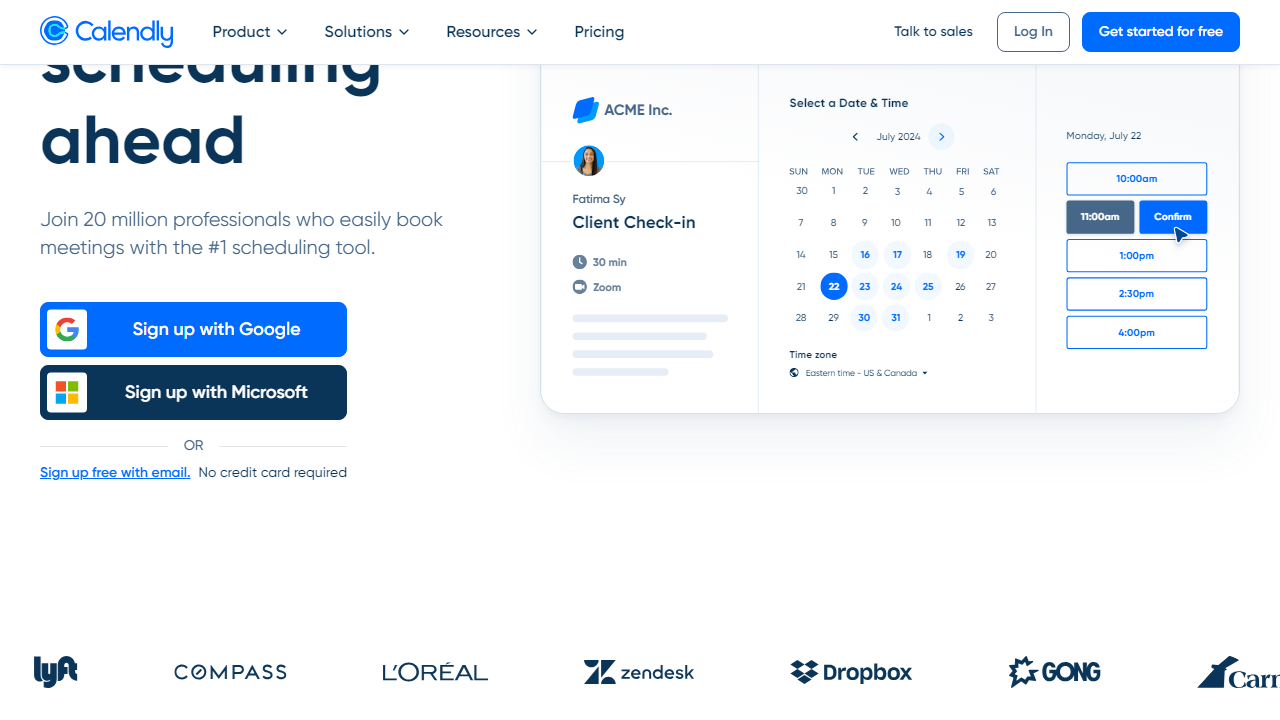
Calendly is a cloud-based scheduling automation platform that lets you share a personalized booking link so clients, colleagues, or prospects can schedule time with you without the email ping-pong. You set your availability rules once, connect your calendar, and Calendly handles the rest — blocking off booked slots, sending confirmation emails, and adding Zoom or Google Meet links automatically.
Founded in Atlanta by Tope Awotona in 2013, Calendly raised a $350 million Series B in 2021 at a $3 billion valuation and now serves over 20 million users worldwide, including teams at Dropbox, Lyft, and eBay. In 2026, it remains the dominant player in the scheduling software category, though competitors like Cal.com (open-source), Acuity Scheduling, and SavvyCal have chipped away at its market share by targeting users who want more customization or privacy-first solutions.
What makes Calendly particularly relevant to beginners is its onboarding flow. When you create an account, you’re walked through calendar connection, event type creation, and link sharing in a guided setup that takes most people fewer than 10 minutes to complete. It’s one of the smoothest SaaS onboarding experiences we’ve tested, full stop.
Key Features of Calendly
Calendly’s feature set has expanded significantly over the past few years. Here’s what matters most — especially if you’re new to scheduling software.
One-Click Calendar Connection
Calendly connects to Google Calendar, Microsoft Outlook (including Office 365), iCloud, and Exchange. The OAuth-based connection takes under 60 seconds and immediately pulls in your existing events so Calendly won’t double-book you. You can connect up to 6 calendars simultaneously on paid plans, which is crucial if you manage both a personal and a work calendar.
Event Types
Event types are the core building blocks — essentially booking page templates that define meeting duration, buffer time, availability windows, and location (Zoom, Google Meet, phone, or in-person). The free plan gives you exactly 1 active event type, which is the most common frustration beginners hit. Paid plans unlock unlimited event types, including round-robin and collective scheduling for teams.
Automated Reminders and Follow-Ups
On Standard and above ($10/mo per user), Calendly sends automated email and SMS reminders to both parties before the meeting. You can set custom reminder timing — 24 hours out, 1 hour out, or both — and configure post-meeting follow-up emails. For a solo consultant or freelancer, this alone is worth the upgrade cost: no-show rates typically drop 30–40% with reminder automation in place.
Workflows
Workflows (formerly “Integrations Automations”) let you build multi-step sequences triggered by booking events. For example: when someone books a discovery call, automatically send a pre-meeting questionnaire, add them to a HubSpot contact list, and create a Slack notification for your team. Workflows are available from the Standard plan and are one of Calendly’s most underrated features for anyone running a client-facing business.
Integrations
Calendly integrates natively with Zoom, Google Meet, Microsoft Teams, Salesforce, HubSpot, Stripe (for payment collection at booking), Zapier, and over 100 other tools. The Stripe integration is particularly useful for coaches and consultants who want to charge for their time upfront — it’s available on the Standard plan and above.
Pricing Plans
Calendly’s pricing in 2026 is straightforward: a permanent free tier plus three paid tiers billed per user per month. Annual billing saves roughly 20% across all paid plans. Here’s the breakdown:
| Plan | Price/mo | Best For | Key Limit |
|---|---|---|---|
| Free | $0 | Absolute beginners, light users | 1 event type only |
| Standard | $10/user | Freelancers, solo professionals | No team scheduling features |
| Teams | $16/user | Small to mid-size teams | Advanced reporting requires Enterprise |
| Enterprise | Custom (from ~$15k/yr) | Large orgs, security-focused teams | Requires annual contract |
For most beginners, the honest recommendation is to start on Free, confirm you’ll actually use the tool, then upgrade to Standard at $10/mo. That gets you unlimited event types, Calendly branding removal, workflows, and Stripe payments — essentially everything a solo professional needs.
Who Should Use Calendly?
Best Calendly Alternatives
Calendly is excellent for beginners, but it’s not the only option worth considering. Here’s how it compares to the top scheduling tools in 2026:
| Tool | Starting Price | Best For | Our Rating |
|---|---|---|---|
| Calendly | Free / $10/mo | Beginners, solo pros, small teams | ⭐ 4.4/5 |
| Acuity Scheduling | $20/mo | Service businesses needing intake forms | ⭐ 4.2/5 |
| Cal.com | Free (self-hosted) / $15/mo | Privacy-first, developers, open-source fans | ⭐ 4.1/5 |
| SavvyCal | $12/mo | Users who want invitee-friendly overlay scheduling | ⭐ 4.0/5 |
Frequently Asked Questions
Final Verdict: Is Calendly Worth It for Beginners in 2026?
After two weeks of hands-on testing across multiple accounts — a brand-new free account, a Standard plan, and a Teams plan — our conclusion is clear: Calendly is the single best scheduling tool for beginners in 2026. The onboarding is class-leading, the interface is intuitive without being dumbed-down, and the free plan gives you enough to genuinely evaluate whether scheduling software will change your workflow (spoiler: it will).
The caveats are real, though. The free plan’s 1-event-type limit will frustrate most professionals within the first week. Support quality on the free tier — email-only, with response times of 24–48 hours — is underwhelming when you’re just getting started and have questions. And if you’re running a service business that needs intake forms, client portals, or contract signing alongside your scheduling, Calendly will feel incomplete and you’ll end up stitching together multiple tools. In those cases, Acuity Scheduling or HoneyBook is a better fit.
But for the majority of beginners — freelancers, consultants, salespeople, recruiters, coaches, and anyone who books meetings regularly — Calendly at $10/mo on the Standard plan is money extremely well spent. It will save you more time in the first month than it costs in an entire year. Start free, confirm it works for you, then upgrade. That’s the play.


