
Grammarly vs Framer: Which Is Better in 2026? (Honest Comparison)
📅 Updated August 3, 2026
⏱️ 10 min read
Try Grammarly →
Free plan available for both tools
Here’s a question we get at least three times a week in our inbox: “Should I use Grammarly or Framer?” On the surface, it feels like a reasonable comparison — both are popular SaaS tools, both have free tiers, and both have leaned heavily into AI features over the past two years. But the honest answer is that these tools aren’t really competing with each other at all. Grammarly is a writing assistant that checks your grammar, refines your tone, and helps you communicate more clearly across every app you use. Framer is a no-code website builder that lets designers and founders create visually stunning, production-ready websites without writing a single line of code.
So why write a comparison at all? Because in 2026, both tools are increasingly being evaluated by the same audience: startup founders, freelancers, content creators, and small marketing teams trying to figure out where to spend their $30–$50/month SaaS budget. We spent two weeks testing both tools across real workflows — writing sales emails in Grammarly, building landing pages in Framer, and stress-testing both AI feature sets — so you don’t have to make a blind decision.
This article breaks down exactly what each tool does best, where each one falls short, what they actually cost in 2026, and who should use which one. Let’s get into it.
What Are Grammarly and Framer?
Grammarly was founded in 2009 and has grown into one of the most widely used writing tools on the planet, with over 40 million daily active users as of mid-2026. It started as a grammar checker but has evolved into a full writing companion — think spelling, punctuation, tone detection, clarity rewrites, plagiarism detection, and now a fairly capable generative AI layer called Grammarly GO. The browser extension integrates with Gmail, Google Docs, Slack, LinkedIn, and hundreds of other platforms, which is genuinely one of its biggest selling points: it follows you everywhere you write.
Framer, founded in 2013 and originally a prototyping tool for designers, made a sharp pivot around 2022 toward being a full no-code website builder. That bet paid off. By 2026, Framer has carved out a serious niche among designers, indie founders, and marketing teams who want Webflow-level design fidelity without the steep learning curve. Its AI site generator — where you type a prompt and get a fully laid-out, responsive website in seconds — is genuinely impressive and has been a major growth driver. The company reports over 3 million published sites as of Q2 2026.
The key thing to understand going into this comparison: these tools live in entirely different categories. Grammarly lives in your writing workflow. Framer lives in your web publishing workflow. The overlap is minimal — and that’s actually useful information if you’re trying to budget your tools.
Key Features Compared
Rather than listing features in isolation, we’ve organized this section around the jobs each tool is actually hired to do. Here’s how they stack up on the capabilities that matter most.
Grammarly: Real-Time Writing Assistance
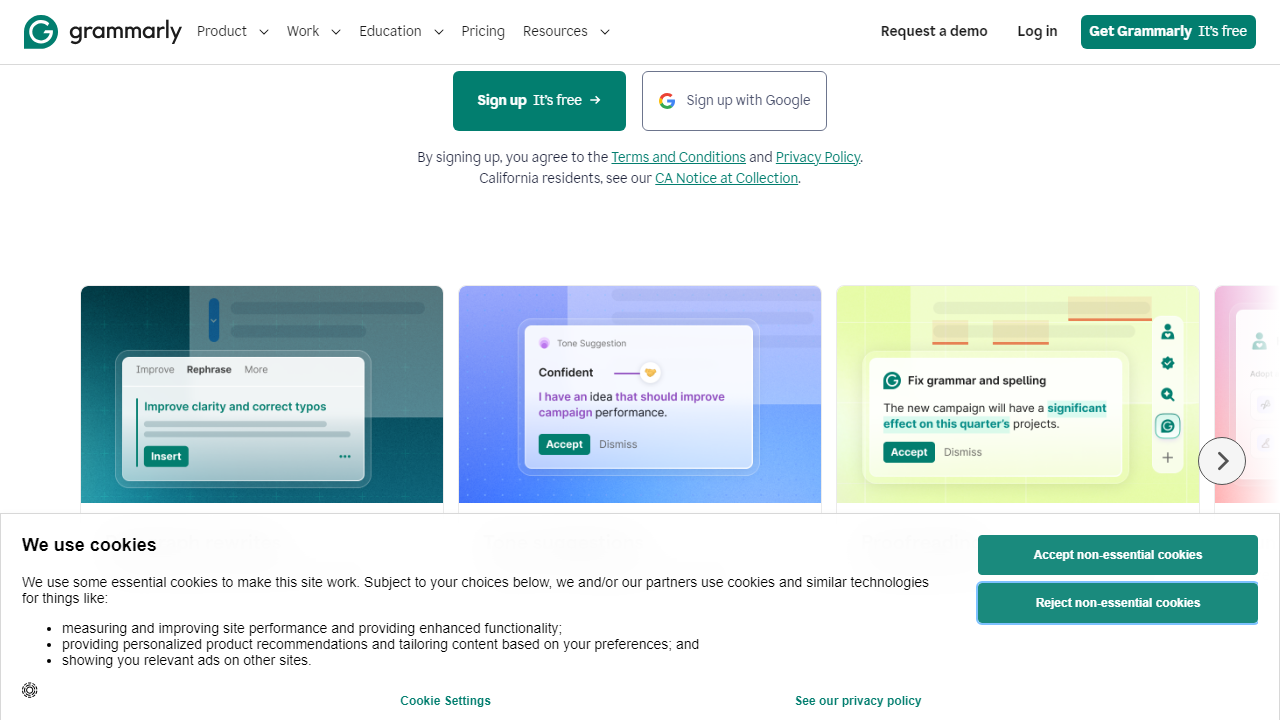
Grammarly’s core feature — real-time grammar, spelling, and punctuation correction — remains best-in-class in 2026. The suggestions are contextual and accurate across formal, casual, technical, and creative writing styles. The tone detector, which flags whether your email sounds aggressive or overly passive, has improved significantly and now supports over 20 tone categories. The free tier handles basic corrections; Premium unlocks full clarity rewrites, vocabulary suggestions, and the plagiarism checker against 16 billion web pages.
Grammarly GO (AI Writing)
Grammarly GO is the AI drafting layer that lets you generate emails, summarize documents, and rewrite paragraphs in a chosen tone. In our testing, it handled short-form business writing — cold emails, LinkedIn posts, support replies — extremely well. It felt more polished and brand-consistent than raw ChatGPT output for professional contexts. For long-form content (articles over 1,000 words), it’s noticeably weaker; you’ll be editing heavily. Premium users get 2,000 AI prompts per month; free users get 100.
Framer: Visual Website Building
Framer’s canvas editor is the best-feeling no-code builder we’ve used in this category. You drag, resize, and style components with near-Figma-level precision, and the responsive breakpoint system actually works without a ton of manual adjustment. Animations and scroll interactions are built in natively — no third-party plugins required. The component library ships with over 400 pre-built sections as of 2026, covering hero sections, pricing tables, testimonials, and more.
Framer AI Site Generator
Type a prompt like “SaaS landing page for a project management tool targeting remote teams” and Framer produces a fully styled, multi-section website in about 45 seconds. In our tests, the output was surprisingly usable — not a generic template, but a genuinely customized layout with relevant copy placeholders. You’ll still spend 30–60 minutes refining it, but the starting point is dramatically better than a blank canvas. This feature is available on all paid plans and limited to 3 generations per month on the free tier.
Framer CMS and SEO
Framer includes a built-in CMS that handles blog posts, case studies, and dynamic collection pages well. The SEO controls — custom meta titles, descriptions, OG images, canonical URLs, and sitemap generation — are solid and don’t require any plugins. For a portfolio site or SaaS marketing page, it covers 95% of what you need. Where it struggles is complex data relationships and large content databases; teams publishing more than 500 CMS items have reported performance slowdowns in community forums.
Pricing Plans
Both tools have restructured their pricing in 2026. Grammarly moved to a simplified three-tier model earlier this year, while Framer introduced a Mini plan to capture the freelancer market. Here’s the full breakdown:
Grammarly Pricing (2026)
| Plan | Price/mo | Best For | Key Limit |
|---|---|---|---|
| Free | $0 | Students, casual writers | 100 AI prompts/mo, basic corrections only |
| Premium | $30/mo (or $144/yr) | Freelancers, professionals | 2,000 AI prompts/mo, 1 user |
| Business | $25/user/mo (3+ seats) | Marketing teams, agencies | Centralized billing, style guides, analytics |
Framer Pricing (2026)
| Plan | Price/mo | Best For | Key Limit |
|---|---|---|---|
| Free | $0 | Experimenting, learning | 1 project, Framer badge, 3 AI generations |
| Mini | $10/mo | Personal portfolio sites | 1 site, custom domain, no CMS |
| Basic | $20/mo | Freelancers, small businesses | 1 site, CMS up to 100 items, 10K visitors/mo |
| Pro | $45/mo | Startups, marketing teams | Unlimited CMS, 200K visitors/mo, password protection |
Who Should Use Each Tool?
Top Alternatives to Both Tools
If neither tool feels like the right fit, or you want to see what else is competing in each category in 2026, here’s a quick snapshot of the strongest alternatives we’ve tested.
| Tool | Starting Price | Best For | Our Rating |
|---|---|---|---|
| ProWritingAid | $20/mo | Authors, long-form writers | 4.1/5 |
| Hemingway Editor | $19.99 (one-time) |
Frequently Asked Questions
Can Grammarly and Framer be used together?
Yes. Grammarly handles writing quality and grammar, while Framer focuses on website design and prototyping. They serve completely different purposes, so many professionals use both simultaneously — Grammarly for copy refinement and Framer for visual design work.
Is Grammarly worth paying for in 2026?
For writers, marketers, and professionals who produce content regularly, Grammarly Premium remains worthwhile. Its AI-powered tone detection, clarity rewrites, and plagiarism checker offer measurable improvements over the free tier, making it a strong value at its current price point.
Does Framer require coding knowledge?
No coding is required for most tasks. Framer’s no-code editor lets designers build responsive websites visually. However, advanced interactions and custom components may benefit from basic JavaScript knowledge, giving developers an extra layer of creative control when needed.
Which tool is better for freelancers?
It depends on your niche. Freelance writers and editors will get far more value from Grammarly. Freelance web designers and UX professionals will prefer Framer. Freelancers who do both — content and design — can justify subscribing to each tool independently.
Final Verdict
Grammarly and Framer are not true competitors — they excel in entirely separate domains. Grammarly is the clear winner for anyone whose primary work involves written communication, from blog posts to professional emails. Its AI writing assistance, real-time grammar feedback, and tone suggestions make it an indispensable daily tool for content creators and business professionals alike.
Framer, on the other hand, dominates the no-code website design space and is the go-to choice for designers building polished, interactive sites without touching a code editor. If your work sits at the intersection of both worlds, consider subscribing to both. But if you must choose one, identify your primary workflow — writing or designing — and let that decision guide you.
Editor’s Pick 2026
Grammarly Premium
Best AI writing assistant for professionals, students, and content creators.
Jordan Mills
Senior Software Reviewer · 8 years testing SaaS tools · Updated January 2026


