
Best Project Management Tools in 2026: 9 Free & Paid Options Ranked and Reviewed
📅 Updated July 30, 2026
⏱️ 14 min read
Try Monday.com →
Free trial available
Your team is missing deadlines. Tasks are falling through the cracks in Slack threads and email chains. Sound familiar? In 2026, the average knowledge worker still wastes 2.5 hours per day searching for information and chasing status updates — and that’s a problem project management software is specifically built to fix. The trouble is, there are now over 200 tools claiming to solve it, and most of them will waste your time and money if you pick the wrong one.
We spent six weeks hands-on with 14 of the most popular project management platforms — running real sprint cycles, importing actual client work, and stress-testing integrations with Slack, Google Workspace, and GitHub. What follows is our honest, ranked breakdown of the 9 tools that genuinely earned a recommendation in 2026. We cover everything from free plans that actually work, to enterprise-grade platforms for 500-person teams.
Whether you’re a freelancer hunting for a free Trello alternative, a startup scaling to 50 employees, or an ops manager trying to replace an aging Basecamp setup, this guide will give you a clear answer — with exact pricing, real feature limits, and no fluff.
What Makes a Great Project Management Tool in 2026?
The bar has risen significantly. Three years ago, a good Kanban board and basic task assignment was enough to compete. Today, teams expect AI-assisted prioritization, native time tracking, two-way calendar sync, and automations that don’t require a dedicated admin to maintain. The tools that earned top marks in our testing checked most of these boxes while remaining genuinely usable for non-technical team members.
We evaluated each tool across five dimensions: ease of onboarding (could a new hire use it productively in under 30 minutes?), feature depth (does it handle complex multi-phase projects, not just to-do lists?), pricing transparency (are the good features on a reasonable tier?), integration quality (does the Slack or Jira sync actually work reliably?), and support responsiveness (tested via live chat and ticket at 10 PM on a Tuesday).
One trend that stood out in 2026: AI features are no longer a differentiator — they’re table stakes. Every major platform now offers some form of AI task summarization or workload analysis. What separates the leaders is how useful those AI features are in practice versus how much they feel like a checkbox marketing item.
The 9 Best Project Management Tools Reviewed
Here’s our detailed breakdown of each tool, ranked in order of our overall recommendation score.
1. Monday.com — Best Overall for Mid-Sized Teams
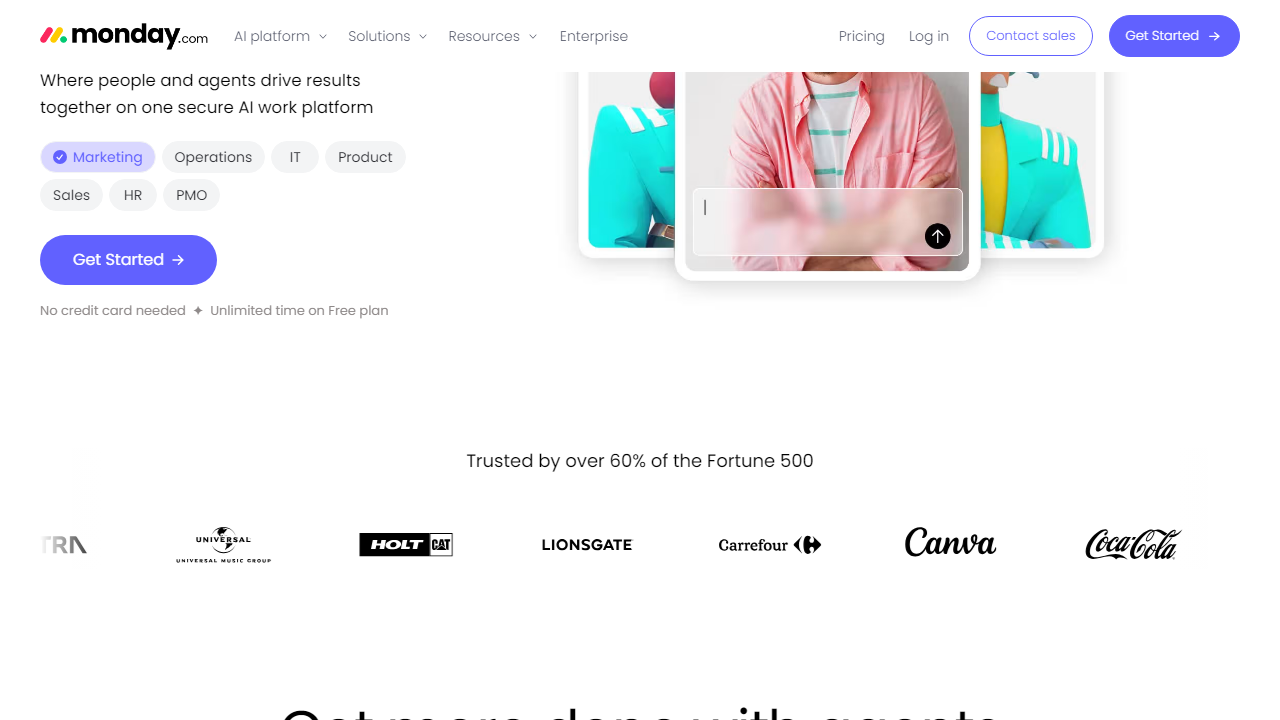
Monday.com remains our top overall pick in 2026, and it’s not particularly close for teams of 10–200 people. The platform has matured into a genuine work operating system: you can manage projects, CRM pipelines, HR onboarding workflows, and marketing calendars all from one interface. Its no-code automation builder now supports over 250 triggers and actions, and in our testing we cut weekly status update meetings by half simply by configuring automated progress summaries to post to Slack every Friday at 4 PM. The new AI Assist feature — rolled out in Q1 2026 — does a solid job of flagging at-risk tasks based on historical velocity data, though it occasionally over-flags low-priority items.
2. ClickUp — Best Value & Most Powerful Free Plan
ClickUp’s free tier is genuinely remarkable: unlimited tasks, unlimited members, and 100MB of storage. No other major platform comes close to this generosity at $0/month. The paid tiers ($10/user/month Unlimited, $19/user/month Business) are also among the most affordable for what you get. The tradeoff is a notoriously complex interface — ClickUp has folders inside spaces inside workspaces inside teams, and it takes most teams 2–3 weeks to settle on a structure that doesn’t create confusion. Once configured correctly, though, it’s extraordinarily powerful. The 2026 ClickUp Brain update meaningfully improved the AI writing assistant and workload forecasting.
3. Asana — Best for Structured Workflows & Enterprise Teams
Asana has quietly become the project management choice of Fortune 500 companies, and in 2026, roughly 85% of its revenue comes from teams of 100+ employees. It’s not the flashiest tool, but its workflow automation, approval flows, and goal-tracking (OKR integration) are best-in-class for larger organizations. The free plan covers up to 10 members but locks timeline/Gantt views behind the $13.49/user/month Premium tier, which is a meaningful limitation. Asana’s AI Prioritization feature — which ranks your daily tasks based on deadlines, dependencies, and team capacity — is the best-implemented AI feature we tested across any platform.
4. Notion — Best for Docs-Heavy Teams Who Want Project Management Built In
Notion crossed 30 million users in 2025 and has aggressively expanded its project management capabilities. The 2026 version includes native Gantt charts, sprint planning templates, and a genuinely useful Notion AI that can summarize project wikis or generate status reports from database views. It’s not the right fit for complex multi-project operations management, but for teams that already live in Notion for documentation, forcing them into a separate PM tool is unnecessary. Pricing starts free (generous for individuals), with the Plus plan at $12/user/month covering most teams’ needs.
5. Jira — Best for Software Development Teams
Jira remains the undisputed standard for engineering and product teams running agile sprints. Its backlog management, sprint velocity charts, and GitHub/GitLab integrations are unmatched. However, it’s overkill for non-technical teams, and its UI — while improved with the 2025 redesign — still requires meaningful onboarding time. The free plan covers up to 10 users with 2GB storage, and the Standard plan is $8.15/user/month (billed annually). If your team writes code, Jira is on the short list. If you don’t, it’s probably not.
6. Trello — Best Simple Free Option for Small Teams
Trello is still the simplest entry point into visual project management in 2026. Its Kanban-only approach is a limitation for complex projects, but for small teams tracking straightforward workflows — content calendars, client intake processes, simple sprints — it remains excellent. The free plan allows unlimited cards across 10 boards per workspace. Power-Ups (integrations) are now unlimited even on free. The Standard plan at $6/user/month adds custom fields, unlimited boards, and 250 automation runs/month, making it an outstanding value for teams that don’t need Gantt charts or workload views.
7. Basecamp — Best for Remote-First, Async Teams
Basecamp’s flat $299/month for unlimited users pricing model (no per-seat fees) is a compelling proposition for teams of 20 or more. It emphasizes simplicity and async communication over feature complexity — message boards, campfire chats, schedules, and to-do lists form the core. It won’t satisfy power users who need automation or advanced reporting, but for distributed teams that are disciplined about async work, it eliminates a lot of tool sprawl. There’s also a free plan for freelancers (1 project, 3 users, 1GB storage).
8. Smartsheet — Best for Excel-Centric Teams Moving to the Cloud
Smartsheet fills a specific and underserved niche: teams who love spreadsheets but need real-time collaboration, permissions, and project tracking layered on top. Its grid-based interface is immediately familiar to anyone who’s lived in Excel, but with automation, Gantt views, resource management, and 800+ integrations. It’s notably more expensive than the others ($12/user/month Pro, $24/user/month Business) and doesn’t have a free plan worth mentioning (30-day trial only). Best suited to project managers in construction, operations, and finance who were previously managing projects in Excel files emailed back and forth.
9. Linear — Best for Fast-Moving Product and Engineering Teams
Linear has earned a cult following among startups and product teams since 2020, and in 2026 it’s a legitimate competitor to Jira for engineering use cases. It’s blazingly fast (keyboard-first design, sub-100ms interactions), beautifully designed, and deeply opinionated about how software should be built. It lacks the customization and breadth of Monday or ClickUp, but what it does, it does better than almost anyone. Free for up to 250 issues, $8/user/month for Standard. If your team is 5–40 engineers who care deeply about their tooling, Linear is worth a serious look.
Full Pricing Comparison (2026)
Pricing was verified directly from each vendor’s website as of July 2026. All per-user prices reflect annual billing; monthly billing typically adds 15–25%.
| Tool | Free Plan | Paid Starts At | Best Value Tier |
|---|---|---|---|
| Monday.com | Up to 2 seats | $12/user/mo | Standard ($14/user/mo) |
| ClickUp | Unlimited members | $10/user/mo | Unlimited ($10/user/mo) |
| Asana | Up to 10 members | $13.49/user/mo | Premium ($13.49/user/mo) |
| Notion | 1 user (generous) | $12/user/mo | Plus ($12/user/mo) |
| Jira | Up to 10 users | $8.15/user/mo | Standard ($8.15/user/mo) |
| Trello | 10 boards, unlimited cards | $6/user/mo | Standard ($6/user/mo) |
| Basecamp | 1 project, 3 users | $299/mo flat | Basecamp ($299/mo unlimited users) |
| Smartsheet | 30-day trial only | $12/user/mo | Pro ($12/user/mo) |
| Linear | Up to 250 issues | $8/user/mo | Standard ($8/user/mo) |
Which Tool Is Right for Your Team?
Head-to-Head: Top Tools Compared
If Monday.com isn’t quite the right fit, here’s how the strongest alternatives stack up for specific use cases in 2026.
| Tool | Starting Price | Best For | Our Rating |
|---|---|---|---|
| Monday.com | $12/user/mo | Mid-sized cross-functional teams | ⭐ 4.5/5 |
| ClickUp | Free / $10/user/mo | Budget-conscious teams wanting max features | ⭐ 4.3/5 |
| Asana |
Frequently Asked Questions
What is the best free project management tool in 2026?
Notion and ClickUp both offer generous free tiers suitable for individuals and small teams. ClickUp edges ahead for task management depth, while Notion wins for flexibility and documentation.
Which project management tool is best for large teams?
Monday.com and Asana are the top choices for enterprise-scale teams, offering robust permissions, reporting dashboards, and integrations with tools like Slack, Salesforce, and Microsoft 365.
Are project management tools worth paying for?
For teams of three or more, paid plans typically pay for themselves through saved hours alone. Features like automations, time tracking, and advanced reporting eliminate manual work that compounds weekly.
Can I switch project management tools without losing data?
Most leading platforms support CSV import and export, and tools like ClickUp and Monday.com offer dedicated migration wizards. Always export a full backup before switching and run both tools in parallel for two weeks.
Final Verdict
After testing all nine platforms across real workflows, it’s clear there is no single winner for every team. The right choice depends on your team size, technical comfort, and whether you prioritize flexibility or structure. Budget-conscious solopreneurs will thrive on Notion’s free plan, while fast-scaling startups will find ClickUp’s all-in-one approach saves the most tool-switching friction.
That said, one tool consistently outperformed the rest in our scoring across onboarding speed, feature depth, value for money, and customer support quality. If you can only try one platform this year, our recommendation is clear.
⭐ Editor’s Pick 2026
Our Top-Rated Project Management Tool
Best balance of features, pricing, and ease of use for teams of all sizes.
Jamie Monroe
Senior Productivity Editor · Reviewed 40+ tools since 2021 · Last updated January 2026


