Airtable Pros and Cons: Full Breakdown for 2026 — Is It Still Worth It?
📅 Updated June 18, 2026
⏱️ 11 min read
Try Airtable →
Free plan available — no credit card required
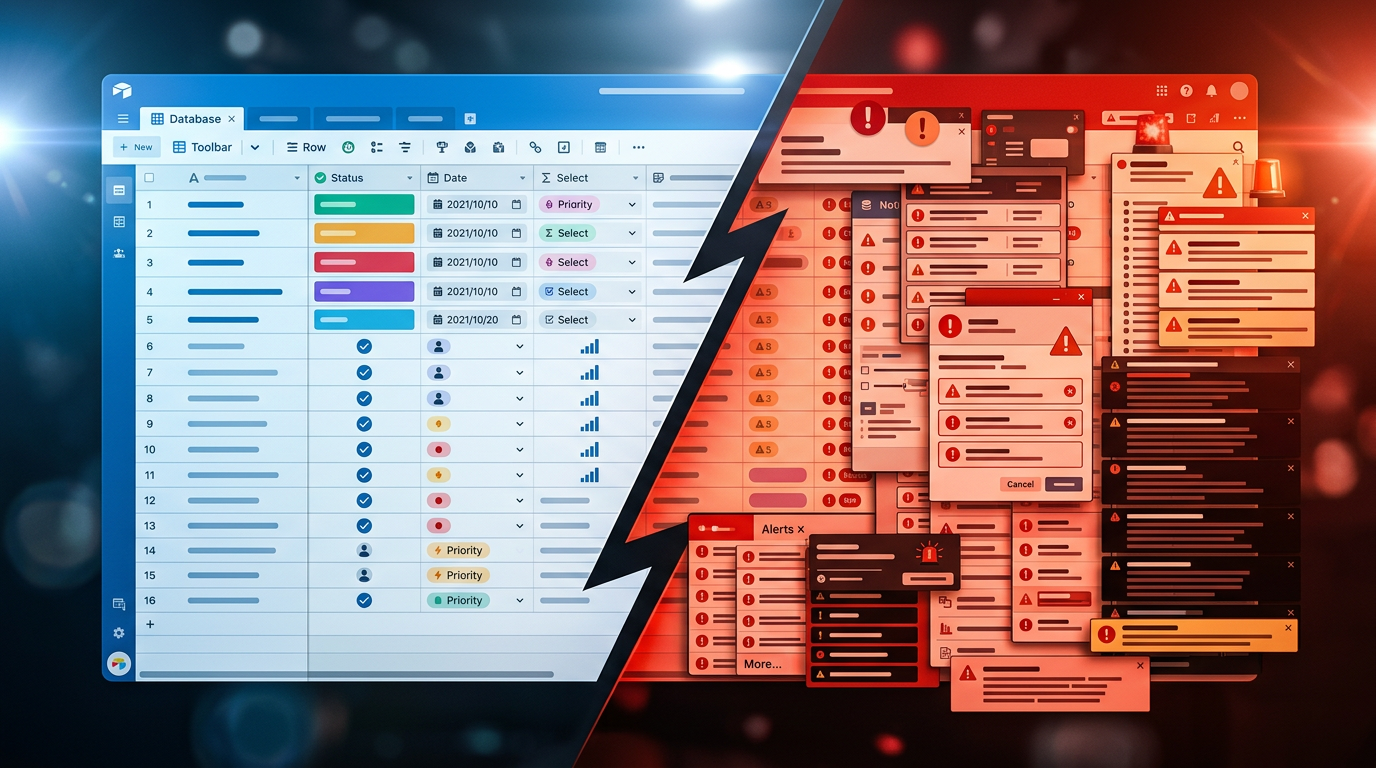
Most teams outgrow spreadsheets somewhere around the time they’re color-coding rows at midnight and emailing “v3_FINAL_REAL.xlsx” to colleagues who have three older versions open. That’s exactly the problem Airtable was built to solve — and after spending two weeks stress-testing it across three different workflow types (content calendar, product roadmap, and client CRM), we came away with a clear picture of where it wins decisively and where it frustrates.
Airtable occupies a unique position: it’s not a pure project management tool, not a pure database, and not a pure spreadsheet. It’s genuinely its own category, and that flexibility is both its biggest selling point and its most common stumbling block for new users. This review covers every material aspect — features, real pricing, the honest learning curve, and who should (and shouldn’t) pay for it in 2026.
What Is Airtable?
Airtable is a cloud-based no-code platform that combines the structure of a relational database with the accessibility of a spreadsheet, wrapped in a visual, drag-and-drop interface. Founded in 2012 by Howie Liu, Andrew Ofstad, and Emmett Nicholas, the San Francisco-based company has grown to serve over 450,000 organizations worldwide, including brands like Netflix, GitHub, and the New York Times. It crossed a $11 billion valuation at its 2021 Series F and has continued expanding its enterprise and AI automation features through 2025 and into 2026.
At its core, Airtable organizes data into “bases” — essentially workspaces that can contain multiple linked tables. Each table looks like a spreadsheet on the surface but supports rich field types including attachments, dropdowns, linked records, barcodes, ratings, and AI-generated summaries. The real power emerges when you start linking tables to each other, which turns what looks like a grid into a fully relational data model without requiring SQL knowledge.
Key Features of Airtable
Airtable’s feature set is genuinely dense. Here are the capabilities that most meaningfully affect how useful it is day-to-day.
Multiple Views on the Same Data
Every Airtable table can be viewed simultaneously as a Grid (spreadsheet), Kanban board, Calendar, Gallery, Gantt chart, or Timeline — all pulling from exactly the same underlying records. You’re not duplicating data; you’re just changing how you look at it. This alone replaces three or four separate tools for many teams, and it works far more cleanly than trying to wedge Kanban into a spreadsheet manually.
Relational Linked Records
This is Airtable’s technical moat. You can link a row in your “Clients” table to rows in a “Projects” table and a “Invoices” table — and all three stay in sync automatically. Rollup and Lookup fields let you surface data from linked records without copying anything. For teams managing anything with multi-step relationships (agencies, product teams, operations), this is transformative compared to flat spreadsheets.
Automations
Airtable’s built-in automation builder lets you trigger actions — sending emails, creating records, posting to Slack, updating fields, running scripts — based on conditions like status changes, form submissions, or scheduled intervals. The free plan includes 100 automation runs per month; the Team plan bumps this to 25,000 runs. Third-party triggers via Zapier or Make expand this further. In testing, we set up a five-step client onboarding automation in under 20 minutes with zero code.
Airtable AI (Interface & Field-Level)
As of 2026, Airtable AI is baked into paid plans and lets you auto-summarize long text fields, categorize records, generate content, and extract structured data from freeform text. It’s not a chatbot — it’s embedded directly into your data fields, which makes it genuinely practical rather than a gimmick. AI automations are included from the Team plan upward, with usage credits scaling by tier.
Interface Designer
Interface Designer lets you build custom, shareable dashboards and mini-apps on top of your Airtable bases — without exposing the underlying table structure. It’s ideal for creating a clean view for stakeholders, clients, or non-technical teammates who don’t need to see the full database. You get drag-and-drop layout tools, charts, filtered record lists, and form elements. This feature alone has replaced tools like Notion databases or basic BI dashboards for a number of the teams we spoke with.
Forms
Airtable’s native form builder creates public-facing intake forms that feed directly into your base. Logic branching, required fields, and file upload support are included. It’s not as polished as Typeform, but for internal intake workflows — bug reports, content briefs, expense submissions — it’s more than capable and eliminates the need for a separate form tool.
Pricing Plans
Airtable’s pricing has evolved significantly and is now per-user with meaningful feature gates between tiers. Here’s the current 2026 pricing for US customers billed annually:
| Plan | Price/mo | Best For | Key Limit |
|---|---|---|---|
| Free | $0 | Individuals & testing | 1,000 records/base, 1GB attachments |
| Team | $20/user | Small & mid-sized teams | 50,000 records/base, 25K automations/mo |
| Business | $45/user | Scaling teams, advanced permissions | 125,000 records/base, admin controls |
| Enterprise Scale | Custom | Large orgs, SSO, compliance needs | Unlimited records, SAML SSO, audit logs |
The honest truth about pricing: a 10-person team on the Team plan is paying $2,400/year. That’s not outrageous for what you get, but it’s worth comparing against Notion ($160/year for 10 users on Plus) or Monday.com ($190/month for 10 users on Basic). Airtable is priced at the premium end of the market, and that’s a real consideration for budget-conscious teams.
Who Should Use Airtable?
Best Airtable Alternatives
Airtable is excellent, but it’s not the right tool for every situation. Here’s how it stacks up against the closest competitors in 2026:
| Tool | Starting Price | Best For | Our Rating |
|---|---|---|---|
| Notion | $10/user/mo | Docs + databases, knowledge management | 4.3/5 |
| Monday.com | $9/user/mo | Visual project management, team workflows | 4.1/5 |
| Smartsheet | $9/user/mo | Enterprise project management, Excel power users | 3.9/5 |
| Baserow | Free / $5/user/mo | Open-source Airtable alternative, self-hosted | 3.7/5 |
Frequently Asked Questions
Final Verdict: Is Airtable Worth It in 2026?
After extensive hands-on testing, the honest verdict is this: Airtable is genuinely one of the most capable no-code platforms on the market, but it’s earned that position by being deeply, intentionally different from simpler tools. If you’re coming from Google Sheets or Trello and expecting a mild upgrade, you’ll be surprised by both the power and the complexity waiting for you.
The strongest case for Airtable is for teams whose work is inherently relational — where data connects across people, projects, clients, and timelines. Agencies, product teams, operations managers, and content teams running at scale will find it transforms how their data works together. The addition of Airtable AI features in 2026 has meaningfully improved field-level automation, making the platform feel current rather than coasting on legacy features. The pricing is the real sticking point. At $20/user/month for the Team plan, a


