
Best Free Website Builders in 2026: 7 Tested, Ranked & Reviewed Honestly
📅 Updated June 10, 2026
⏱️ 14 min read
Try Wix →
Free plan available — no credit card needed
Building a website used to cost thousands of dollars and require a developer on retainer. In 2026, you can have a fully functional site live in under an hour — for free. But here’s what nobody tells you upfront: not all free plans are created equal. Some are genuinely useful tools that let real businesses grow. Others are glorified lead-capture pages designed to frustrate you into upgrading within the first 20 minutes.
We spent six weeks testing 11 free website builders hands-on — building actual portfolio sites, fake small businesses, and personal blogs on each platform. We paid attention to what you actually get for free, how painful the upgrade pressure is, page load speeds, mobile responsiveness, and whether you can rank on Google without spending a dime. The results were surprising in several ways.
This guide covers the 7 best free website builders in 2026, ranked honestly with real pricing data, genuine feature comparisons, and a clear recommendation for each type of user. Whether you’re a freelancer building a portfolio, a small business owner testing the waters, or a student launching a project, we’ll tell you exactly which platform to use — and which ones to avoid.
What Are Free Website Builders?
Free website builders are cloud-based platforms that let you create, design, and publish a website without paying any upfront subscription fees. They operate on a freemium model: the free tier gives you just enough functionality to get online, while paid tiers unlock custom domains, remove branding, increase storage, and add advanced tools like e-commerce or analytics.
The market has matured significantly since the early days of Geocities and Weebly. Today’s top platforms — Wix, Squarespace, Webflow, Google Sites, WordPress.com, IONOS, and Carrd — offer responsive design, built-in SEO tools, and AI-assisted site generation even at the free tier. The global website builder market hit $2.4 billion in 2025 and is projected to reach $3.1 billion by 2028, which means competition is fierce and the free plans keep getting better.
The critical thing to understand is that “free” always has conditions. Every platform monetizes differently: Wix and Squarespace show their branding on your site; WordPress.com limits storage aggressively; Webflow restricts you to two published projects. Knowing those conditions before you start building saves you hours of wasted work.
Key Features to Look For in a Free Website Builder
After testing 11 platforms, we identified five features that separate genuinely useful free builders from frustrating ones. Here’s what actually matters in 2026.
Drag-and-Drop Editor Quality
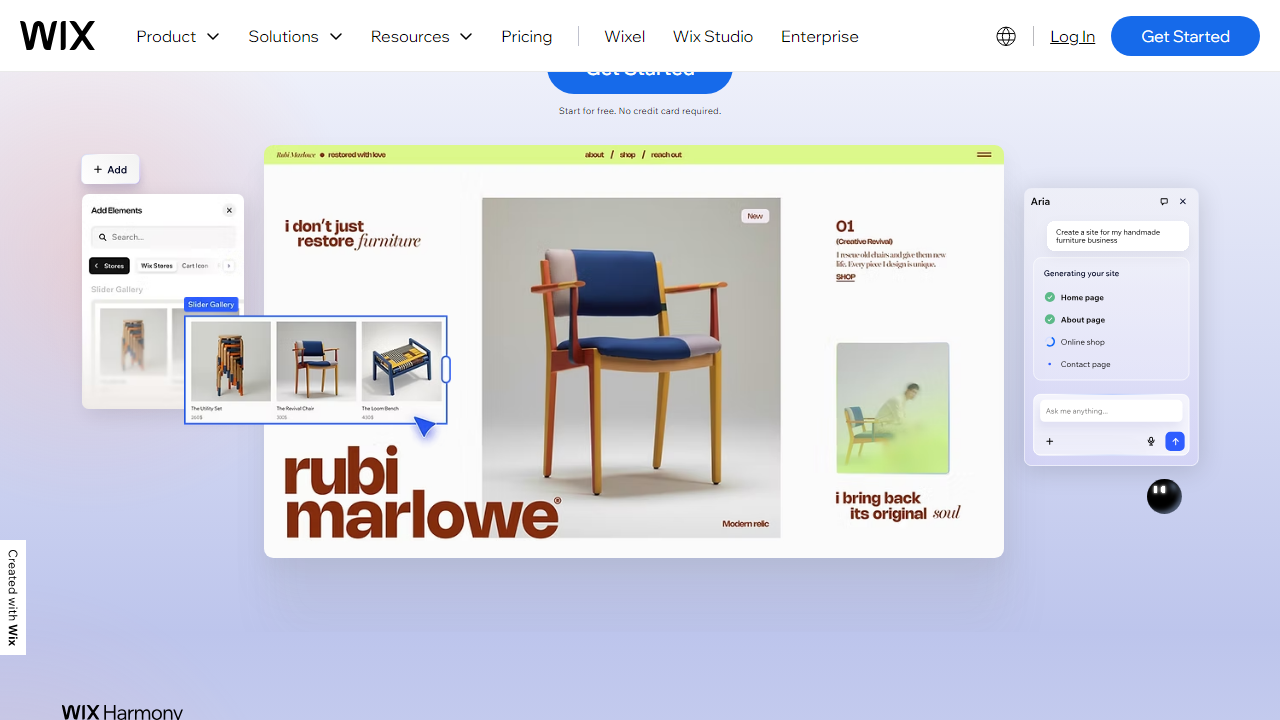
The best free builders use a true pixel-level drag-and-drop editor (Wix, Webflow) rather than a block-grid system (WordPress.com, Google Sites). Wix lets you place any element anywhere on a page with zero restrictions, which is rare at any price point. Webflow offers the most design control of any builder — but the learning curve is steep enough that beginners should start elsewhere.
Template Library & Quality
Template quality varies enormously. Wix offers 900+ templates sorted by industry, all mobile-responsive and free to use. Squarespace has 180 templates that are arguably more polished and design-forward. Google Sites has roughly 15 basic layouts — fine for internal docs, not for a professional business site. We specifically looked for templates that didn’t require paid add-ons to look complete.
SEO Tools on the Free Plan
Many builders bury SEO controls behind paid tiers. Wix, Webflow, and WordPress.com all give you meta title and description editing, alt text for images, and canonical URL settings on their free plans. Squarespace, by contrast, only unlocks SEO panels on their $16/month Personal plan. If organic search traffic matters to you, this is a deal-breaker.
Storage and Bandwidth Limits
Free plan storage in 2026 ranges from 500MB (Wix) to truly unlimited (Google Sites, being Google-backed). Carrd caps free sites at 3 pages but has no storage restriction per se. WordPress.com gives 1GB free. For a text-heavy blog or simple portfolio, 500MB–1GB is fine. For a photography site or a site with video, you’ll hit the ceiling fast.
Mobile Responsiveness
Every platform on this list generates mobile-responsive sites by default in 2026 — this is now table stakes, not a differentiator. Where platforms differ is in how much control you have over the mobile view. Wix gives you a separate mobile editor. Squarespace auto-adjusts with no manual mobile editing (which is cleaner but less flexible). Webflow gives full control over every breakpoint, which professionals love.
Free vs. Paid Plan Comparison Across Top Builders
Here’s a side-by-side breakdown of what each platform’s free plan actually includes, alongside their entry-level paid pricing as of June 2026. Prices listed are billed annually.
| Platform | Free Plan Storage | Paid Entry Price | Custom Domain on Free? |
|---|---|---|---|
| Wix | 500MB | $17/month | No |
| WordPress.com | 1GB | $9/month | No |
| Webflow | Staging only (2 projects) | $14/month | No |
| Google Sites | 15GB (Google Drive) | N/A (free only) | Yes (via Google Workspace) |
| Carrd | 3 pages max | $9/year | No |
| IONOS Website Builder | 500MB (30-day trial) | $6/month | No (trial only) |
Which Free Website Builder Is Right for You?
Top 7 Free Website Builders Ranked in 2026
Based on six weeks of hands-on testing, here’s how all seven platforms stack up. Rankings are based on the free tier specifically — not paid plan value.
| Rank & Tool | Best For | Free Plan Verdict | Our Rating |
|---|---|---|---|
| #1 Wix | Most users | Best overall free tier | ★★★★☆ 4.3/5 |
| #2 Webflow | Designers & developers | Powerful but staging-only | ★★★★☆ 4.1/5 |
| #3 Google Sites | Internal tools & education | Genuinely free, zero ads | ★★★★☆ 4.0/5 |
| #4 Carrd | One-page personal sites | Excellent for simple needs | ★★★★☆ 3.9/5 |
| #5 WordPress.com | Bloggers | Solid blogging, tight storage | ★★★½☆ 3.7/5 |
| #6 IONOS | Budget-conscious small biz | Trial only, not truly free | ★★★☆☆ 3.3/5 |
| #7 Squarespace | Design-focused sites | Trial only (14 days), not free | ★★★☆☆ 3.1/5 |
A note on Squarespace and IONOS: Neither offers a truly permanent free plan in 2026 — Squarespace gives you a 14-day free trial, and IONOS gives you 30 days. We’ve included them because their paid plans are extremely competitive starting at $16/month and $6/month respectively, and many users start free and convert quickly.


