
Framer Pros and Cons: Full Breakdown for 2026 — Is It Worth It?
📅 Updated June 7, 2026
⏱️ 10 min read
Try Framer →
Free plan available — no credit card required
If you’ve spent any time in the design or startup space in the last two years, you’ve almost certainly heard Framer mentioned as a serious contender for no-code website building. But between the glowing Twitter testimonials from indie hackers and the occasional “I switched back to Webflow” post, it can be hard to get a straight answer on whether Framer actually delivers — or whether it’s mostly hype.
We spent several weeks putting Framer through its paces across multiple project types: a portfolio site, a startup landing page, a blog-heavy content site, and a small product catalog. What we found was a tool with genuinely remarkable design capabilities and some real, frustrating limitations that the marketing glosses over. This breakdown covers everything — real pricing, honest feature analysis, and a clear verdict on who should and shouldn’t use it in 2026.
Whether you’re a solo designer considering it for client work, a startup founder eyeing it for your launch site, or an agency evaluating it as a Webflow alternative, this guide is built to give you a definitive answer.
What Is Framer?
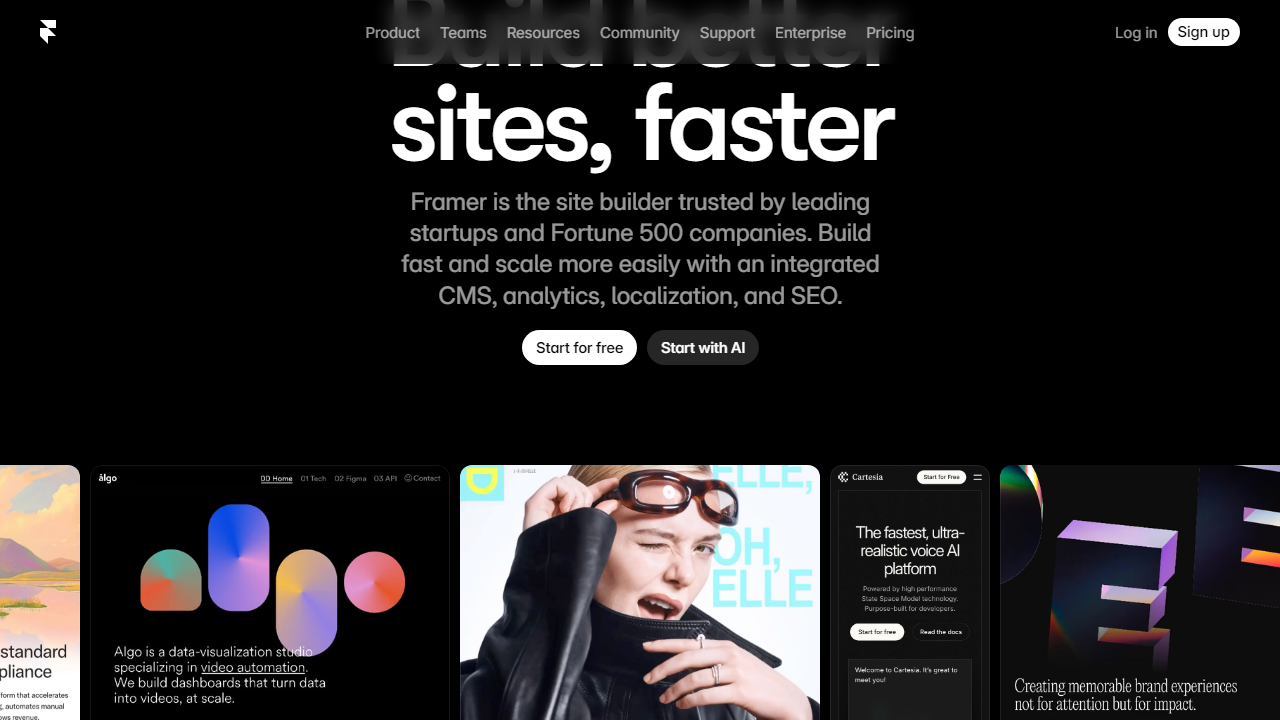
Framer is a no-code website builder and design tool founded in Amsterdam in 2013, originally launched as a prototyping tool for product designers. After years as a code-based prototype tool favored by high-end design teams, Framer pivoted hard toward being a full website publishing platform around 2022 — and it’s been growing at a remarkable pace since. As of 2026, the company reports over 1 million sites published on the platform, with a particularly strong following among UI/UX designers, design-led startups, and freelance web designers.
What makes Framer different from WordPress or Squarespace is its design philosophy: it’s built to give you the same visual control you’d expect from Figma, but with the output being a live, production-ready website rather than a static prototype. You work in a canvas-based editor, set up interactions and animations visually, and publish directly — no developer handoff required. The platform generates clean, performant HTML/CSS under the hood, which explains why Framer sites consistently score well on Google’s Core Web Vitals.
Framer competes most directly with Webflow, though its approach is notably more design-tool-centric and less CMS-heavy. It also draws comparisons to Squarespace and Wix, though those platforms target a fundamentally different (and less design-savvy) audience. In 2026, Framer has also leaned heavily into AI-assisted site generation, letting you go from a text prompt to a structured site layout in minutes — a feature that’s genuinely useful, not just a checkbox.
Key Features of Framer
Framer packs a lot into a single platform. Here are the capabilities that matter most — including where they shine and where they fall short.
Visual Design Canvas
Framer’s canvas editor is where it earns its reputation. You get absolute positioning, auto-layout frames, responsive breakpoints, and pixel-level control that will feel immediately familiar if you use Figma. You can design freely without being locked into rigid templates or column grids — a genuine differentiator from tools like Squarespace. The tradeoff is that this freedom requires design knowledge; if you don’t understand concepts like layout constraints or component states, the canvas can feel overwhelming.
Animations and Interactions
This is Framer’s clearest competitive advantage. You can build scroll-triggered animations, hover states, page transitions, and parallax effects entirely within the visual editor — no JavaScript required. The spring physics system for animations produces motion that looks genuinely premium, not the clunky CSS transitions you get from most no-code tools. In our testing, we built a full animated hero section with scroll-triggered reveals in under 30 minutes, which would have taken a developer hours to code from scratch.
Figma Import
Framer’s Figma-to-Framer import is the best in the industry right now. You can copy frames directly from Figma and paste them into Framer, with layers, auto-layout, and styles largely preserved. It’s not 100% perfect — complex components sometimes need cleanup — but it eliminates the painful redesign-from-scratch process that used to define moving from design to build. For agencies doing client work that starts in Figma, this alone can justify the switch.
CMS and Dynamic Content
Framer’s built-in CMS lets you create collections (blog posts, team members, case studies, etc.) and bind them to design components. It works well for content-driven marketing sites and blogs. You can have up to 10,000 CMS items on the Pro plan, which covers most use cases. The limitation is that the CMS is relatively simple compared to Webflow’s — there’s no relational content modeling or complex field types, so if you’re building something like a job board or a directory site, you’ll hit walls quickly.
AI Site Generation
Framer’s AI feature lets you describe a site in plain text — “a SaaS landing page for a project management tool, modern dark theme” — and generates a multi-section layout with real copy placeholders and styled components. In our tests, the output was about 60-70% of the way to something you’d actually use, which is genuinely impressive. You still need to customize everything, but it dramatically accelerates the blank-canvas problem. This feature has improved significantly since launch and is now one of the more compelling reasons to try Framer for a first project.
Hosting and Performance
All Framer sites are hosted on Framer’s global CDN (powered by AWS CloudFront). Load times in our tests were consistently under 1.5 seconds for a fully designed landing page — competitive with the fastest site builders on the market. Core Web Vitals scores on our test sites averaged in the “Good” range across LCP, CLS, and INP metrics, which directly impacts SEO. This is one area where Framer clearly outperforms page-builder plugins on WordPress.
Pricing Plans
Framer’s pricing is site-based rather than seat-based, which is worth understanding before you dive in. Each site you publish requires its own plan if you want a custom domain and full features. For agencies managing multiple client sites, this adds up — but for individual projects, it’s quite reasonable.
| Plan | Price/mo | Best For | Key Limit |
|---|---|---|---|
| Free | $0 | Learning & experimentation | Framer subdomain, Framer badge shown |
| Mini | $5/mo | Personal portfolios | 1 custom domain, 1,000 visitors/mo |
| Basic | $15/mo | Freelancers & small businesses | 1 custom domain, 10,000 visitors/mo |
| Pro | $30/mo | Startups & marketing teams | Staging, CMS collections, 200K visitors/mo |
All prices above are per-site, billed monthly. Annual billing reduces costs by roughly 20%. There’s also a Framer for Teams workspace plan starting at $40/month that covers collaboration across multiple editors — useful for agencies and in-house teams. Compared to Webflow (which starts at $23/month for a basic CMS site), Framer’s entry-level pricing is competitive, but Webflow’s enterprise-tier CMS capabilities justify its premium for content-heavy use cases.
Who Should Use Framer?
Best Framer Alternatives
Framer doesn’t exist in a vacuum. Depending on your priorities, one of these alternatives might be a better fit — here’s how they stack up honestly.
| Tool | Starting Price | Best For | Our Rating |
|---|---|---|---|
| Webflow | $23/mo | Complex CMS & developer-adjacent teams | 4.4/5 |
| Squarespace | $16/mo | Beginners & small businesses | 3.8/5 |
| Wix Studio | $17/mo | Agencies needing client management tools | 3.9/5 |
| WordPress + Elementor | ~$10/mo | Content-heavy sites & full ownership | 3.7/5 |
The most meaningful comparison is Framer vs. Webflow. Webflow wins on CMS depth, e-commerce, and community resources. Framer wins on design freedom, animation quality, performance, and ease of getting something beautiful published quickly. For a marketing site or portfolio, we’d lean Framer. For a content-heavy product with thousands of CMS items or a full online store, Webflow or a dedicated platform is the smarter call.


