
Is Asana Worth It in 2026? An Honest, In-Depth Review
📅 Updated June 4, 2026
⏱️ 12 min read
Try Asana →
Free plan available — no credit card required
Project management software is one of those categories where the market is absolutely flooded — yet most teams still feel like they’re drowning in missed deadlines, scattered threads, and status meetings that could’ve been a Slack message. If you’ve landed here, you’re probably asking whether Asana — one of the oldest names in the space — has kept up with the competition in 2026, or whether newer, cheaper tools have finally lapped it.
We spent three weeks running Asana across two real teams: a 14-person marketing department at a mid-size SaaS company and a 4-person freelance content agency. We tested every plan tier, stress-tested the automation engine, tried to break the reporting dashboard, and compared it feature-for-feature against Monday.com, ClickUp, and Notion. What follows is everything we found — the impressive stuff and the frustrating stuff.
Short answer: Asana is still one of the best project management tools money can buy in 2026. But “best” comes with important asterisks depending on your team size and budget. Let’s dig in.
What Is Asana?
Asana is a cloud-based work management platform founded in 2008 by Dustin Moskovitz (Facebook co-founder) and Justin Rosenstein (former Google and Facebook engineer). Headquartered in San Francisco, the company went public in 2020 and has since grown to serve over 150,000 paying organizations across 195 countries, including household names like Amazon, Deloitte, and Spotify. That’s not marketing fluff — it’s a signal that the platform handles enterprise-scale complexity with room to spare.
At its core, Asana lets teams create projects, assign tasks, set dependencies, track progress across multiple views (list, board, timeline, calendar, Gantt), and automate recurring workflows. What separates it from basic task managers is the depth of its cross-project visibility tools and its relatively recent push into AI-assisted project planning, which has matured significantly in the past 18 months under the “Asana Intelligence” banner.
The platform sits squarely in the mid-market to enterprise segment. It’s not trying to be a $5/month scratchpad, and it doesn’t pretend to be. That positioning matters when you’re evaluating whether it’s the right tool for your specific situation.
Key Features of Asana
Asana’s feature set has expanded considerably over the past two years. Here’s an honest breakdown of what actually matters in day-to-day use.
Multiple Project Views
Asana supports list, board (Kanban), timeline (Gantt), calendar, and workload views — all available on paid plans. The timeline view is genuinely one of the best implementations we’ve seen: you can drag dependencies directly on the chart, and it automatically flags scheduling conflicts in real time. The workload view, which shows capacity across team members, is a feature competitors charge extra for or don’t offer at all.
Asana Intelligence (AI Features)
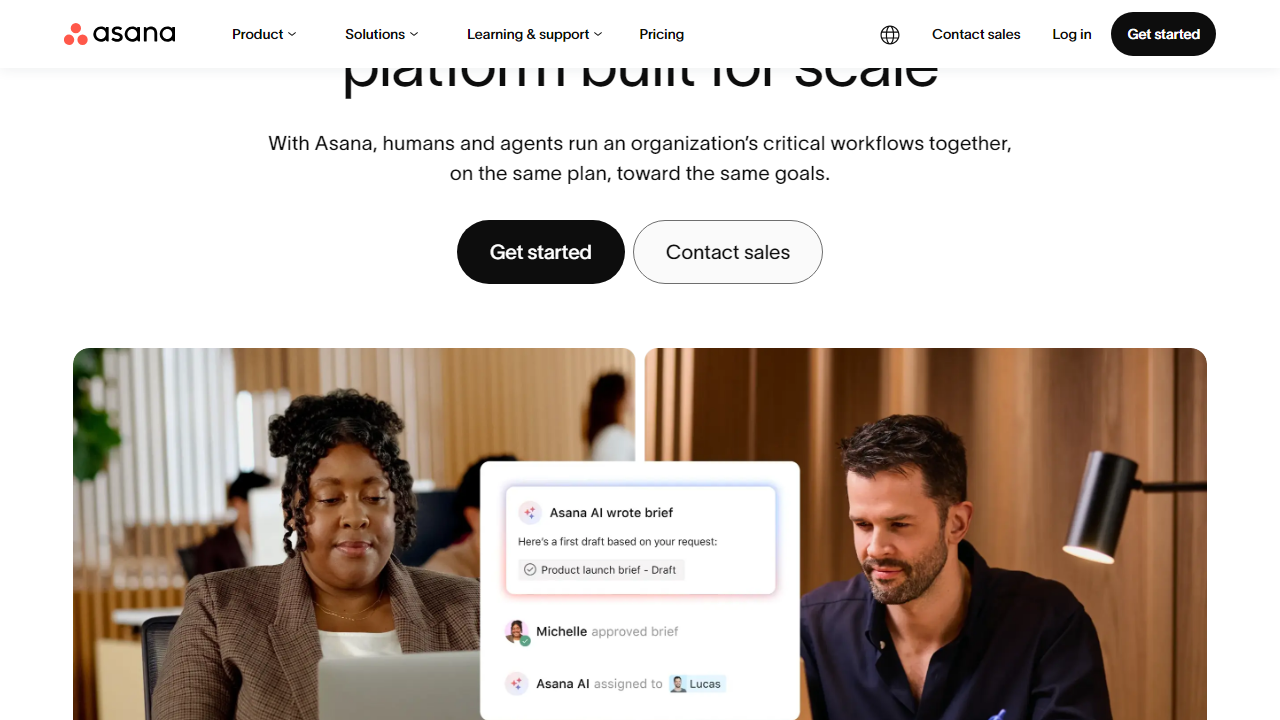
Asana’s AI layer — branded as Asana Intelligence — is now included in Starter plans and above. It can auto-generate project briefs from a prompt, summarize task threads, flag at-risk projects based on deadline patterns, and suggest subtasks when you create a new task. In testing, the project-risk detection was legitimately useful: it caught two projects that were quietly slipping before our team leads noticed. The AI isn’t flawless, but it’s meaningfully integrated rather than bolted on.
Workflow Automation
Asana’s rules engine lets you build if-this-then-that automation without writing a single line of code. On the Starter plan you get 250 automation runs per month per team; Advanced plan users get unlimited runs. You can trigger actions based on task assignments, due date changes, custom field updates, form submissions, and more. During our testing, we built a full client onboarding workflow — intake form to task assignment to Slack notification — in under 20 minutes.
Reporting and Dashboards
The reporting tools on Advanced and Enterprise plans are genuinely enterprise-grade. You can build cross-project dashboards that pull from unlimited projects, filter by assignee, custom fields, or date ranges, and export to PDF or CSV. The Universal Reporting feature lets non-technical users answer questions like “which team is most over capacity this sprint?” without involving a data analyst. On the Starter plan, reporting is more basic — you’re limited to single-project progress views.
Integrations
Asana connects natively with over 300 tools including Slack, Microsoft Teams, Google Workspace, Salesforce, Zoom, Jira, Tableau, and Power BI. The Slack integration is particularly well done — you can create Asana tasks directly from Slack messages and receive project updates without leaving your chat window. Zapier and Make (formerly Integromat) expand the ecosystem even further if you need custom connections.
Forms and Intake Management
Asana’s intake forms can be shared via public link, embedded on websites, or restricted to internal teams. Each form submission automatically creates a task in a designated project. You can add branching logic to forms (available on Advanced plan), which is a surprisingly powerful feature for IT ticketing, creative brief intake, or HR request management workflows.
Pricing Plans
Asana’s pricing in 2026 is structured across four tiers. All prices below are per user, per month, billed annually. Monthly billing runs approximately 20–25% higher. Note that the Enterprise+ tier requires a custom quote from Asana’s sales team.
| Plan | Price/mo | Best For | Key Limit |
|---|---|---|---|
| Free | $0 | Individuals & teams up to 10 | No timeline, Gantt, or reporting |
| Starter | $13.49/user | Small to mid-size teams | 250 automation runs/month |
| Advanced | $30.49/user | Ops-heavy & cross-functional teams | Unlimited automations; form branching |
| Enterprise+ | Custom pricing | Large enterprises with compliance needs | SAML SSO, data residency, audit logs |
The jump from Starter to Advanced ($13.49 to $30.49 per user per month) is steep — for a 15-person team, you’re looking at $202/month versus $457/month annually. That said, if your team genuinely needs unlimited automations, advanced reporting, and form branching logic, the Advanced plan delivers significant operational value. For most growing teams, Starter is the sweet spot.
Who Should Use Asana?
Best Asana Alternatives in 2026
Asana isn’t the right fit for everyone. Here’s how it stacks up against the four most credible competitors in 2026, based on our direct testing of each platform.
| Tool | Starting Price | Best For | Our Rating |
|---|---|---|---|
| Monday.com | $12/user/mo | Visual ops & CRM-adjacent teams | 4.1/5 |
| ClickUp | $10/user/mo | Budget-conscious power users | 4.0/5 |
| Notion | $12/user/mo | Docs-first teams & wikis | 3.9/5 |
| Smartsheet | $14/user/mo | Spreadsheet-native enterprise teams | 3.8/5 |
Our take: If price is your primary constraint, ClickUp’s free and paid tiers are remarkably generous. If your team lives in spreadsheets, Smartsheet will feel more natural. But if you want the best balance of ease of use, automation depth, and enterprise-readiness, Asana remains the benchmark.
Frequently Asked Questions
Final Verdict: Is Asana Worth It in 2026?
After three weeks of hands-on testing, the honest answer is: yes, for the right team. Asana has continued to mature in meaningful ways — the AI features are no longer a gimmick, the automation engine is enterprise-grade, and the cross-project visibility tools are still class-leading. If you’re running a marketing team, a product organization, or any department where multiple projects intersect and deadlines are non-negotiable, Asana’s structure will make your life measurably better.
That said, the pricing is a real conversation. At $13.49/user/month for Starter and $30.49/user/month for Advanced