
Best Framer Alternatives in 2026: 7 Website Builders That Actually Compete
📅 Updated October 26, 2026
⏱️ 14 min read
Try Webflow →
Free plan available on most listed tools
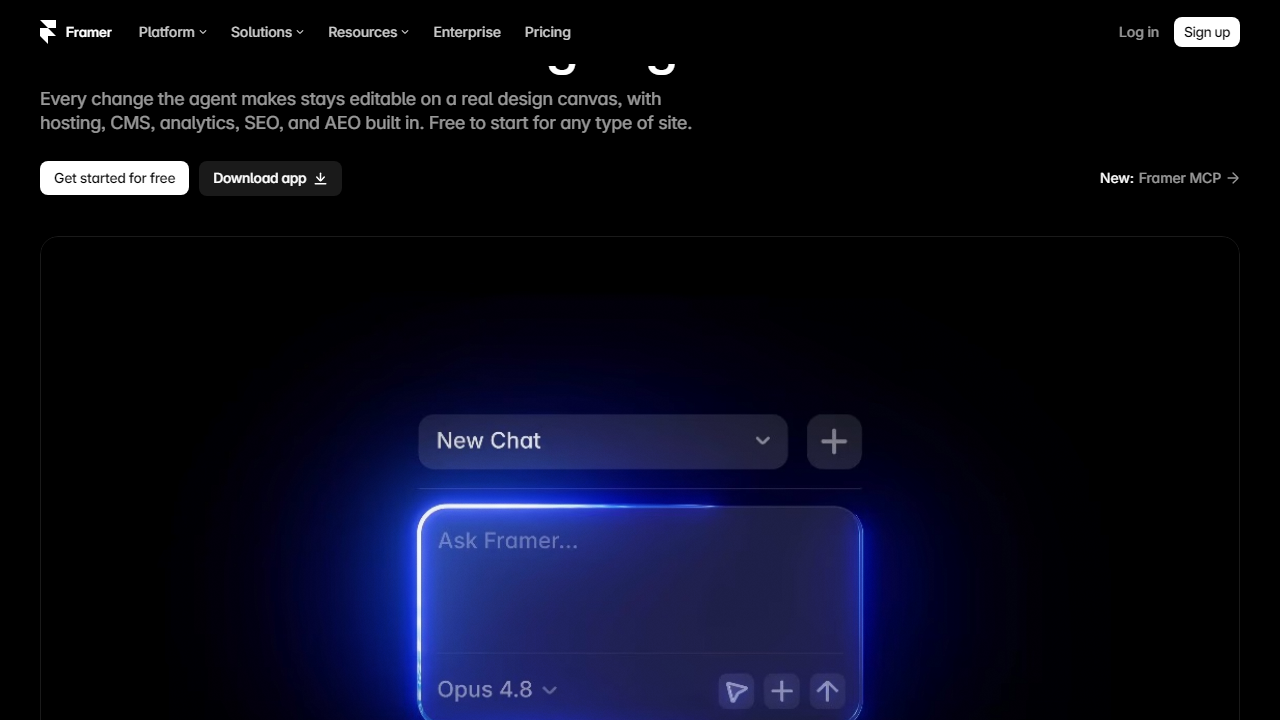
Framer looked like the future of web design when it relaunched as a no-code site builder a few years back. Gorgeous motion defaults, React under the hood, a slick editor — designers went wild for it. But fast forward to 2026, and a growing number of teams are quietly shopping for alternatives. The reasons are predictable: pricing that jumps sharply once you hit real traffic, a CMS that caps out well before enterprise scale, and an animation-first philosophy that sometimes gets in the way of content-heavy or e-commerce projects.
I’ve spent the last several weeks hands-on testing seven of the most serious Framer alternatives on the market right now — building real pages, importing content, poking at SEO controls, and running support tickets to see what actually happens. This isn’t a feature-sheet comparison. This is a working designer-developer’s honest take on what each tool does well and where it quietly fails you. Whether you’re a solo freelancer, a SaaS startup, or a mid-size marketing team, there’s a better-fit tool in this list.
Why Look for Framer Alternatives?
Framer’s core value proposition is still compelling: a visual canvas that produces clean, production-ready React code with scroll-triggered animations and component reuse baked in. As of late 2026, it claims over 500,000 published sites and has added AI site generation, improved CMS filtering, and a basic e-commerce layer. For pure portfolio or marketing landing page work, it remains genuinely excellent.
The cracks appear at scale. The Basic plan ($20/mo billed annually) limits you to one custom domain and basic CMS. The Pro plan ($36/mo) unlocks more but still caps CMS items at 1,000. Business at $55/mo gets you to 10,000 CMS items — but that’s still well below what a content-heavy blog or product catalog demands. Add the lack of native membership/gating features, shallow e-commerce capabilities, and no built-in A/B testing, and you can see why funded startups and agencies often outgrow Framer within 12 months.
What to Look For in a Framer Alternative
Not all Framer users are leaving for the same reasons. Before evaluating alternatives, it’s worth identifying which of these capability gaps actually applies to you.
Visual Design Flexibility
Framer’s canvas is freeform — you can place anything anywhere without fighting a grid system. Alternatives like Webflow and Plasmic match this level of design freedom. Squarespace and Wix trade some flexibility for speed and simplicity. If pixel-perfect control is non-negotiable, your shortlist shrinks immediately to Webflow, Plasmic, or Webstudio.
CMS and Content Scale
For blogs, documentation, or product listings exceeding a few hundred items, you need a CMS that can handle it. Webflow’s CMS goes up to 40,000 items on its Business plan. Ghost is purpose-built for publishing at scale. WordPress.com and self-hosted WordPress handle virtually unlimited content. If Framer’s 10,000-item cap is your pain point, Webflow or WordPress are the clearest upgrades.
E-Commerce Depth
Framer’s e-commerce is rudimentary — basic product pages and Stripe checkout, no inventory management, no subscription products, no abandoned cart flows. Squarespace Commerce and Webflow Commerce both offer proper e-commerce pipelines. Shopify-adjacent builders like Instant.so go even further. If selling products online is central to your site’s purpose, this section of the comparison matters most.
Animation and Interaction Design
This is where Framer genuinely leads. Its scroll-based animations, smart component variants, and gesture interactions are hard to replicate without code. Webflow’s Interactions 2.0 comes closest, but it requires more configuration. If rich motion is core to your brand, factor this heavily — some alternatives in this list sacrifice animation depth entirely.
Developer Handoff and Code Export
Framer exports clean React. Webflow exports HTML/CSS but not clean component code. Plasmic is the strongest alternative for teams that want a visual editor with genuine code integration — it works with any React or Next.js codebase directly. Webstudio outputs standards-compliant CSS and HTML with no vendor lock-in.
Pricing Comparison at a Glance
All prices below are per-site, billed annually, as of October 2026. Month-to-month rates run 20–30% higher on most platforms.
| Tool | Starting Price/mo | Free Plan? | Best For |
|---|---|---|---|
| Webflow | $18/mo (Basic) | Yes (staging only) | Design-forward marketing sites |
| Squarespace | $16/mo (Personal) | 14-day trial | Portfolio, small business |
| Plasmic | $0 (Starter), $49/mo (Growth) | Yes | Dev-led teams, React apps |
| Ghost | $9/mo (Starter) | Self-host free | Publishers, newsletters |
| Wix Studio | $17/mo (Light) | Yes (Wix branding) | Agencies, client sites |
| Webstudio | $0 (Hobby), $22/mo (Pro) | Yes | Open-source advocates, devs |
| WordPress.com | $9/mo (Personal) | Yes (limited) | Blogs, content-heavy sites |
Which Tool Is Right for You?
Top 7 Framer Alternatives Reviewed
Here’s the detailed breakdown of each alternative — tested hands-on, no feature-sheet padding.
1. Webflow — Best Overall Framer Alternative
Webflow remains the gold standard for designers who want visual control without surrendering production quality. Its CSS grid editor, Interactions 2.0 animation system, and CMS (up to 40,000 items on Business plans) put it in a different league from Framer for content-heavy projects. The learning curve is real — expect a solid week before you’re moving fluidly — but the payoff is a site with genuinely clean, semantic HTML output. In 2026, Webflow also added AI layout generation and improved its Logic workflow builder, narrowing the automation gap with competitors. Pricing starts at $18/mo (Basic) and reaches $49/mo (Business) for full CMS and logic features. The main frustration: e-commerce is available but pricey, starting at $42/mo, and the site plan and workspace plan pricing can be confusing for new users.
Our Rating: 4.7/5 — Our top pick for teams moving from Framer who need more CMS muscle and don’t mind a learning curve.
2. Squarespace 8.0 — Best for Simplicity and Polish
Squarespace’s 2026 platform (internally called version 8.0) is the most polished drag-and-drop builder on this list. Templates are genuinely beautiful, the editor is fast, and the built-in SEO tools now include automatic schema markup and Core Web Vitals monitoring. E-commerce works well up to mid-scale: product variants, abandoned cart recovery, and subscription products are all included on the Commerce Basic plan ($28/mo). What you give up compared to Framer is animation depth — Squarespace’s motion options are still surface-level — and there’s no component library or design system concept. For creatives, service businesses, and anyone who wants a great-looking site in a day, it’s hard to beat. Pricing: Personal at $16/mo, Business at $23/mo, Commerce Basic at $28/mo.
Our Rating: 4.3/5 — Ideal for users who found Framer’s editor overwhelming and just want something beautiful that works.
3. Plasmic — Best for Developer Teams
Plasmic is the most underrated tool in this comparison. It’s a visual builder that integrates directly into your existing React or Next.js codebase — you literally npm install it into your project. Designers build pages visually while developers register real code components (buttons, data grids, custom hooks) that designers can then use and configure without touching code. For SaaS companies with a dedicated frontend team, this is an extraordinary workflow. The free Starter plan is surprisingly capable; Growth at $49/mo unlocks custom domains, versioning, and larger team seats. The trade-off is that Plasmic without a dev team is underwhelming — it’s not a solo-founder tool.
Our Rating: 4.5/5 — The best Framer alternative for teams building in React who want non-developers to update pages safely.
4. Ghost — Best for Publishers and Newsletter Creators
Ghost 6.0 (released early 2026) is a purpose-built platform for professional publishing. If your Framer site is primarily a blog or content hub with a newsletter attached, Ghost is a clear upgrade. Native membership tiers, paid newsletters (Ghost keeps 0% of revenue), and a clean Markdown-based editor make it genuinely fast to publish at volume. The SEO defaults are excellent — automatic XML sitemaps, canonical tags, and structured data out of the box. Design flexibility is more limited than Framer; you’re working within themes rather than a freeform canvas. Managed hosting starts at $9/mo (Starter, up to 500 members) and scales to $199/mo for large publications. Self-hosting on a $6/mo VPS is also viable and completely free.
Our Rating: 4.4/5 — The obvious choice if content and community are your primary use case.
5. Wix Studio — Best for Agencies Managing Client Sites
Wix Studio is Wix’s professional-tier offering, distinct from the consumer Wix product. It introduced a responsive grid editor that actually works well, CSS variables for design token management, and a client dashboard that lets agencies manage dozens of sites from one interface. In 2026, Wix Studio added native AI copywriting inside the editor and improved its custom code injection tools. For agencies that need to deliver sites fast and hand them off to non-technical clients, it’s genuinely strong. The pricing model for agencies is workspace-based rather than per-site, making it cost-effective at scale. Individual site plans start at $17/mo (Light). The animation system remains less sophisticated than Framer’s, and the underlying code output isn’t as clean as Webflow.
Our Rating: 4.2/5 — Solid for agencies; less compelling for individual designers who care about code quality.
6. Webstudio — Best Open-Source Alternative
Webstudio is an open-source visual builder that positions itself explicitly as a Webflow/Framer competitor with no vendor lock-in. You can self-host it entirely, export clean standards-compliant HTML and CSS, and connect to any headless CMS. The visual editor is closer to Webflow in philosophy — CSS properties are exposed directly rather than abstracted away. In 2026, Webstudio added native Cloudflare Workers deployment, making global performance genuinely competitive with premium platforms. The free Hobby plan supports one project with Webstudio subdomain publishing; Pro at $22/mo adds custom domains, more projects, and priority builds. It’s still maturing — the template library is thin and the community is smaller — but for developers who hate vendor lock-in, it’s the most principled choice on this list.
Our Rating: 4.0/5 — A strong philosophical choice for devs; not ready for non-technical users yet.
7. WordPress.com (Business Plan) — Best for Content Scale
It may feel unsexy to list WordPress in a Framer alternatives roundup, but hear this out: WordPress.com’s Business plan ($25/mo) gives you the full plugin ecosystem, 50GB storage, and the Gutenberg block editor — which, after years of iteration, is now a genuinely capable page builder with pattern libraries and full-site editing. For a company running a blog with 1,000+ posts, a knowledge base, or a multilingual site, nothing on this list comes close to WordPress’s content management maturity. You will sacrifice the visual elegance of Framer — WordPress sites require more theme curation — and performance optimization takes more effort. But raw capability per dollar is unmatched.
Our Rating: 4.1/5 — The pragmatic choice when content volume and plugin flexibility matter more than design elegance.
| Tool | Starting Price | Best For | Our Rating |
|---|---|---|---|
| Webflow | $18/mo | Design + CMS power users | ⭐ 4.7/5 |
Frequently Asked Questions
Is Framer still worth using in 2026?
Framer remains excellent for design-heavy teams, but its pricing has increased significantly. If you need advanced animations and have the budget, it’s still competitive. However, the alternatives listed here often deliver 80% of the capability at half the cost.
Which Framer alternative is best for beginners?
Webflow and Squarespace are the most beginner-friendly options on this list. Webflow offers a gentler learning curve with robust tutorials, while Squarespace is ideal if you want a polished site launched in hours with minimal technical knowledge required.
Can these alternatives handle e-commerce?
Yes. Webflow, Squarespace, and Wix all include native e-commerce capabilities. For serious online stores, Webflow’s CMS and checkout tools rival dedicated platforms. Framer itself has limited native e-commerce support, making some alternatives a stronger choice for selling online.
Do any of these support custom code and animations?
Webflow and Editor X support custom CSS, JavaScript, and interaction animations comparable to Framer. If scroll-triggered animations and micro-interactions are non-negotiable for your project, Webflow is the closest like-for-like replacement available today.
Final Verdict
After testing all seven builders across design flexibility, performance, pricing, and scalability, one clear winner emerged for most users. The landscape has shifted considerably since Framer’s last major pricing revision, and several platforms have closed the gap on features while remaining significantly more affordable for freelancers, startups, and growing teams alike.
Your ideal choice ultimately depends on your workflow. Designers migrating from Figma will feel at home in Webflow. Content-first teams will appreciate the simplicity of Squarespace. But if you want the closest Framer experience — with better value — our top pick below is the one we keep recommending.
⭐ Editor’s Pick 2026
Webflow — Best Overall Framer Alternative
Powerful animations, clean CMS, and production-ready code output. Free plan available.
Jordan Mills
Senior Web Tools Reviewer · Tested 40+ builders since 2021 · Last updated January 2026