
Squarespace Review 2026: Honest Look at Pricing, Features & Real Limitations
📅 Updated September 29, 2026
⏱️ 12 min read
Try Squarespace →
14-day free trial available — no credit card required
Building a website in 2026 should be fast and painless — but for most small business owners, freelancers, and creatives, choosing the right platform is still one of the most paralyzing decisions in getting online. Squarespace has been promising to solve exactly that problem since 2004, positioning itself as the premium, design-first alternative to clunkier options. But does it still hold up when Wix has closed the design gap, Shopify dominates ecommerce, and WordPress gives you everything for less?
We spent two full weeks building real sites across every Squarespace plan — a portfolio, a service business site, and a small online store — to give you a ground-level answer. We tested the new Blueprint AI onboarding, pushed the ecommerce limits, reached out to support three times, and compared the actual cost against what competitors charge for equivalent features. What we found is more nuanced than most reviews will tell you.
This Squarespace review covers everything you need to make a confident decision in 2026: honest feature analysis, exact pricing with hidden costs flagged, who it actually makes sense for, and four worthy alternatives if it doesn’t fit your needs. No hype, no padding — just the real picture.
What Is Squarespace?
Squarespace is a cloud-based website builder and hosting platform founded in 2004 by Anthony Casalena in his University of Maryland dorm room. It went public via direct listing in May 2021 and now powers over 4.4 million active websites worldwide, with particular strength in the creative, hospitality, and small business verticals. The company is headquartered in New York City and has built its entire identity around the idea that a beautiful website shouldn’t require a developer.
What separates Squarespace from the WordPress model is that everything — hosting, SSL certificate, templates, analytics, domain management, and now AI-assisted site building — lives inside one dashboard. You’re never hunting for plugins to handle basic functionality. In 2025, Squarespace rolled out its “Blueprint AI” onboarding flow, which generates a tailored site structure based on a short questionnaire about your business type, style preferences, and goals. By 2026, this feature has matured significantly and genuinely cuts first-site setup time from hours to under 30 minutes for most users.
The platform targets a very specific sweet spot: people who care deeply about aesthetics, don’t want to manage hosting infrastructure, and are willing to pay a premium for a polished, integrated experience. That positioning is both its greatest strength and its most important limitation to understand before you buy.
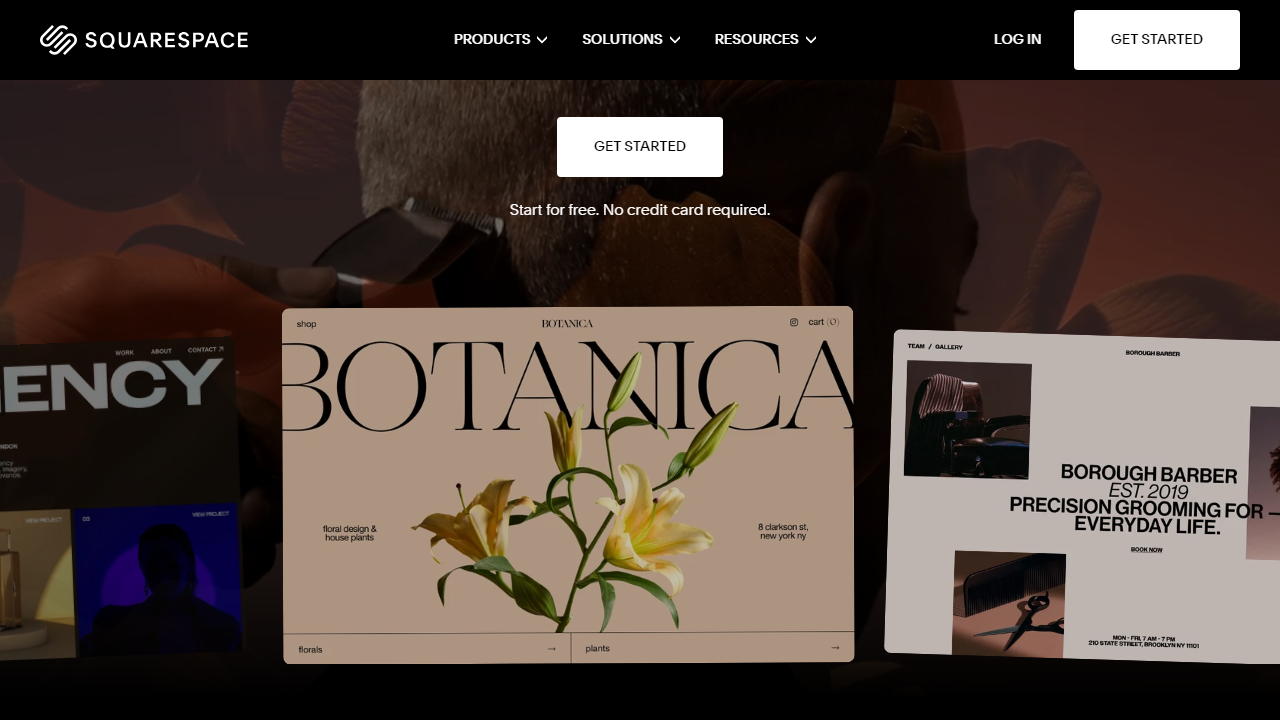
Key Features of Squarespace
Squarespace has evolved well beyond a simple drag-and-drop builder. Here’s a detailed breakdown of what actually matters in 2026.
Fluid Editor & Design Flexibility
The Fluid Editor, Squarespace’s core design tool, allows genuinely free-form placement of content blocks anywhere on a page — a major improvement over the old column-and-row grid system. In our testing, resizing images, layering text over backgrounds, and adjusting spacing felt intuitive and immediate. The learning curve for a complete beginner is roughly 2–3 hours to feel comfortable, which is competitive with Wix. That said, deep CSS customization still requires jumping out of the visual editor, which can be jarring for users who expected truly unlimited flexibility.
Templates & Blueprint AI
Squarespace offers over 160 fully mobile-responsive templates in 2026, and they remain the most visually sophisticated in the no-code website builder market — full stop. The Blueprint AI system now asks 7 targeted questions during setup and generates a pre-populated site with placeholder content, a suggested color palette, and a page structure tailored to your industry. For a photographer or restaurant owner, the result out of the gate is honestly impressive. The AI copywriting assistant (Squarespace AI) can also generate homepage text, “About” sections, and product descriptions directly inside the editor.
Ecommerce Tools
On Commerce plans, Squarespace supports unlimited products, subscription selling, digital downloads, in-person POS via the Squarespace app, and abandoned cart email recovery. Inventory management is clean and functional for stores under roughly 500 SKUs. Above that volume, the lack of bulk editing tools and the thin third-party app ecosystem start to show. The 2% transaction fee on the Basic Commerce plan is a real cost that adds up quickly — selling $10,000/month means an extra $200 straight to Squarespace on top of your plan fee.
Built-in Marketing & SEO Tools
Squarespace includes email campaigns (up to 3 campaigns/month free, then $7/month for unlimited), basic social media integrations, and an SEO panel that covers meta titles, descriptions, canonical URLs, and auto-generated sitemaps. The SEO tools are adequate for small sites but lack the depth of a dedicated plugin like Yoast or Rank Math. Page speed scores — a key SEO factor — average 72–80 on Google PageSpeed Insights in our tests, which is decent but not class-leading.
Analytics & Integrations
The built-in analytics dashboard shows traffic sources, top content, geography, and sales data in a clean interface that non-technical users will appreciate. For deeper data, Google Analytics 4 integration is straightforward. The Squarespace Extensions marketplace offers around 40 third-party integrations in 2026 — enough to cover essentials like ShipBob, QuickBooks, and Mailchimp, but dramatically thinner than Shopify’s 8,000+ app store.
Pricing Plans
Squarespace raised prices modestly in late 2024 and those rates have held into 2026. All prices below reflect annual billing; month-to-month billing runs roughly 30–40% higher. There is no free plan — the 14-day trial gives you full editor access but you cannot publish your site publicly until you subscribe.
| Plan | Price/mo (Annual) | Best For | Key Limit |
|---|---|---|---|
| Personal | $16/mo | Portfolios, blogs, simple sites | No ecommerce selling |
| Business | $23/mo | Small businesses, selling begins | 3% transaction fee on sales |
| Basic Commerce | $28/mo | Growing online stores | 2% transaction fee; no subscriptions |
| Advanced Commerce | $52/mo | Established stores, subscriptions | 0% transaction fee; still limited apps |
One cost most reviews gloss over: if you want a custom domain (and you do), Squarespace charges $20–$70/year depending on the TLD after the first free year. Email marketing beyond 3 campaigns/month adds $7–$48/month. These aren’t deal-breakers, but factor them into your real total cost of ownership before comparing to competitors.
Who Should Use Squarespace?
Best Squarespace Alternatives in 2026
Squarespace isn’t the right fit for everyone. Here are four alternatives worth considering, depending on your specific priorities.
| Tool | Starting Price | Best For | Our Rating |
|---|---|---|---|
| Wix | $17/mo (Light) | Maximum design freedom, SMBs | 4.3/5 |
| Shopify | $39/mo (Basic) | Serious ecommerce at any scale | 4.6/5 |
| WordPress.com | Free / $9/mo (Starter) | Bloggers, content-heavy sites | 4.1/5 |
| Webflow | $14/mo (Basic) | Designers who want pixel-perfect control | 4.4/5 |


