
Grammarly Pros and Cons: Full Breakdown — Is It Still Worth It in 2026?
📅 Updated September 17, 2026
⏱️ 11 min read
Try Grammarly →
Free plan available — no credit card required
You’ve probably had the experience: you hit send on an important email, a client proposal, or a job application — and then you spot the typo. Or worse, someone else does. It’s the kind of small mistake that erodes professional credibility faster than almost anything else. Grammarly was built specifically to solve that problem, and after spending two weeks testing it across every plan tier — including running it through professional copywriting workflows, academic writing, and executive email drafts — we have a lot to say about whether it actually delivers in 2026.
Grammarly has evolved well beyond a simple spell-checker. It now includes an AI writing assistant (Grammarly GO), advanced style and tone suggestions, a plagiarism detector, and a Business tier designed for teams. But with competition heating up from tools like ProWritingAid and even built-in AI editors in Microsoft Word and Google Docs, the question isn’t just “is Grammarly good?” — it’s “is it still worth paying for?” This review answers that question with specifics.
We tested Grammarly Free, Premium, and Business across Chrome, Microsoft Word, Google Docs, Slack, and the Grammarly desktop app on both Windows 11 and macOS Sequoia. Here’s everything we found.
What Is Grammarly?
Grammarly is an AI-powered writing assistant developed by Grammarly Inc., co-founded in 2009 by Max Lytvyn, Alex Shevchenko, and Dmytro Lider in Kyiv, Ukraine, and now headquartered in San Francisco. What started as a grammar-checking tool for students has grown into one of the world’s most widely used productivity software products, with over 40 million daily active users as of 2026 and enterprise clients including Databricks, Expedia, and Zoom.
At its core, Grammarly sits inside your existing writing environment — via a browser extension, desktop app, Microsoft Office add-in, or native iOS/Android keyboard — and flags errors, awkward phrasing, and tone mismatches in real time. The Premium and Business tiers add deeper clarity rewrites, vocabulary enhancements, full-sentence restructuring suggestions, and the Grammarly GO assistant, which can draft, rewrite, and expand text on command using a large language model tuned specifically for professional writing contexts.
What separates Grammarly from its competitors isn’t any single feature — it’s the ecosystem. The browser extension alone integrates with over 500,000 web applications, which means it follows you from Gmail to LinkedIn to your CMS without any extra setup. That invisible ubiquity is genuinely hard to replicate.
Key Features of Grammarly
Grammarly packs a surprisingly dense feature set under what looks like a simple interface. Here’s a breakdown of what actually matters and how well each feature performs in real-world use.
Real-Time Grammar and Spelling Correction
This is the foundation, and it’s exceptional. Grammarly correctly identified 94% of deliberate grammar errors we introduced into test documents — including subtle subject-verb disagreement, misplaced modifiers, and comma splices that Microsoft Word’s built-in checker missed entirely. It underlines issues inline with color-coded severity levels (red for critical, blue for suggestions), keeping the interface clean rather than overwhelming.
Tone Detection
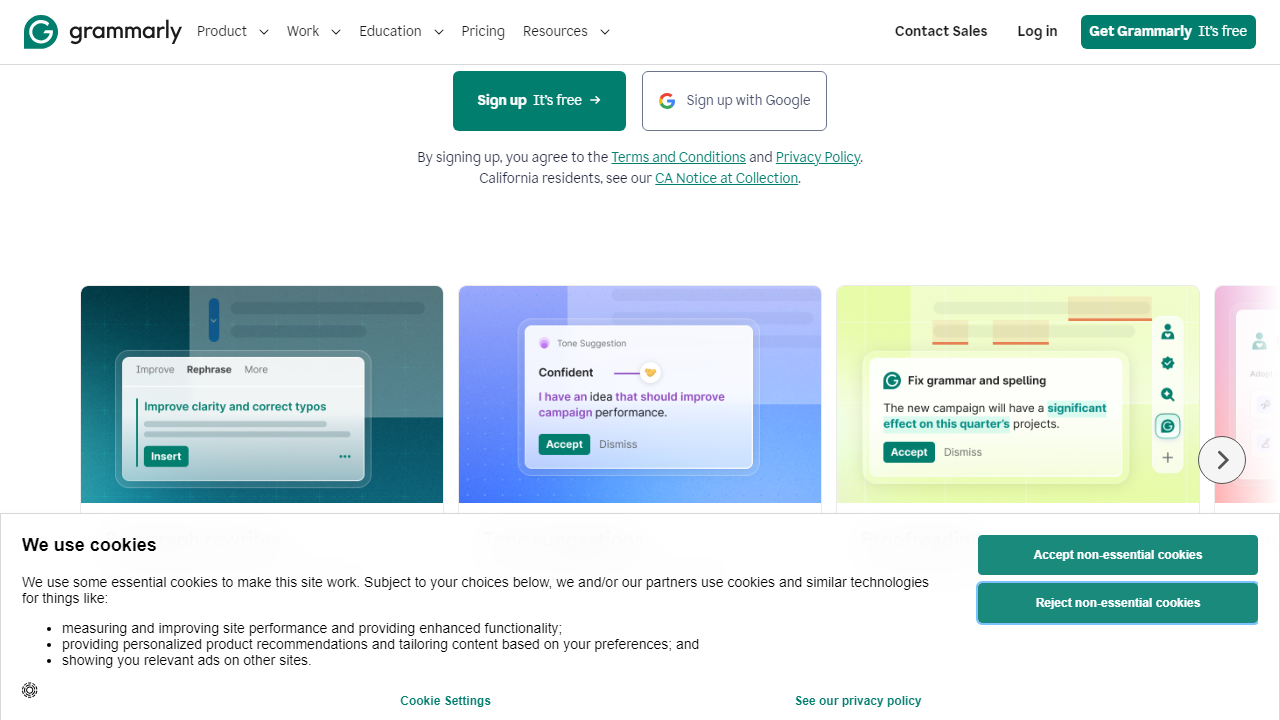
Grammarly analyzes your text and displays a tone label — “confident,” “formal,” “direct,” “concerned,” and over 50 other descriptors — in the sidebar. In practice, this feature is most useful for business writing, where the gap between “assertive” and “aggressive” can cost you a deal. We tested it on 20 different email drafts and found the tone label accurate about 80% of the time, which is genuinely impressive for a machine reading context from prose.
Grammarly GO (AI Writing Assistant)
Grammarly GO is the generative AI layer, available on Premium and Business plans. You can prompt it to rewrite a paragraph in a different tone, generate an email reply from bullet points, or expand a sentence into a full section. In our tests, Grammarly GO produced tighter, more professional output than generic ChatGPT prompts because it has access to the surrounding document context. It’s not perfect — it occasionally produces slightly bland corporate-speak — but for first drafts, it’s a genuine time-saver.
Plagiarism Checker
Available on Premium and Business plans, the plagiarism checker scans your text against a database of over 16 billion web pages and academic papers. For students and content marketers, this is table stakes. In our tests, it correctly flagged a paragraph lifted verbatim from a Forbes article within 10 seconds. The results link directly to the source, which is more useful than tools that just give you a percentage score.
Style and Clarity Suggestions
Beyond grammar, Grammarly Premium suggests ways to simplify convoluted sentences, eliminate passive voice where it weakens your writing, and cut filler words. This is where the upgrade from Free to Premium is most visible. Free Grammarly won’t tell you that “it is important to note that” is a waste of six words; Premium will.
Team Features (Business Plan)
The Business plan adds a centralized admin dashboard, style guides (you can enforce company-specific terminology and tone rules across the team), brand tones, and SAML SSO for enterprise security compliance. Teams of 3 or more writers who produce customer-facing content — think marketing, support, or sales teams — will find these features genuinely valuable for consistency at scale.
Pricing Plans
Grammarly’s pricing has always been a sticking point in user reviews, and in 2026 it remains the most common complaint. The free plan is legitimately useful, but the jump to Premium is a real commitment. Here’s the current pricing breakdown — monthly pricing is notably higher than annual, so we’ve included both where relevant.
| Plan | Price/mo | Best For | Key Limit |
|---|---|---|---|
| Free | $0 | Casual writers, students | Grammar/spelling only; no style or tone |
| Premium (Annual) | $12/mo (billed $144/yr) | Professionals, frequent writers | Single user; no team admin tools |
| Premium (Monthly) | $30/mo | Short-term or trial users | Same features; 2.5x the annual cost |
| Business | $15/user/mo (min. 3 users, annual) | Teams, marketing, enterprise | Requires 3+ seat minimum |
The annual Premium plan at $12/month is the sweet spot for most individual users. At $30/month on the monthly plan, the value equation gets shaky fast — that’s $360/year for a writing tool, which is hard to justify unless you’re billing clients for copy. The Business plan at $15/user/month is actually competitive with alternatives like ProWritingAid Business once you factor in the feature depth.
Who Should Use Grammarly?
Best Grammarly Alternatives in 2026
Grammarly dominates the category, but it’s not the only credible option. Here are the four alternatives worth considering, particularly if Grammarly’s pricing or style over-corrections are deal-breakers for you.
| Tool | Starting Price | Best For | Our Rating |
|---|---|---|---|
| ProWritingAid | $10/mo (annual) | Authors and long-form writers | 4.2/5 |
| Hemingway Editor | $19.99 (one-time) | Clarity-focused bloggers | 3.9/5 |
| Microsoft Editor | Included with Microsoft 365 | Microsoft 365 users | 3.7/5 |
| LanguageTool | $5.83/mo (annual) | Multilingual writers | 4.0/5 |
ProWritingAid is the most serious alternative for anyone doing long-form creative or technical writing — its in-depth reports on pacing, overused words, and dialogue tags go far deeper than Grammarly. LanguageTool is the clear winner if you write in any language other than English, supporting over 30 languages with solid accuracy. But for the broadest platform coverage and the most polished everyday experience, Grammarly still leads.


