
Zapier Free Plan Review 2026: Is It Enough for Real Automation?
📅 Updated September 4, 2026
⏱️ 9 min read
Try Zapier →
Free plan available — no credit card required
Every week, someone in a small business Slack group asks the same question: “Can I actually run my automations on Zapier’s free plan?” It’s a fair question. Zapier is the undisputed king of no-code automation, connecting over 7,000 apps and trusted by more than 2.2 million businesses globally — but its free tier is notoriously restrictive, and the gap between “free” and “useful” is wider than the marketing suggests.
We spent two weeks testing Zapier’s free plan across a range of real-world use cases: syncing a Google Form to a Notion database, triggering Slack notifications from Gmail, and routing new Shopify orders into a spreadsheet. The results were illuminating — and occasionally frustrating. This review gives you the unvarnished truth about exactly what free gets you, where the ceiling hits, and whether you need to open your wallet to make Zapier worth your time in 2026.
Whether you’re a freelancer trying to save hours on admin, a startup founder evaluating your automation stack, or someone who just wants to connect two apps without writing a single line of code, this guide has a clear answer for you.
What Is Zapier?
Zapier is a cloud-based workflow automation platform founded in 2011 by Wade Foster, Bryan Helmig, and Mike Knoop. Headquartered in San Francisco (though fully remote since 2014), it pioneered the concept of “Zaps” — automated workflows that connect a trigger in one app to an action in another. Think: “When a new lead fills out my Typeform, automatically add them to my Mailchimp audience and send me a Slack ping.” No developer needed.
By 2026, Zapier supports over 7,000 app integrations — more than any competitor — spanning CRMs, email tools, project management platforms, e-commerce apps, AI tools, and everything in between. It operates on a task-based pricing model: each time a Zap runs and completes an action, it consumes one “task.” That task counter is the central tension point of the free plan, and we’ll get into the math shortly.
Zapier sits at the premium end of the automation market. It’s not the cheapest option, but its integration library and reliability record are genuinely unmatched. The question isn’t whether Zapier is good — it clearly is. The question is whether the free plan is a viable starting point or merely a glorified trial.
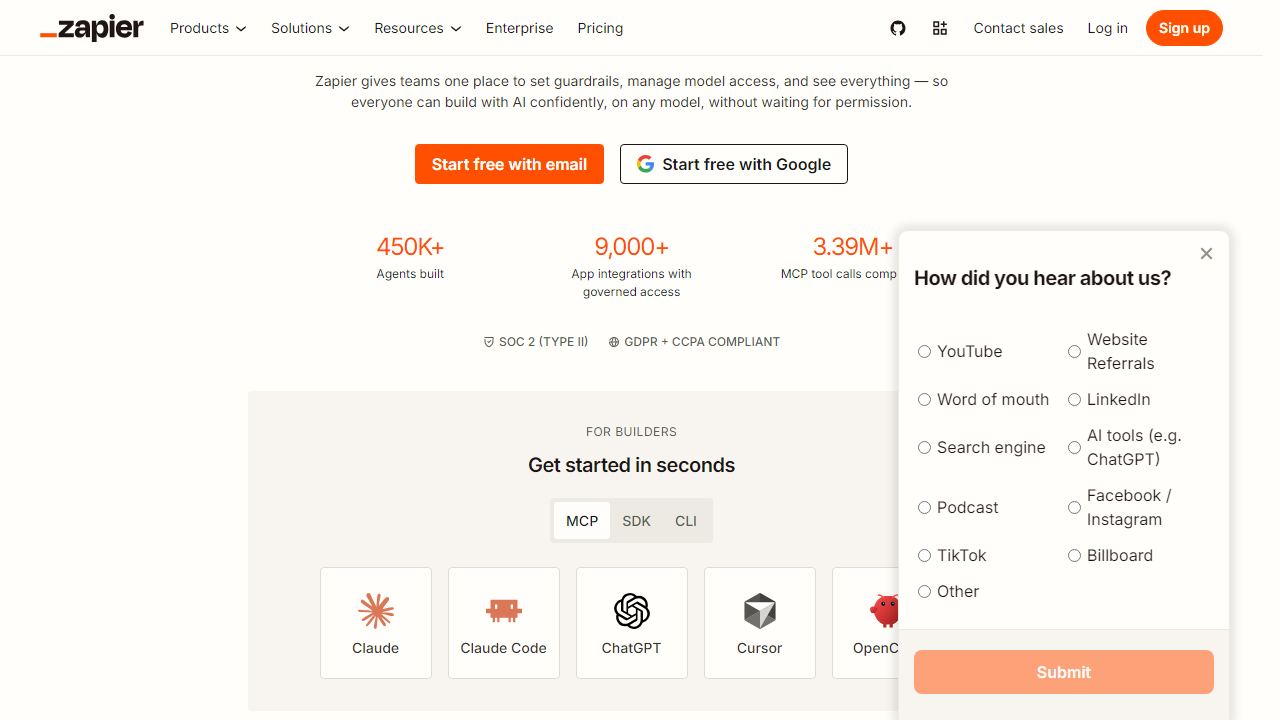
What the Free Plan Actually Gets You
Zapier’s free plan isn’t stripped bare — but it has deliberate constraints that will frustrate anyone trying to build a real automation stack. Here’s a precise breakdown of every meaningful feature available at the $0 tier.
100 Tasks Per Month
This is the biggest limitation, full stop. Each successful action in a Zap consumes one task. If you have a Zap that fires every time you get an email with a specific label — and you receive 10 such emails a day — you’ll burn through your monthly allowance in roughly 10 days. For a business receiving even modest daily volume on any trigger, 100 tasks evaporates alarmingly fast. It’s honestly more useful for personal use than professional automation.
Two-Step Zaps Only
On the free plan, your Zaps are limited to a single trigger and a single action — no multi-step workflows. This is a significant architectural constraint. Real-world automation almost always involves chaining steps: trigger an event, filter the data, format it, then send it to two different places. None of that is possible without upgrading. It reduces Zapier’s power to its most basic form.
Access to 7,000+ App Integrations
Here’s the genuine bright spot: even on the free plan, you can connect any of Zapier’s 7,000+ supported apps. That includes Google Workspace, Slack, Notion, HubSpot, Shopify, OpenAI, Airtable, and thousands more. The integration breadth on the free plan is the same as on paid — you’re just limited in how many times and how many steps you can run those connections.
15-Minute Polling Intervals
Most Zapier triggers work by “polling” — checking an app every few minutes to see if something new has happened. On the free plan, that check happens every 15 minutes. In 2026, when instant webhook-based triggers are table stakes, a 15-minute delay feels genuinely dated. If you’re syncing time-sensitive data like support tickets or payment notifications, this lag is a real operational problem.
Pre-Built Zap Templates
Free users get full access to Zapier’s library of thousands of pre-built Zap templates. These are a legitimately excellent resource — you can deploy a working automation in under two minutes without configuring it from scratch. For learning the platform and discovering what’s possible, this template library is one of Zapier’s best free-tier assets.
Pricing Plans
Zapier’s pricing is task-based and tiered. The jump from free to paid is steep in dollar terms, but the jump in capability is even steeper. Here’s the current 2026 pricing structure (billed annually — monthly billing adds roughly 20%):
| Plan | Price/mo | Best For | Key Limit |
|---|---|---|---|
| Free | $0 | Personal/learning | 100 tasks, 2-step Zaps |
| Starter | $19.99 | Freelancers, solopreneurs | 750 tasks, multi-step Zaps |
| Professional | $49.99 | Growing teams | 2,000 tasks, filters, paths |
| Team | $103.50 | Collaborative teams | Unlimited Zaps, shared workspaces |
The value drop-off from free to Starter is significant: you get 7.5x more tasks, multi-step Zaps, faster polling, and access to filters — all for $19.99/month. If you’re even mildly serious about automation, Starter pays for itself in saved time within the first week.
Who Should Use Zapier’s Free Plan?
Best Zapier Alternatives
If Zapier’s free plan isn’t cutting it and the paid tiers feel steep, these four alternatives are worth serious consideration in 2026 — particularly for users whose main frustration is task limits or multi-step restrictions.
| Tool | Starting Price | Best For | Our Rating |
|---|---|---|---|
| Make (formerly Integromat) | $9/mo | Power users, complex flows | ⭐ 4.4/5 |
| n8n | Free (self-hosted) | Developers, privacy-focused | ⭐ 4.3/5 |
| Pabbly Connect | $14/mo | Budget-conscious small biz | ⭐ 4.0/5 |
| Microsoft Power Automate | $15/user/mo | Microsoft 365 ecosystems | ⭐ 3.9/5 |
Make is the standout alternative for anyone who needs multi-step logic and more generous task limits at a lower price point. Its visual flow builder is more complex than Zapier’s, but the free tier offers 1,000 operations/month and multi-step scenarios — a significantly better deal if you’re willing to climb the learning curve.
Frequently Asked Questions
Final Verdict: Is Zapier’s Free Plan Enough in 2026?
After two weeks of hands-on testing, the honest answer is: probably not — for most working professionals. The 100-task monthly ceiling is the plan’s fatal flaw. It’s enough to build and test your first few Zaps and understand the platform’s logic, but the moment you try to automate anything with real daily volume, you’ll hit the wall before the month is halfway done. The two-step Zap restriction compounds this: almost every workflow worth automating in 2026 involves at least three steps.
That said, Zapier’s free plan is genuinely excellent as an evaluation tool. The onboarding is smo


