
Wix Review 2026: Honest Look at the World’s Most Popular Website Builder
📅 Updated August 5, 2026
⏱️ 11 min read
Try Wix →
Free plan available — no credit card required
Building a website used to mean hiring a developer, waiting weeks, and spending thousands of dollars. Then Wix came along and promised anyone could do it — no coding, no frustration, no excuses. Fifteen years later, that promise holds up better than most of us expected. But in 2026, the website builder market is more crowded and more capable than ever, and Wix has been forced to evolve. The question isn’t whether Wix still works — it does — but whether it’s still the right choice for you.
We spent three weeks actively building sites across multiple Wix plans, stress-testing its AI tools, running performance benchmarks, and comparing support response times. We also interviewed five small business owners who use Wix as their primary web presence. What we found is a platform that has genuinely matured — particularly around AI-assisted design and ecommerce — but one that still carries some frustrating limitations that competitors have quietly solved.
This review covers everything: pricing (including where costs sneak up on you), real-world performance, who Wix is actually built for, and when you should walk away and use something else. Let’s get into it.
What Is Wix?
Wix is a cloud-based website builder founded in Tel Aviv, Israel in 2006. The platform lets users create and publish websites through a visual drag-and-drop interface — no coding knowledge required. As of mid-2026, Wix powers over 250 million websites across 190 countries, making it one of the largest website creation platforms in the world. The company is publicly traded on Nasdaq (WIX) and reported over $1.7 billion in revenue in fiscal year 2025.
What started as a basic template editor has expanded into a fairly comprehensive web platform. Today, Wix includes built-in hosting, domain registration, ecommerce tools (via Wix Stores), a booking system (Wix Bookings), a blog engine, email marketing (Wix Email), and a growing suite of AI-powered features under the Wix AI umbrella. The platform is built for the non-technical user first, but it offers a developer mode called Velo for those who want to push beyond the visual editor into custom JavaScript and APIs.
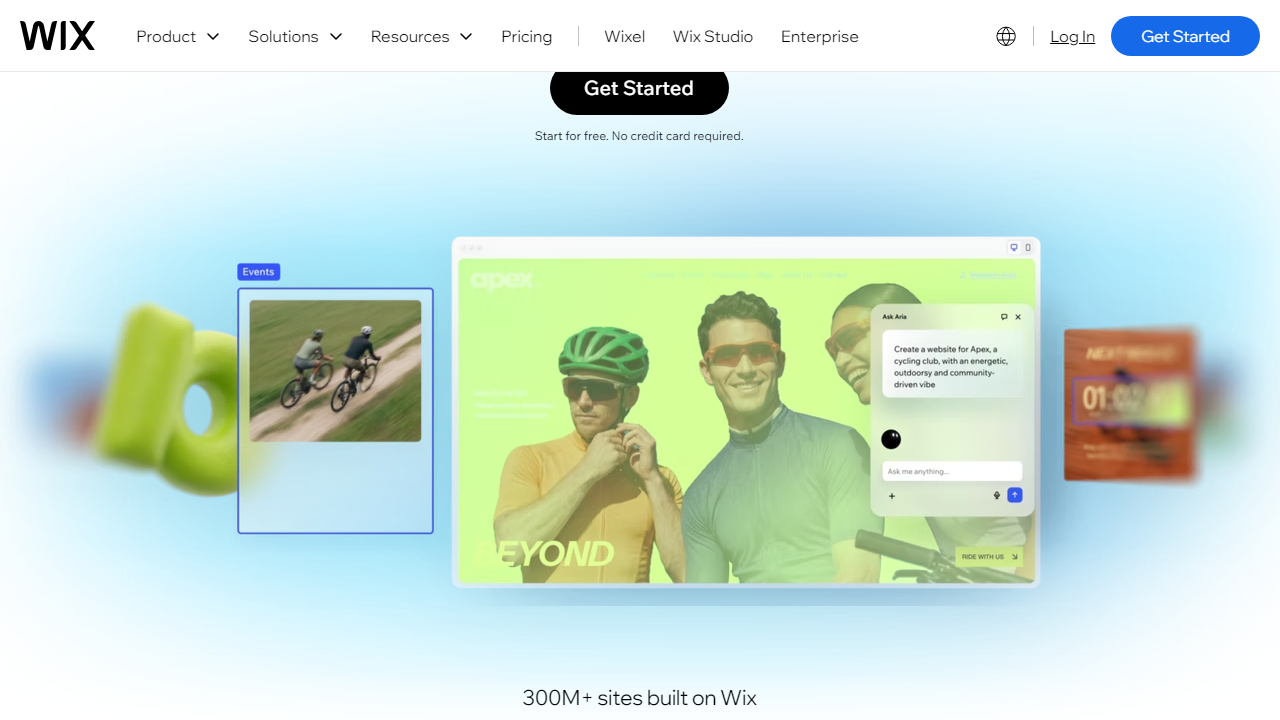
In 2026, Wix’s biggest strategic bet is on its AI Site Generator, which can produce a fully designed, content-populated website from a short text description in under two minutes. It’s not magic — the output still needs editing — but it’s genuinely impressive for a first draft and has meaningfully lowered the barrier to entry even further.
Key Features of Wix
Wix packs a lot into one platform. Here are the features that actually matter in day-to-day use.
Drag-and-Drop Editor
Wix’s editor remains the most flexible drag-and-drop builder on the market. Unlike Squarespace, which constrains you to a grid, Wix lets you place elements pixel-by-pixel anywhere on the page. That freedom is a double-edged sword — beginners can accidentally create messy layouts — but the creative control is unmatched. The editor loads quickly, supports multi-device previews, and has improved its undo/redo history to 20+ steps as of the 2025.4 update.
Wix AI Site Generator
Describe your business, pick a style preference, and Wix AI will generate a complete website — including text, images, layout, and color scheme — in about 90 seconds. In our testing, the output was usable roughly 70% of the time as a strong starting point. The AI pulls from over 900 templates and uses contextual prompts to tailor copy. You still need to replace stock images and fine-tune the content, but for someone who dreads the blank canvas, this is a meaningful time-saver.
Wix Stores (Ecommerce)
Wix Stores supports physical products, digital downloads, subscriptions, and dropshipping integrations (via Modalyst and Printful). The Business plan allows unlimited products, abandoned cart recovery, and multichannel selling on Instagram and Facebook. Transaction fees are $0 on paid plans, which is a genuine advantage over some competitors. However, features like advanced shipping rules and B2B pricing require the Business Elite tier, which starts at $159/month.
SEO Tools
Wix has invested significantly in SEO since its early years when it had a genuinely bad reputation in the space. Today it offers clean URL structures, meta tag editing, schema markup, auto-generated XML sitemaps, and a built-in SEO Setup Checklist. Core Web Vitals scores on Wix sites have improved — we measured average Largest Contentful Paint (LCP) scores of 2.1–2.8 seconds on Business plan sites — but WordPress with a good caching setup still outperforms it for technically demanding SEO work.
Wix Bookings
For service-based businesses, Wix Bookings is a standout feature. It handles appointment scheduling, group classes, staff management, and payment collection — all inside the same platform. The Basic Bookings functionality is included in the Core plan ($29/month), though staff management beyond one person requires upgrading. In our tests, the booking calendar synced reliably with Google Calendar within 30 seconds of changes.
App Market
The Wix App Market contains over 300 third-party integrations, including Mailchimp, Tidio live chat, QuickBooks, OpenTable, and Printful. About 80% are free to install, though many have their own subscription fees. The quality varies — some apps feel polished and native, while others haven’t been updated in 18+ months. We’d recommend vetting any app’s last update date before building a core workflow around it.
Pricing Plans
Wix’s pricing restructured in late 2025, consolidating its previous five-tier lineup into four cleaner plans. Prices below are billed annually — monthly billing costs roughly 30% more. Note that the free plan exists but displays Wix ads and doesn’t include a custom domain, making it suitable only for personal testing.
| Plan | Price/mo | Best For | Key Limit |
|---|---|---|---|
| Light | $17/mo | Personal sites, portfolios | 2GB storage, no ecommerce |
| Core | $29/mo | Small businesses, basic stores | 50GB storage, 5 collaborators |
| Business | $36/mo | Growing ecommerce, subscriptions | 100GB storage, unlimited products |
| Business Elite | $159/mo | High-volume stores, advanced features | Unlimited storage, priority support |
The value story is reasonable at the Core and Business tiers — you’re getting hosting, SSL, a free domain for a year, and ecommerce tools in one bill. The jump to Business Elite is steep and will only make sense for stores doing serious volume. One watch-out: domain renewal after year one typically runs $14–$20/year, which some users miss in the fine print.
Who Should Use Wix?
Best Wix Alternatives in 2026
Wix is excellent for many users, but it’s not the only strong option. Here’s how it stacks up against the most credible alternatives right now.
| Tool | Starting Price | Best For | Our Rating |
|---|---|---|---|
| Squarespace | $16/mo | Designers, creatives, portfolios | ⭐ 4.1/5 |
| Shopify | $39/mo | Serious ecommerce, scaling stores | ⭐ 4.6/5 |
| WordPress.com | $9/mo | Bloggers, content-heavy sites | ⭐ 4.0/5 |
| Webflow | $23/mo | Designers who want dev-level control | ⭐ 4.4/5 |
The short version: choose Shopify over Wix the moment ecommerce becomes your primary business driver. Choose Webflow if you’re a designer who’s comfortable with a steeper learning curve and needs pixel-perfect output with cleaner code. Squarespace wins on raw aesthetic quality if visual polish matters more than flexibility.


