
Notion Review 2026: Honest Look at Features, Pricing & Who It’s Really For
📅 Updated August 23, 2026
⏱️ 11 min read
Try Notion →
Free plan available — no credit card required
You’ve probably heard someone in your office say “We use Notion for everything” — and then watched them spend 20 minutes explaining how their workspace is structured. That tension, between Notion’s extraordinary capability and its frustrating complexity, is at the heart of this review. We spent three weeks running Notion across two different team setups — a five-person content team and a solo freelancer workflow — to give you the most grounded take possible.
Notion has been around since 2016, but the version that exists in 2026 barely resembles its early-days self. The platform now includes a robust AI layer, native project management with timeline views, and database relations that rival dedicated tools like Airtable. It’s used by over 35 million users globally, including teams at Figma, Headspace, and Duolingo. But popularity doesn’t automatically mean it’s the right fit for you.
This review covers every major feature, breaks down exact 2026 pricing, honestly assesses where Notion falls short, and gives you a clear picture of who should use it — and who should run toward a simpler alternative. Let’s get into it.
What Is Notion?
Notion is an all-in-one workspace that combines note-taking, project management, wikis, and relational databases into a single block-based interface. Founded by Ivan Zhao and Simon Last in San Francisco, the company raised a $275 million Series C in 2021 at a $10 billion valuation and has continued expanding since. Unlike point solutions that do one thing well, Notion’s core pitch is that it can replace your project tracker, your Google Docs folder, your team wiki, and your CRM — if you’re willing to build it out.
The platform operates on a “block” model — every piece of content, whether it’s a paragraph, a to-do checkbox, a database row, or an embedded video, is a modular block that can be moved, nested, and linked anywhere in your workspace. This architecture is what gives Notion its flexibility, and also what makes it feel overwhelming to new users who are used to linear document editors.
In 2026, Notion has doubled down on its AI capabilities and enterprise-readiness. The company now offers advanced admin controls, SAML SSO, audit logs, and dedicated workspace analytics at the Enterprise tier. For smaller teams and individuals, the free and Plus plans remain genuinely usable for real work — which is more than you can say for most competitors.
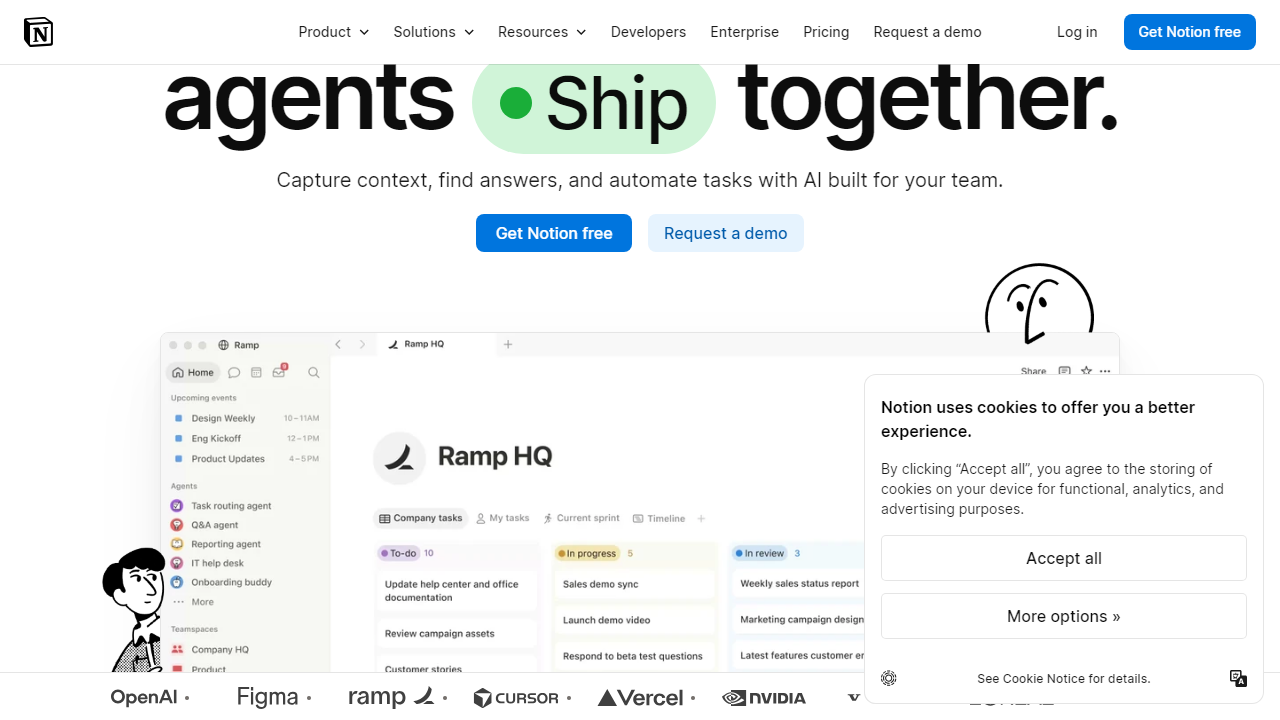
Key Features of Notion
Notion packs an enormous amount of functionality into a single product. Here are the features that actually move the needle in daily use.
Block-Based Document Editor
Everything in Notion starts with blocks — over 50 content types that you can insert with a “/” command. Text, headings, toggle lists, callout boxes, code blocks, embeds, and more all snap together cleanly. The editor is responsive and fast for documents under 100 blocks, though we noticed lag creeping in on pages with 300+ blocks and heavy embedded content.
Relational Databases
This is where Notion genuinely earns its reputation. You can create linked databases that relate to each other — for example, a Projects database linked to a Tasks database, with filtered views showing only tasks for each project. You can view the same database as a table, kanban board, gallery, calendar, or timeline without creating any duplicate data. This alone replaces tools like Airtable for most teams at a fraction of the cost.
Notion AI
Notion AI, now included with dedicated AI add-on plans, lets you ask questions across your entire workspace, auto-summarize meeting notes, generate first drafts, fix writing, and translate content into 15 languages. In our testing, the Q&A feature across workspace was the standout — asking “What did we decide about the Q3 launch timeline?” and getting an accurate, sourced answer from 40 pages of notes is genuinely impressive. The writing tools are solid but not dramatically better than what you’d get from standalone tools.
Templates & Template Gallery
Notion’s community template gallery has exploded to over 8,000 templates in 2026, covering everything from personal habit trackers to full-scale engineering sprint systems. The official templates (built by Notion’s team) are particularly well-designed. During our testing, we set up a functional content calendar using a free template in under 12 minutes — which meaningfully reduces the “blank page” overwhelm for new users.
Integrations & API
Notion integrates natively with Slack, Google Drive, GitHub, Figma, Jira, Zapier, and Make (formerly Integromat). The public API is robust and well-documented, making it a favorite for builders who want to automate workflows. In our testing, the Slack integration (which lets you create Notion pages directly from Slack messages) worked flawlessly. The Jira sync, however, had a 10–15 minute delay that could be frustrating for fast-moving engineering teams.
Collaborative Editing
Real-time collaboration has improved significantly since 2024. Multiple users can now edit the same page simultaneously with visible cursors, and comment threads with @mentions work reliably. Page history goes back 90 days on the Plus plan and indefinitely on Business and Enterprise. One lingering frustration: there’s no built-in video calling or chat, so you’re still context-switching to Slack or Zoom for real-time communication.
Pricing Plans
Notion’s pricing in 2026 is competitive for what you get, but the AI add-on cost is a real consideration for budget-conscious teams. All prices below are per member, billed annually.
| Plan | Price/mo | Best For | Key Limit |
|---|---|---|---|
| Free | $0 | Solo users & students | Up to 10 guests, 7-day page history |
| Plus | $12/member | Small teams & freelancers | Up to 100 guests, 90-day history |
| Business | $18/member | Growing teams (10–250 people) | Unlimited history, SAML SSO |
| Enterprise | Custom (typically $25–$35+) | Large orgs with compliance needs | Audit logs, dedicated success manager |
Important note on Notion AI: The AI features are not bundled into base plans — they cost an additional $10 per member per month on top of your base subscription. For a 10-person team on Business, that’s $180/month base + $100/month for AI = $280/month total. That’s still reasonable relative to the tool consolidation Notion enables, but it’s not the $18/member headline price many buyers expect.
Who Should Use Notion?
Best Notion Alternatives
Notion isn’t the right fit for everyone. Here are the four strongest alternatives in 2026, depending on your specific needs.
| Tool | Starting Price | Best For | Our Rating |
|---|---|---|---|
| Obsidian | Free (sync $5/mo) | Solo power users, local-first | 4.4/5 |
| Coda | Free / $12/mo | Teams needing automation-heavy docs | 4.0/5 |
| ClickUp | Free / $10/member | Task-heavy teams, PM-first | 4.1/5 |
| Confluence | Free / $5.75/user | Enterprise wiki, Jira-integrated teams | 3.7/5 |
Frequently Asked Questions
Final Verdict: Is Notion Worth It in 2026?
After three weeks of intensive testing across different team sizes and use cases, our verdict is clear: Notion is the most capable all-in-one productivity workspace available in 2026, and for the right user, it’s genuinely transformative. The combination of flexible databases, clean documentation, and an increasingly powerful AI layer makes it possible to consolidate tools


