
Notion Pros and Cons: Full Breakdown — Is It Still Worth It in 2026?
📅 Updated September 8, 2026
⏱️ 11 min read
Try Notion →
Free plan available — no credit card required
Here’s a scenario that will feel familiar to a lot of productivity-obsessed people: you’ve got Slack for messaging, Asana for tasks, Google Docs for writing, Confluence for your wiki, and a spreadsheet graveyard for everything else. You’re paying for five tools, juggling five logins, and somehow still losing information between the cracks. Notion was built to solve exactly this problem — and after spending the better part of three months stress-testing it across personal, freelance, and team workflows, we have a very clear picture of where it delivers and where it still falls short.
This review is a no-fluff breakdown of Notion’s real pros and cons in 2026. We’ll cover every major feature, walk you through exact pricing, compare it against the strongest alternatives, and tell you plainly who should use it and who should skip it. Whether you’re a solo creator, a startup founder, or evaluating tools for a 50-person team, this guide will help you decide in under 15 minutes.
What Is Notion?
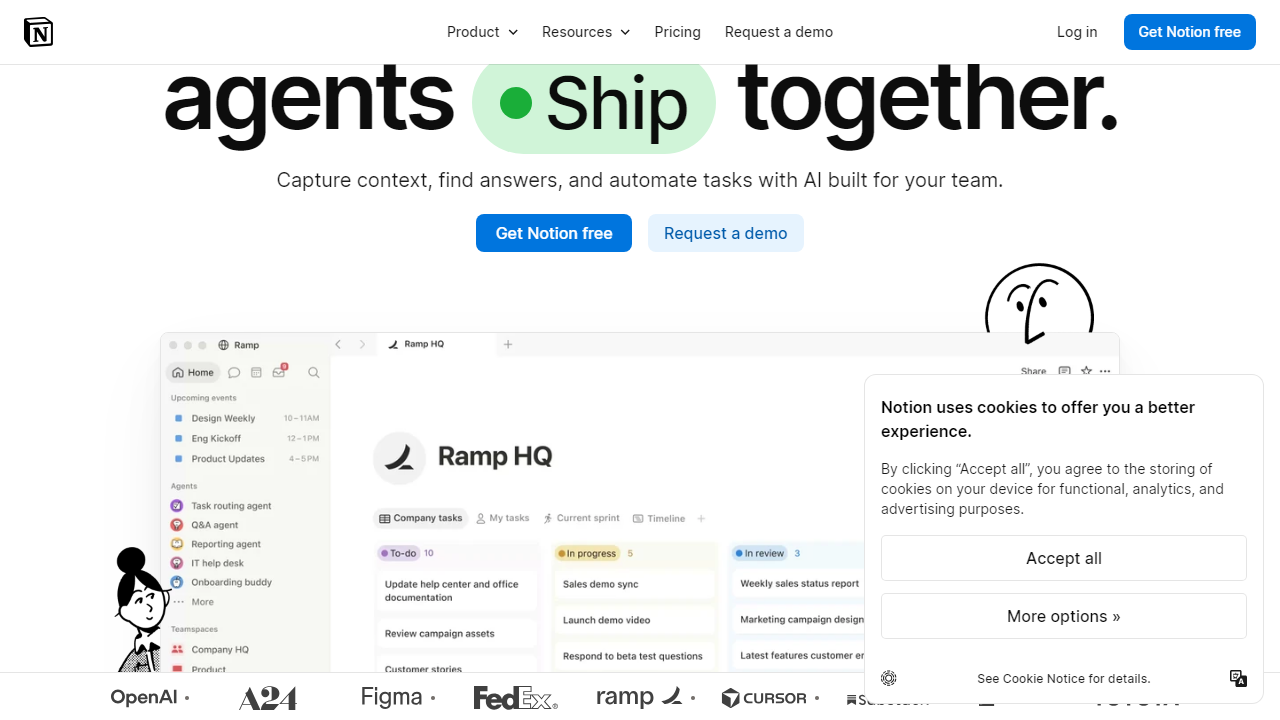
Notion is an all-in-one workspace that combines document editing, relational databases, project management, and wikis under a single interface. Founded in 2016 by Ivan Zhao and Simon Last in San Francisco, the product grew quietly for years before exploding in popularity during the remote-work boom of the early 2020s. By 2026, Notion serves over 30 million users across 190 countries and has raised more than $330 million in funding, giving it a valuation that firmly positions it as one of the most serious players in the productivity software space.
What makes Notion genuinely different from tools like Microsoft OneNote or Google Keep is its block-based architecture. Everything in Notion — a paragraph, an image, a database, a toggle — is a “block” that can be moved, nested, and transformed. That single design decision unlocks an almost absurd level of flexibility. You can build a simple daily journal or a fully relational CRM with kanban views, filtered galleries, and automated rollups — all without writing a single line of code. Notion also added Notion AI as a core feature in 2023 and has continued to deepen it significantly through 2025 and into 2026, making it one of the more genuinely integrated AI writing and summarization tools in its category.
Key Features of Notion
Notion packs an enormous surface area of features. Here are the ones that actually matter for day-to-day use and where each one stands in 2026.
Block-Based Documents
Every page in Notion is built from blocks — text, headings, bullets, callouts, code blocks, embeds, and more. You can drag blocks anywhere on a page, create multi-column layouts without CSS, and nest entire databases inside a document. It’s more powerful than Google Docs for structured content and more readable than a raw spreadsheet. The editor is fast and keyboard-shortcut-friendly once you learn it.
Relational Databases
This is Notion’s crown jewel. You can create databases and link them together — for example, linking a Projects database to a Tasks database so each task automatically knows which project it belongs to. You get six view types: Table, Board (kanban), Gallery, List, Calendar, and Timeline (Gantt). Each view supports independent filters, sorts, and groupings. For teams managing complex work without wanting to pay for a dedicated PM tool, this feature alone justifies the subscription cost.
Notion AI
Notion AI is available as an add-on across all plans at $10/user/month (or $8/user/month billed annually). In 2026, it supports AI-powered writing, editing, summarization, action-item extraction from meeting notes, and Q&A over your entire workspace — meaning you can literally ask “What decisions did we make about the rebrand in Q3?” and get a sourced answer. It’s genuinely one of the better implementations of workspace-aware AI we’ve tested, though it occasionally hallucinates on older documents.
Templates
Notion’s template library now has over 8,000 community and official templates covering everything from OKR tracking to wedding planning. The official templates are well-maintained and a genuinely good starting point. The quality of community templates varies wildly, but filtering by “most duplicated” surfaces reliable options quickly. Importing a template takes under 60 seconds.
Collaboration and Permissions
Real-time collaboration works reliably — we tested simultaneous editing with five users and saw no conflicts or data loss. Page-level permissions let you share a single page publicly, with specific teammates, or keep it private without affecting the rest of your workspace. Guest access is available on all paid plans, though the free plan caps guests at 10. One gap: comment resolution and threaded discussions feel underpowered compared to Confluence or even Google Docs.
Integrations
Notion connects natively to Slack, GitHub, Jira, Google Drive, Figma, and over 80 other tools. Zapier and Make (formerly Integromat) extend this to thousands more. The Notion API is mature and well-documented, making custom integrations accessible even for non-developers using no-code tools.
Pricing Plans
Notion’s pricing is competitive for what it offers, especially for individuals. The main thing to watch: Notion AI is an additional cost on top of every plan, which surprises a lot of users who expect it to be bundled.
| Plan | Price/mo | Best For | Key Limit |
|---|---|---|---|
| Free | $0 | Solo users, students | 10 guests, 5MB file uploads |
| Plus | $12/user (billed annually) | Small teams, freelancers | Unlimited file uploads, 100 guests |
| Business | $18/user (billed annually) | Growing teams, departments | SAML SSO, advanced analytics, 250 guests |
| Enterprise | Custom (typically $25–$35/user) | Large orgs, compliance needs | Audit logs, custom contracts, dedicated CSM |
Important note on Notion AI: Add $8/user/month (annual) or $10/user/month (monthly) on top of any plan above. For a 10-person team on Business with AI, you’re looking at roughly $260/month — competitive but not cheap. Education users get significant discounts; verify at checkout.
Who Should Use Notion?
Best Notion Alternatives
Notion is exceptional but not for everyone. Here’s how it stacks up against the strongest competitors we’ve tested in 2026.
| Tool | Starting Price | Best For | Our Rating |
|---|---|---|---|
| Obsidian | Free (Sync: $5/mo) | Personal knowledge management, offline-first | 4.4/5 |
| Confluence | $6.05/user/mo | Enterprise wikis, Jira-integrated teams | 3.9/5 |
| Coda | $12/user/mo | Document-driven workflows with automation | 4.1/5 |
| ClickUp | $7/user/mo | Teams that prioritize task management over docs | 4.0/5 |
The short version: if offline access is critical, choose Obsidian. If you’re a large org already in the Atlassian ecosystem, Confluence makes more organizational sense. If you need heavy-duty task management with time tracking baked in, ClickUp edges Notion out. But for the sheer breadth of use cases at a reasonable price, Notion still wins for most knowledge workers.
Frequently Asked Questions
Final Verdict: Is Notion Worth It in 2026?
After three months of daily use across a half-dozen workflows — personal productivity, content planning, client management, team wikis, and product roadmapping — our verdict is clear: Notion is the best all-in-one workspace available for the majority of knowledge workers in 2026. Nothing else on the market combines the depth of its database system, the flexibility of its document editor, and the quality of its AI features at this price point. The free plan alone is more powerful than what most productivity apps charge for.
That said, Notion demands something from you: time. The first week will feel clunky. You’ll accidentally create a database when you wanted a simple list, or spend 40 minutes building a template you could have downloaded in 60 seconds. That investment is real, and for users who


