
Notion Pricing Review 2026: Is It Actually Worth the Cost?
📅 Updated September 14, 2026
⏱️ 9 min read
Try Notion →
Free plan available — no credit card required
Here’s a scenario that probably sounds familiar: you’ve got your tasks in Asana, your docs in Google Docs, your team wiki in Confluence, your notes in Apple Notes, and your project roadmaps in a spreadsheet held together with prayers and color-coding. The monthly SaaS bill for all that? Easily $40–$80 per person. Notion was built to collapse that entire stack into a single workspace — and the pricing question is whether it actually delivers on that promise.
We spent three weeks stress-testing every Notion plan in 2026, from the free tier to the Business plan, evaluating real-world performance across solo use, a 6-person startup team, and a 25-person department scenario. This review breaks down exactly what you get at each price point, who genuinely benefits, and where the cracks start to show. No fluff, no vague impressions — just specific numbers and honest trade-offs.
Short answer: for most people reading this, Notion is absolutely worth the cost. But the details matter, and that’s what we’re here for.
What Is Notion?
Notion is an all-in-one workspace application developed by Notion Labs, Inc., founded in San Francisco in 2013 by Ivan Zhao and Simon Last. The product publicly launched in 2016 and has since grown to over 100 million users worldwide, making it one of the most widely adopted productivity tools of the past decade. It competes across several categories simultaneously — note-taking apps like Evernote, project management tools like Asana and Monday.com, documentation platforms like Confluence, and even lightweight databases like Airtable.
What makes Notion genuinely different is its block-based architecture. Every element — a paragraph, a to-do item, a table, a video embed — is a “block” that can be dragged, nested, and transformed. This modularity means a single Notion page can function as a meeting note, a project tracker, a client-facing wiki, or a personal journal, depending on how you build it. In 2026, Notion AI is now bundled into all paid plans, adding AI-assisted writing, summarization, action-item extraction, and database querying without an additional subscription fee.
Notion positions itself squarely in the “work OS” category alongside Monday.com and ClickUp, but its document-first DNA keeps it closer to teams that live and breathe written communication: product teams, content creators, consultants, and remote-first startups.
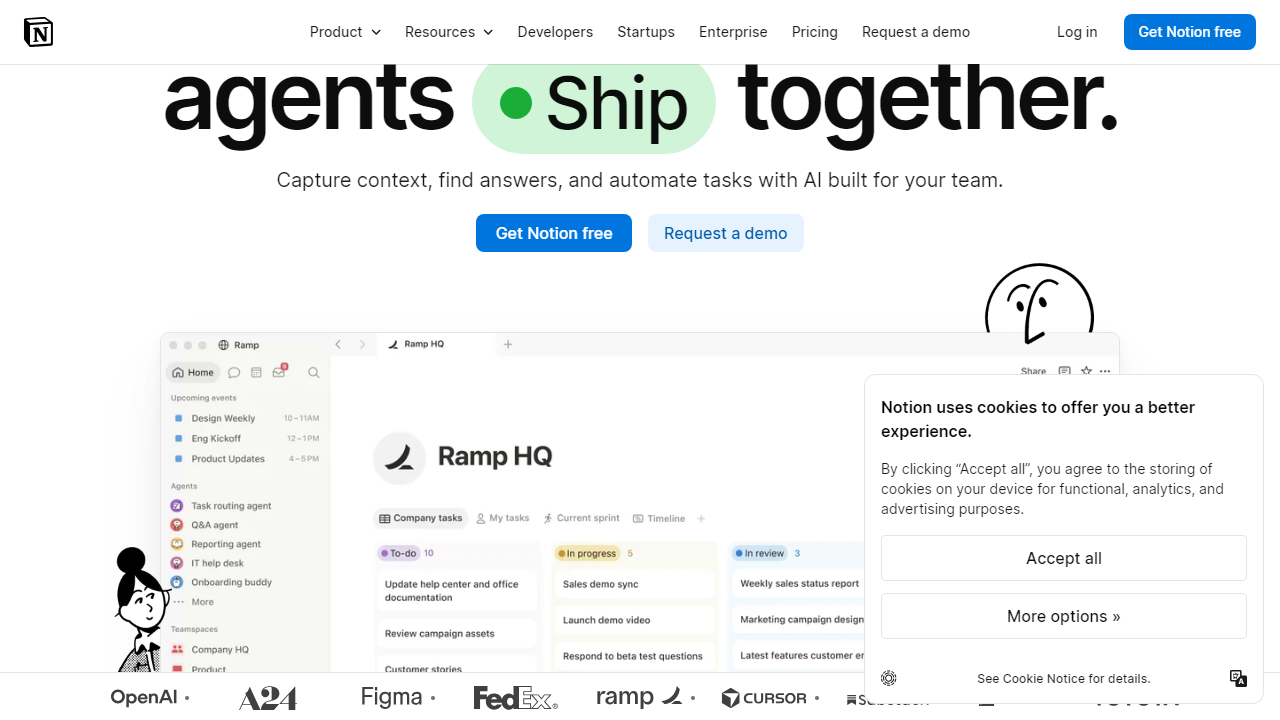
Key Features of Notion
Notion’s feature set has expanded significantly over the past two years. Here’s what actually matters at each level of the product in 2026.
Databases and Relational Tables
Notion’s databases are the backbone of everything. You can create tables, boards, calendars, galleries, timelines, and list views from the same underlying dataset, and you can filter and sort each view independently. Relational databases let you link records across multiple tables — for example, connecting a project database to a task database to a client database. This is where Notion starts to feel like a lightweight Airtable, and for most teams it’s more than enough.
Notion AI (Now Bundled)
Starting in early 2026, Notion AI is included in all Plus, Business, and Enterprise plans at no extra charge — a major pricing shift from the previous $10/user/month add-on model. The AI can draft documents, summarize pages, extract action items from meeting notes, generate database formulas, and answer questions about your workspace content. In our testing, the summarization and action-item extraction features alone saved our test team roughly 45 minutes per week in meeting follow-ups.
Wikis and Team Knowledge Base
Notion’s wiki functionality lets you designate certain pages as “verified” knowledge-base entries with clear ownership and last-reviewed dates. Nested page structures support unlimited depth, and the search function (significantly improved in the 2025 update) now returns results in under one second even across workspaces with thousands of pages.
Project Management Views
Timeline views, Kanban boards, and sprints are all available on paid plans. The Timeline view in particular rivals basic Gantt chart tools, and dependency tracking was added for Business plan users in 2025. It’s not a full replacement for dedicated PM tools like Linear or Asana for engineering teams, but for content, marketing, or ops teams, it genuinely covers the bases.
Integrations and API
Notion connects natively with Slack, GitHub, Jira, Google Drive, Figma, Zapier, and over 80 other tools. The public API supports reading, writing, and querying pages and databases, and it’s robust enough for developers to build meaningful automations. Native Notion automations (triggered by database property changes) are available on Plus and above.
Notion Pricing Plans — Full 2026 Breakdown
Notion uses a per-seat pricing model billed monthly or annually (annual saves roughly 20%). Here’s the complete breakdown as of September 2026, followed by our honest assessment of each tier’s value.
| Plan | Price/mo (annual) | Best For | Key Limit |
|---|---|---|---|
| Free | $0 | Personal use, light solo work | Up to 10 guest collaborators; limited automation runs |
| Plus | $10/user | Freelancers, small teams up to ~10 | Unlimited guests; 250 automation runs/mo |
| Business | $15/user | Growing teams, departments | SAML SSO, advanced analytics, private teamspaces |
| Enterprise | Custom (typically $20–$30/user) | Large orgs, compliance-heavy industries | Audit logs, DLP, dedicated support, custom contracts |
The Free plan is more generous than most people expect. You get unlimited pages and blocks, unlimited file uploads (with a 5MB per-file cap), and up to 10 guest collaborators. For a solo freelancer or someone just trying to organize their life, it legitimately works. The main pain points are the limited automation runs and the absence of Notion AI — you’ll feel those gaps within a couple of weeks if you’re a heavy user.
The Plus plan at $10/user/month (billed annually) is where Notion hits its pricing sweet spot. The inclusion of Notion AI alone used to cost an extra $10/user — getting it bundled makes the Plus plan an extraordinary value. A two-person team pays $20/month total and gets a tool that functionally replaces Confluence ($5/user), Asana’s Basic ($0–$10/user), and Evernote Teams ($14.99/user). The math is not subtle.
The Business plan at $15/user/month makes sense once you hit around 15+ people and need SAML SSO, advanced permission controls, and private teamspaces that are truly isolated from the broader workspace. At 20 users, you’re spending $300/month — that’s meaningful, and you should comparison-shop with ClickUp and Confluence at that scale. For teams under 15, we’d argue Plus covers 90% of needs.
Who Should Use Notion?
Best Notion Alternatives in 2026
Notion is excellent, but it’s not the only player worth considering. Here’s how it stacks up against the strongest alternatives we’ve tested this year.
| Tool | Starting Price | Best For | Our Rating |
|---|---|---|---|
| ClickUp | $7/user/mo | Teams needing deeper PM features | 4.2/5 |
| Obsidian | Free / $50/yr (Sync) | Solo users who want offline, local-first notes | 4.4/5 |
| Confluence | $5.75/user/mo | Enterprise teams already in the Atlassian ecosystem | 3.8/5 |
| Coda | Free / $10/user/mo | Teams needing powerful automation and formulas | 4.1/5 |
ClickUp is the most direct competitor on features and beats Notion on raw project management depth — but its interface is notoriously dense and the “everything app” ambition means a steeper configuration burden. Obsidian wins on privacy and offline capability for solo power users. Confluence is the legacy enterprise choice, but its per-user cost adds up and the UX feels dated compared to Notion. Coda is the closest philosophically, with more powerful native automation — worth a look if you build a lot of internal tools or complex workflows.


