
Is Webflow Good for Beginners? Honest Review 2026 (We Tested It for 3 Weeks)
📅 Updated September 7, 2026
⏱️ 12 min read
Try Webflow →
Free plan available — no credit card required
You’ve probably heard Webflow described as “the website builder for designers” — and maybe you’re wondering whether that means it’s completely off-limits if you’re just starting out. It’s a fair question. We spent three weeks putting Webflow through its paces specifically from a beginner’s perspective: starting with zero projects, building a portfolio site, a blog with CMS collections, and a small product landing page to see exactly where new users hit walls.
The honest answer? Webflow is not the tool to open on a Tuesday afternoon hoping to have a polished website live by Friday. But if you’re the kind of person who watches YouTube tutorials with a notebook nearby and genuinely wants to understand why things look the way they do on the web — Webflow will teach you more in a month than most other builders will in a year. The question isn’t whether Webflow is “too hard.” It’s whether you’re the right fit for it.
In this review, we break down Webflow’s actual learning curve with specific time estimates, compare it against Squarespace and Wix on beginner-relevant criteria, and give you a clear verdict on exactly which type of beginner should use it — and which should not.
What Is Webflow?
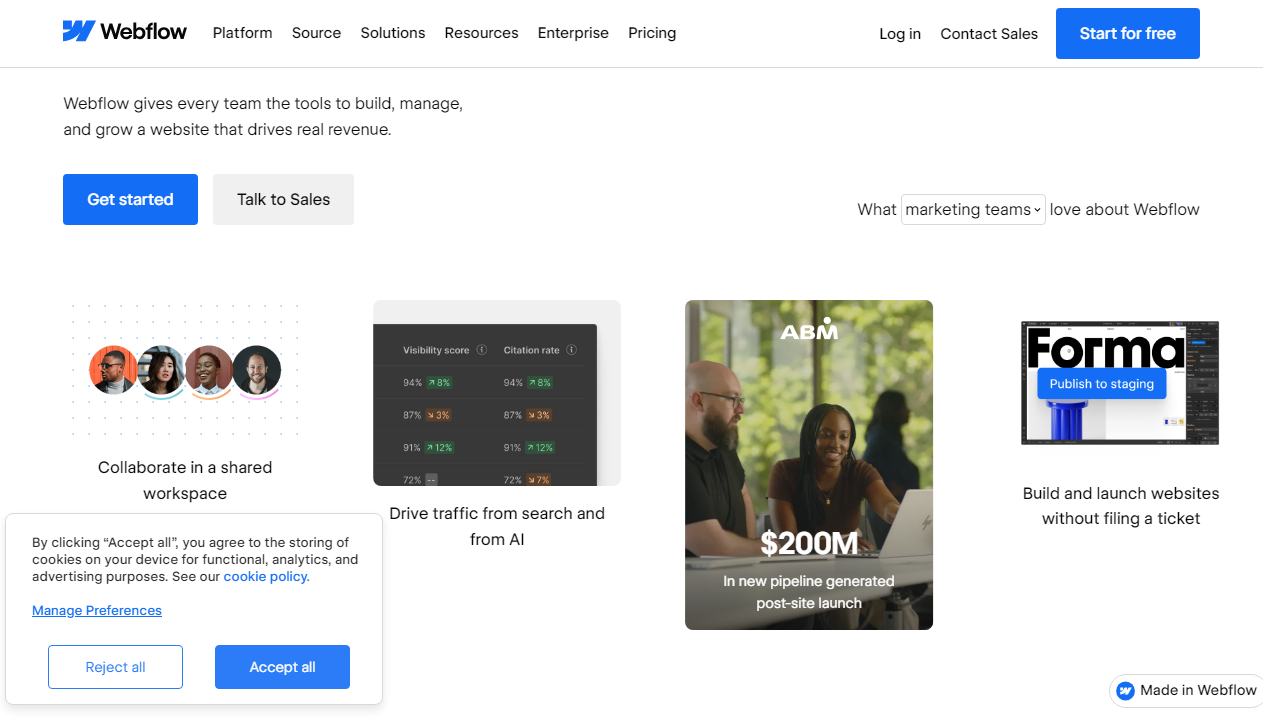
Webflow is a visual web design platform that lets you build fully custom websites without writing code — while simultaneously generating clean, production-ready HTML, CSS, and JavaScript behind the scenes. Founded in 2013 by Vlad Magdalin, Sergie Magdalin, and Bryant Chou in San Francisco, the company has grown to power over 3.5 million websites globally as of 2026. It’s not a traditional drag-and-drop builder like Wix. Instead, it mirrors how a developer would actually structure a page — think flexbox layouts, CSS grid, relative units — but exposes all of that through a visual interface.
Webflow sits in a distinct market position: above Squarespace (which prioritizes simplicity) and below hand-coded development (which requires full programming knowledge). It’s the tool agencies use to build client sites at scale, that freelance designers use to eliminate their dependence on developers, and increasingly, that ambitious beginners use to leapfrog straight past template-locked builders. The platform includes a built-in CMS, ecommerce functionality, hosting on a global CDN, and an interactions/animation engine — all under one roof with no plugin ecosystem to manage.
Key Features of Webflow
Webflow packs an enormous amount of functionality into a single platform. Here’s what actually matters for beginners evaluating whether to commit their time to it.
The Visual Designer
Webflow’s canvas is where you’ll spend most of your time. Every element — divs, sections, headings, buttons — is placed and styled using panels that directly map to CSS properties. You’re not dragging a “button widget” onto a page; you’re setting padding, margin, font-weight, and display type through dropdowns and number inputs. This feels overwhelming on day one, but it means there are virtually no design limitations. Our test site matched a Figma mockup with near-pixel accuracy, something impossible in Wix.
Webflow University
This is Webflow’s secret weapon for beginners and genuinely one of the best free learning resources in the no-code space. As of 2026, Webflow University offers over 200 structured video lessons organized into courses covering everything from absolute basics (“What is a div?”) to advanced interactions and CMS setup. The lessons are concise, well-produced, and updated regularly. Realistically, plan 15–20 hours of Webflow University time before you start building anything serious — that’s not a criticism, it’s just the cost of the power you’re gaining.
CMS Collections
Webflow’s Content Management System lets you create structured content types — blog posts, team members, products, case studies — and design how they display once, then populate them with as many items as you need. For beginners building a blog or portfolio, this is transformative. The CMS plan supports up to 10,000 CMS items and allows 3 content editors, so clients can update their own content without touching the designer.
Interactions & Animations
Webflow’s interaction engine lets you create scroll-triggered animations, hover effects, and multi-step page transitions without any JavaScript knowledge. You define triggers and then set a timeline of actions — move this element 40px, fade opacity from 0 to 1, scale this div by 1.2x. The output is clean JavaScript. For beginners, this feature is best left alone for the first month, but it’s a genuine differentiator once you’re ready.
Hosting & Performance
Every Webflow site is hosted on Amazon Web Services with a global CDN through Fastly. Core Web Vitals scores on a clean Webflow build are excellent — we measured an LCP of 1.4 seconds and a CLS of 0.02 on our test site with no additional optimization. You don’t manage servers, configure caching, or think about SSL — it’s all included.
Pricing Plans
Webflow’s pricing has two tracks: Site Plans (for publishing individual sites) and Workspace Plans (for managing multiple projects). Beginners will primarily care about Site Plans. All prices below are billed annually in USD for 2026.
| Plan | Price/mo | Best For | Key Limit |
|---|---|---|---|
| Free (Starter) | $0 | Learning & experimentation | 2 projects, webflow.io subdomain only |
| Basic | $14/mo | Simple static sites, portfolios | No CMS, 500 form submissions/mo |
| CMS | $23/mo | Blogs, content-heavy sites | 10,000 CMS items, 3 editors |
| Business | $39/mo | High-traffic sites, client work | 10 editors, advanced site search |
The free plan is genuinely useful for beginners — you can build and experiment on the webflow.io subdomain indefinitely. Most beginners will eventually land on the CMS plan at $23/mo once they’re ready to publish something real. That’s not cheap compared to Squarespace’s Personal plan at $16/mo, but the capability gap is substantial.
Who Should Use Webflow?
Best Webflow Alternatives
Webflow isn’t the right tool for every beginner. Here’s how it stacks up against the most common alternatives people consider.
| Tool | Starting Price | Best For | Our Rating |
|---|---|---|---|
| Squarespace | $16/mo | True beginners, creatives, simple blogs | ⭐ 4.3/5 |
| Wix | $17/mo | Easiest drag-and-drop, small business sites | ⭐ 4.1/5 |
| WordPress.com | $9/mo | Bloggers, content publishers, scalability | ⭐ 3.9/5 |
| Framer | $15/mo | Designers coming from Figma, landing pages | ⭐ 4.0/5 |
Frequently Asked Questions
Final Verdict: Is Webflow Worth It for Beginners in 2026?
After three weeks of hands-on testing, the verdict is nuanced — but clear. Webflow is genuinely good for beginners, with one critical asterisk: it’s good for beginners who are patient, curious, and motivated to actually understand web design rather than just get a site up fast. If that describes you, Webflow will reward your investment of time more than any other tool in this space. The sites you’ll build after a month of serious learning will be indistinguishable from what a junior developer could produce, and the skills you’ll gain transfer directly to real web design understanding.
If you’re a complete beginner who needs a business website live by next week, start with Squarespace or even Wix. There’s no shame in that — they’re excellent tools for exactly that use case. But if you hit their design ceilings within six months (and you will, if you have any creative ambition), Webflow is where you’ll want to go next. The jump is real but absolutely manageable, especially given how strong Webflow University has become in 2026.


