
Is Notion Worth It in 2026? A Brutally Honest Review After 60 Days of Daily Use
📅 Updated November 13, 2026
⏱️ 12 min read
Try Notion →
Free plan available — no credit card required
You’ve got Slack open in one tab, Google Docs in another, Trello for your project board, and a sticky note on your monitor reminding you about the sticky note app you were supposed to try. Sound familiar? Productivity tool sprawl is a real problem in 2026 — and it’s exactly what Notion was built to solve. After spending 60 days using Notion as our primary workspace across a team of four — handling editorial planning, research notes, project management, and client wikis — we have a clear picture of where it shines and where it still frustrates.
This review covers everything: the features that have genuinely improved over the past year, the pricing changes that affect whether the Plus plan is worth upgrading to, how Notion AI stacks up against built-in AI tools in competing platforms, and whether Notion is the right fit for your specific workflow. We’ve compared it head-to-head against Obsidian, ClickUp, Coda, and Confluence so you don’t have to.
What Is Notion?
Notion is an all-in-one productivity platform that combines note-taking, database management, project tracking, wikis, and document collaboration into a single flexible workspace. Founded in San Francisco in 2013 by Ivan Zhao and Simon Last, Notion spent years as a cult favorite among indie hackers and designers before exploding into the mainstream around 2020. By 2026, the company reports over 100 million registered users across 190 countries, with a valuation that settled around $10 billion following its last funding round.
What makes Notion genuinely different from tools like Evernote or Confluence is its block-based architecture. Everything — text, images, tables, embeds, databases — is a “block” that can be dragged, rearranged, and nested. This gives users almost unlimited flexibility to build exactly the workspace they need. The flip side is that this flexibility is intimidating for new users. Notion doesn’t tell you how to organize your work; it gives you the building blocks and trusts you to figure it out.
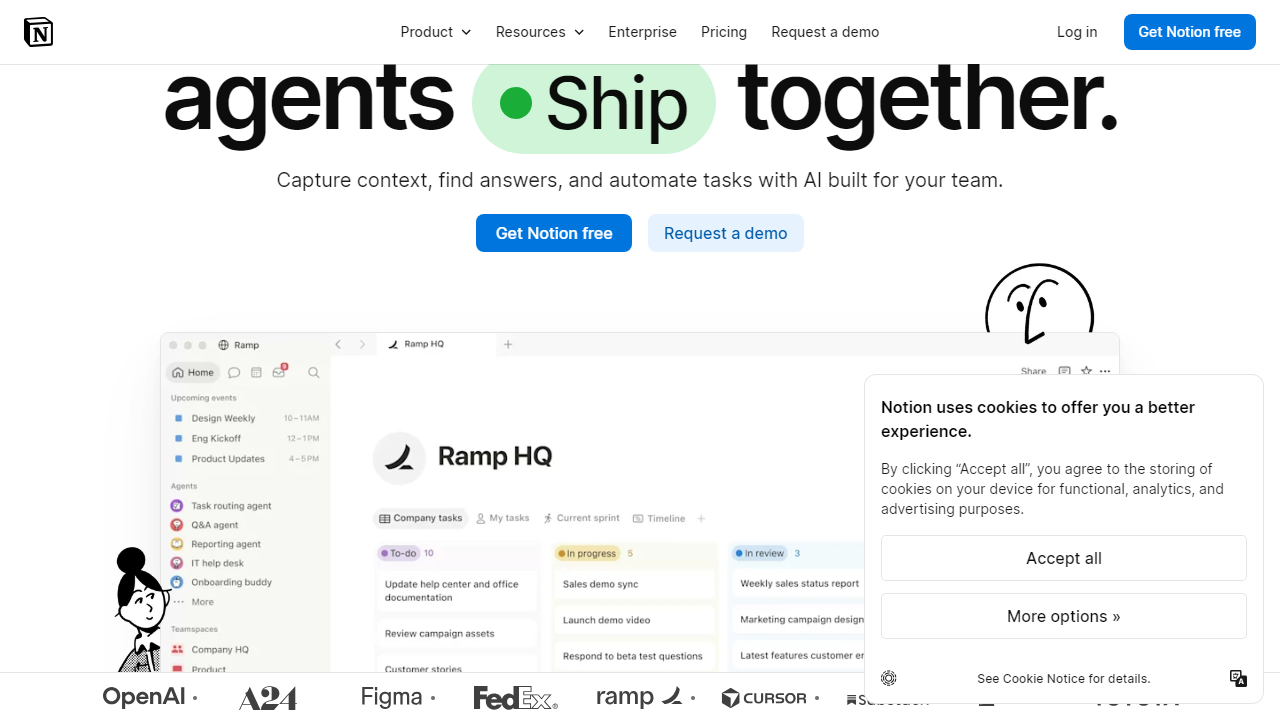
In 2026, Notion’s biggest competitive move has been the deep integration of Notion AI across all paid tiers, plus the launch of Notion Calendar as a standalone (but tightly connected) scheduling layer that syncs with Google Calendar. These additions have meaningfully expanded what the platform can do without requiring you to leave the app.
Key Features of Notion
Notion’s feature set is genuinely vast, so we’ve focused on the capabilities that actually matter day-to-day — and ones that have changed meaningfully heading into 2026.
Block-Based Pages and Documents
Notion’s core document editor supports 50+ block types including text, headers, callouts, code blocks, toggles, tables, embedded PDFs, and more. Slash commands let you insert any block type instantly. In 2026, the editor finally added native column support without needing workarounds, which was a long-standing complaint from power users. Real-time collaboration works reliably for up to 100 simultaneous editors on the Business plan.
Databases and Linked Views
Notion’s database system is its crown jewel. You can display the same dataset as a table, kanban board, calendar, gallery, timeline, or list — switching views without duplicating data. Filter, sort, and group by any property. Relations and rollups let you connect databases (e.g., link a Projects database to a Tasks database) for genuinely powerful workflows. The 2025 update added formula version 2 with 60+ new functions, bringing Notion databases much closer to Airtable in raw computational power.
Notion AI
Notion AI has matured significantly. In 2026, it supports Q&A across your entire workspace (ask “what did we decide about the Q3 budget?” and it surfaces the relevant page), draft generation, meeting note summarization, action item extraction, and translation into 15 languages. It’s powered by a combination of models and performs reliably for everyday writing tasks. The honest caveat: it costs an additional $10 per member per month on top of your base subscription, which adds up fast for larger teams.
Notion Calendar
Launched in late 2024 and significantly improved through 2025, Notion Calendar is now a fully functional scheduling tool that syncs bidirectionally with Google Calendar. You can see your Notion database items (deadlines, project milestones) alongside your calendar events in a single view. It’s free for all Notion users and fills a gap that previously required Fantastical or Cron integrations.
Integrations and API
Notion’s native integration library now includes Slack, GitHub, Jira, Figma, Zapier, Make (formerly Integromat), and 100+ others. The public API allows developers to build custom integrations and automations. Built-in automations (available on Plus plans and above) let you trigger actions — like sending a Slack message when a database status changes — without needing Zapier at all for basic workflows.
Pricing Plans
Notion’s pricing has remained relatively stable into 2026, though the addition of Notion AI as a paid add-on is an important consideration when budgeting. All prices below are per-member, per-month when billed annually.
| Plan | Price/mo | Best For | Key Limit |
|---|---|---|---|
| Free | $0 | Solo users, students | 10 guest collaborators, 7-day page history |
| Plus | $12/member | Small teams, freelancers | 100 guest collaborators, 30-day history |
| Business | $18/member | Growing teams, agencies | 250 guests, 90-day history, SAML SSO |
| Enterprise | Custom | Large orgs, compliance needs | Unlimited history, advanced security controls |
Important note on Notion AI pricing: Notion AI is an add-on at $10 per member per month (or $8/month billed annually). For a 5-person team on the Plus plan, that’s $12 × 5 = $60/month base, plus $50/month for AI — totaling $110/month. That’s not outrageous compared to buying separate tools, but it’s worth factoring in. The free plan includes limited Notion AI trials so you can test it before committing.
Who Should Use Notion?
Best Notion Alternatives
Notion is excellent, but it’s not the right tool for everyone. Here’s how it stacks up against the strongest alternatives in 2026, based on our hands-on testing of each platform.
| Tool | Starting Price | Best For | Our Rating |
|---|---|---|---|
| Obsidian | Free (Sync: $10/mo) | Solo knowledge management, researchers | 4.4/5 |
| ClickUp | $7/member/mo | Teams needing strong project management | 4.1/5 |
| Coda | Free (Pro: $10/mo) | Power users who want spreadsheet-like logic | 4.0/5 |
| Confluence | Free (Standard: $6.05/mo) | Enterprise teams already in the Atlassian stack | 3.7/5 |
Our take: If your primary need is personal knowledge management with deep linking between notes, Obsidian’s local-first approach is superior. If you need serious project management with time tracking and workload views, ClickUp edges Notion out. But for the broadest combination of documentation, databases, and collaboration in a single tool, Notion remains our top recommendation in 2026.
Frequently Asked Questions
Final Verdict: Is Notion Worth It in 2026?
After 60 days of daily use across a four-person editorial team, our answer is an unambiguous yes — with one important qualifier. Notion is worth it if you’re willing to invest the time to build your workspace properly. The first two weeks will feel slow. You’ll open it, stare at a blank page, and briefly miss the comfort of your old tools. Push through that phase and you’ll find a platform that genuinely does the job of four or five separate apps, with better interconnection between them than any of those apps offered on their own.