
Is Notion AI Good for Beginners? Honest Review & Full Breakdown (2026)
📅 Updated September 8, 2026
⏱️ 11 min read
Try Notion →
Free plan available — no credit card required
You’ve heard the buzz. Everyone from solopreneurs to Fortune 500 teams seems to be living in Notion, and now Notion AI is supposed to make the whole experience even smarter. But if you’ve never opened Notion before — or you tried it once, got confused by “blocks” and “databases,” and closed the tab — you’re right to ask: is Notion AI actually approachable for someone just getting started?
I spent three weeks onboarding to Notion from scratch specifically to evaluate this question. I used the free plan, upgraded to Plus, and enabled Notion AI throughout. I tested it for personal task management, note-taking, project planning, and content drafting. The short answer: Notion AI is impressive, and it genuinely does reduce friction for beginners — but only after you’ve survived the first few days of Notion itself. Here’s everything you need to know before committing.
What Is Notion AI?
Notion is an all-in-one productivity workspace built by Notion Labs, Inc., founded in San Francisco in 2016. It combines note-taking, wikis, databases, kanban boards, and project management into a single, highly flexible platform. As of 2026, Notion reports over 100 million users worldwide — a figure that puts it squarely in the top tier of productivity software alongside Microsoft 365 and Google Workspace.
Notion AI is the artificial intelligence layer built directly into that workspace. Launched in 2023 and substantially upgraded through 2025 and 2026, it’s not a separate app — it lives inside every page and database you create. You can invoke it with a simple space bar press or by typing “/AI” anywhere in your workspace. It can write, rewrite, summarize, translate, brainstorm, and even query your entire Notion workspace to surface relevant information. The key differentiator versus standalone AI writing tools like Jasper or ChatGPT is context: Notion AI can actually read your existing pages and databases to give you relevant, grounded responses.
For beginners, that context-awareness is both the biggest selling point and the biggest catch — it only becomes powerful once you’ve actually built out your workspace. An empty Notion with AI is still just a blank page.
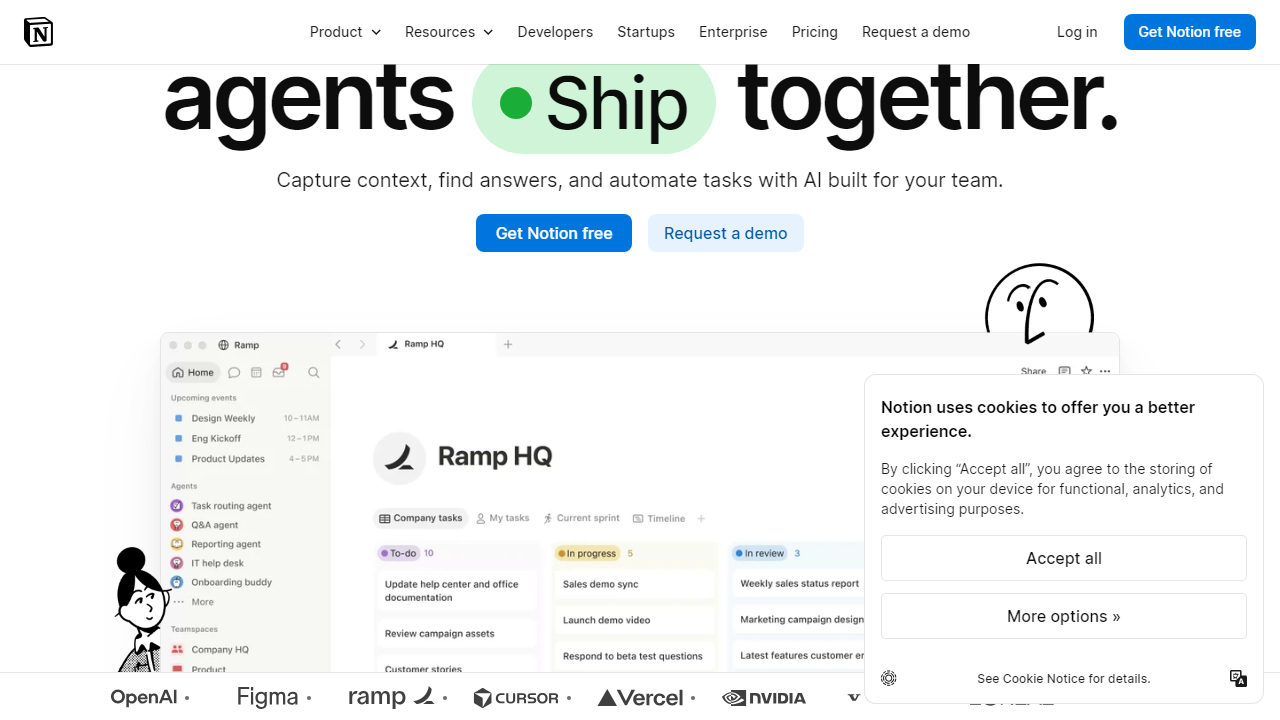
Key Features of Notion AI
Notion AI packs a surprisingly wide feature set for a $10/month add-on. Here’s what actually matters for beginners, based on hands-on testing.
AI Writing Assistant
The core feature: press the space bar on any empty line and a prompt bar appears. You can ask it to “write a project brief for a website redesign” or “draft a weekly team update email.” The output quality is strong — comparable to mid-tier Jasper outputs — and it inherits your page’s existing content as context. For beginners who freeze at blank pages, this alone is worth the price of admission.
Summarize & Simplify
Highlight any block of text — a meeting transcript, a dense research note, a long article you’ve pasted in — and the AI can summarize it into bullet points, simplify the language, or extract action items in seconds. In testing, summarizing a 1,200-word meeting note into five crisp bullets took under eight seconds and required zero editing. This is one of the features that works well from day one, even for complete beginners.
AI-Powered Q&A Across Your Workspace
This is where Notion AI gets genuinely exciting. You can ask natural language questions like “What did we decide about the marketing budget in Q3?” and Notion AI will search across all your connected pages and return a cited answer. In practice, it works best on workspaces with 50+ well-organized pages. For brand-new users with minimal content, the answers will be thin — but this feature gives you a clear reason to keep building your workspace.
AI Autofill for Databases
Notion’s databases (think: structured spreadsheets with rich content) can now have AI-generated columns. For example, you can add an “AI Summary” property to a content calendar and have Notion automatically summarize each linked article page. For beginners learning databases, this is a brilliant scaffold — it shows you what’s possible and delivers immediate value before you’ve mastered filters and formulas.
Writing Tone & Style Controls
Select any AI-generated or human-written text and ask Notion AI to make it “more professional,” “shorter,” “funnier,” or “simpler.” There are eight preset tone options plus a custom prompt field. In testing, the “make it simpler” command reliably reduced Flesch-Kincaid grade level by 2-3 points, which is genuinely useful for beginners writing documentation for general audiences.
Pricing Plans
Notion’s pricing structure in 2026 separates the base workspace plan from the AI add-on, which can catch beginners off guard. Here’s a clean breakdown of what you’ll actually pay.
| Plan | Price/mo | Best For | AI Included? |
|---|---|---|---|
| Free | $0 | Solo users testing the platform | Limited trial only |
| Plus | $12/member | Freelancers & small teams | +$10/member add-on |
| Business | $18/member | Growing teams needing SAML SSO | +$10/member add-on |
| Enterprise | Custom | Large orgs with compliance needs | Bundled (negotiated) |
The honest math for a beginner: If you’re a solo user on the Plus plan with AI enabled, you’re paying $22/month — that’s $12 for Plus and $10 for the AI add-on. That’s competitive with Notion’s closest AI-integrated competitors. The Free plan gives you a limited number of AI responses to trial the feature, which is enough to decide whether it’s worth upgrading.
Who Should Use Notion AI?
Best Notion AI Alternatives
Notion AI is strong, but it’s not the only option. Here’s how it stacks up against the closest competitors a beginner might consider in 2026.
| Tool | Starting Price | Best For | Our Rating |
|---|---|---|---|
| Notion AI | $10/mo add-on | All-in-one workspace + AI | ⭐ 4.1/5 |
| Coda AI | $10/mo | Teams needing doc + app hybrid | ⭐ 3.9/5 |
| ClickUp AI | $7/mo add-on | Project management-heavy teams | ⭐ 3.8/5 |
| Microsoft Copilot (365) | $30/mo add-on | Enterprise Office 365 users | ⭐ 4.3/5 |
Frequently Asked Questions
Final Verdict: Is Notion AI Worth It for Beginners in 2026?
Here’s the honest conclusion after three weeks of hands-on testing: Notion AI is one of the best AI productivity tools available in 2026, but the word “beginner” needs a caveat. If you’re a beginner to AI tools broadly, Notion AI is an excellent choice — it’s intuitive, well-integrated, and meaningfully improves your work from day one. If you’re a beginner to Notion specifically, expect a 3-7 day onboarding tax before you’re comfortable enough with the platform for the AI to really shine. That’s not a dealbreaker — it’s just an honest expectation to set.
At $10/month on top of your Notion plan, the AI add-on is priced fairly. The writing assistant, summarization, and workspace Q&A features alone justify the cost if you’re spending more than a few hours per week inside Notion. The AI autofill for databases is a sleeper feature that becomes indispensable once you start building out structured content. Where Notion AI loses points is in its dependency on a well-organized workspace — new users with sparse pages will find the AI’s answers generic and unmemorable, which can create a false first impression of a weak tool.
Our recommendation: start with


