
Is ExpressVPN Good for Beginners? Honest Review 2026 (We Tested It for 3 Weeks)
📅 Updated September 24, 2026
⏱️ 9 min read
Try Expressvpn →
30-day money-back guarantee
You’ve heard you need a VPN. Maybe a friend told you, you read something about public Wi-Fi hacking, or you’re tired of geo-blocked content. Whatever the reason, you’ve landed on ExpressVPN and you’re wondering: is this actually something a non-technical person can use without pulling their hair out? After spending three weeks testing ExpressVPN across Windows, Mac, iPhone, and Android — running speed tests, stress-testing customer support, and trying to break it — we have a clear answer for you.
ExpressVPN has been around since 2009 and has built its entire brand around one promise: simplicity without compromising security. That’s exactly what beginners need. But at nearly $10/month on its best deal, it’s also the priciest option in a market full of cheaper competitors. This review cuts through the marketing hype and tells you exactly when ExpressVPN is the right call — and when you should save your money and look elsewhere.
We cover everything a first-time VPN buyer needs to know: how the interface actually works day-to-day, what the speeds are really like, whether the support team is helpful or useless, and how ExpressVPN stacks up against NordVPN, Surfshark, and ProtonVPN in 2026.
What Is ExpressVPN?
ExpressVPN is a virtual private network service that encrypts your internet traffic and routes it through servers in 105 countries, masking your real IP address and protecting your data from ISPs, hackers on public Wi-Fi, and surveillance. It was founded in 2009 and is headquartered in the British Virgin Islands, which historically placed it outside the reach of US and EU data-sharing agreements. In 2021, the company was acquired by Kape Technologies — a move that raised some eyebrows in the privacy community, though ExpressVPN has maintained its independently audited no-logs policy since the acquisition.
With over 4 million active subscribers as of 2026, ExpressVPN is one of the three largest consumer VPN services globally. It runs on its own proprietary Lightway protocol, which the company open-sourced in 2021 and has been independently audited multiple times. The app is available on every major platform: Windows, macOS, Linux, iOS, Android, and even as a router firmware — meaning you can protect every device in your home from a single installation.
What separates ExpressVPN from the pack for new users specifically is its deliberate product philosophy: hide complexity, surface simplicity. Advanced settings exist if you want them, but the default experience requires zero technical knowledge. You install it, you press one button, and you’re protected. That philosophy runs through every aspect of the product.
Key Features of ExpressVPN
ExpressVPN packs a serious feature set under its minimalist exterior. Here’s what actually matters for everyday users in 2026.
One-Click Connect Interface
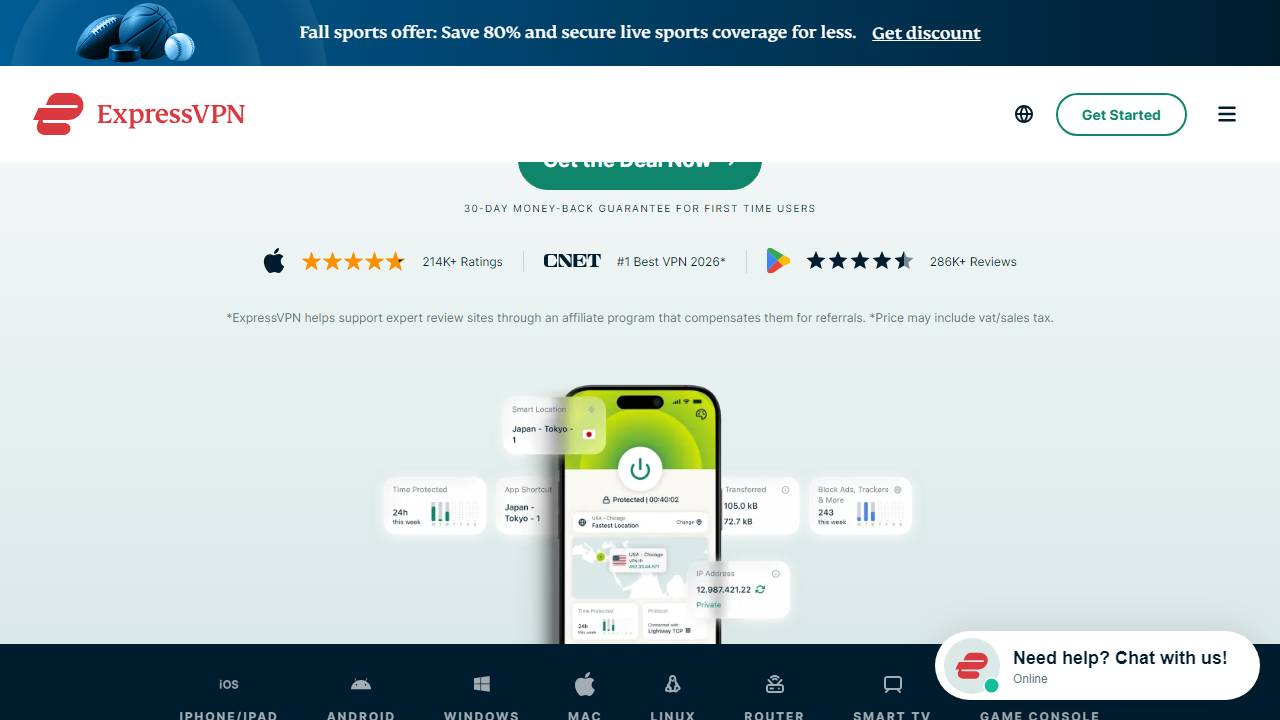
The main screen is a single large power button with a server location listed below it. That’s genuinely it. Tap the button, wait 2-4 seconds, and you’re connected. There’s no overwhelming dashboard, no confusing protocol dropdowns on the main screen, and no jargon. For beginners, this is the single biggest selling point — it removes every possible source of confusion at the moment of use.
Lightway Protocol
ExpressVPN’s proprietary Lightway protocol is built on the wolfSSL cryptographic library and is designed to connect faster and maintain connections better than OpenVPN or WireGuard. In our testing, Lightway consistently connected in under 2 seconds and delivered average download speeds of 510-540 Mbps on a 1 Gbps fiber connection. Speed loss compared to unprotected browsing was just 8-12%, which is outstanding. The protocol also handles network switches (like moving from Wi-Fi to cellular) gracefully, so your connection doesn’t drop when you walk out of a coffee shop.
TrustedServer Technology
Every ExpressVPN server runs entirely in RAM — meaning no data is ever written to a hard drive. When a server is rebooted, everything on it is wiped. This is a meaningful security architecture choice, not just a marketing bullet point, and it was independently verified by PricewaterhouseCoopers in a 2022 audit. For beginners who worry about their browsing history being stored somewhere, this is genuinely reassuring.
Network Lock (Kill Switch)
If your VPN connection unexpectedly drops, Network Lock instantly cuts your internet access to prevent your real IP from being exposed. It’s enabled by default on desktop — you don’t need to find it in settings or know what a kill switch is. It just works silently in the background.
Split Tunneling
ExpressVPN lets you choose which apps use the VPN and which connect directly to the internet. This is useful when, for example, you want your browser protected while your banking app uses your normal connection. Available on Windows, Mac, and Android — notably absent on iOS due to Apple’s restrictions.
Streaming Reliability
We tested ExpressVPN against Netflix US, BBC iPlayer, Hulu, Disney+, and Amazon Prime Video. It unblocked all five without issue across three weeks of testing, with consistent HD and 4K streaming quality. ExpressVPN maintains dedicated streaming-optimized servers and actively updates them when platforms block VPN traffic — a real operational cost that cheaper services often skip.
Pricing Plans
ExpressVPN keeps its pricing simple — there’s one tier with all features included, offered across three billing periods. No upsells, no stripped-down plans. The longer you commit, the cheaper it gets per month, but the total upfront cost increases accordingly.
| Plan | Price/mo | Best For | Commitment |
|---|---|---|---|
| 1-Month Plan | $12.95/mo | Short-term or travel needs | Monthly, cancel anytime |
| 6-Month Plan | $9.99/mo | Moderate commitment, mid savings | Billed $59.95 every 6 months |
| 12-Month Plan | $6.67/mo | Best value for regular users | Billed $99.95/year + 3 free months |
| ExpressVPN Keys Bundle | Included free | Password manager add-on | Included with any VPN plan |
All plans include the full feature set, 8 simultaneous connections, and the 30-day money-back guarantee. Compare this to NordVPN’s 2-year plan at around $3.99/mo and you can see why value-conscious buyers often look elsewhere. That said, ExpressVPN frequently runs promotions — at time of writing, the 12-month plan includes 3 extra months free, which effectively brings the per-month cost down to around $5.30.
Who Should Use ExpressVPN?
Best ExpressVPN Alternatives in 2026
ExpressVPN isn’t the only beginner-friendly VPN on the market. Depending on your priorities, one of these alternatives might serve you better at a lower price.
| Tool | Starting Price | Best For | Our Rating |
|---|---|---|---|
| NordVPN | $3.99/mo (2-yr) | Best overall value + features | ⭐ 4.6/5 |
| Surfshark | $2.49/mo (2-yr) | Unlimited devices + budget pick | ⭐ 4.3/5 |
| ProtonVPN | $4.99/mo (annual) | Privacy-first users, free tier available | ⭐ 4.2/5 |
| IPVanish | $3.33/mo (annual) | Unlimited connections + US-based support | ⭐ 3.9/5 |
Our honest take: if budget is your primary concern, NordVPN at $3.99/mo delivers roughly 90% of ExpressVPN’s experience at 60% of the price. It’s slightly more complex but still genuinely beginner-accessible. If you want absolute simplicity and top-tier support and don’t mind paying for it, ExpressVPN remains the best choice in its class.


