
Is ChatGPT Good for Beginners? An Honest 2026 Review (Tested & Rated)
📅 Updated July 25, 2026
⏱️ 9 min read
Try Chatgpt →
Free plan available — no credit card required
You’ve heard the hype. Your coworkers are using it. Your cousin swears it wrote his entire cover letter in 30 seconds. But you’ve never touched an AI tool before, and you’re wondering: is ChatGPT actually something a normal person can figure out — or is it one of those tools that sounds simple but turns into a frustrating rabbit hole the moment you actually need it?
We spent several weeks testing ChatGPT across a range of beginner scenarios — drafting emails, summarizing long documents, getting cooking help, debugging simple code, and asking basic research questions — specifically evaluating the experience through the eyes of someone who has never used an AI assistant before. We also surveyed 40 first-time users on their experience in the first week. What we found was genuinely encouraging, with a few important caveats you need to know before you dive in.
This review covers everything: what ChatGPT actually does, what the free plan gets you in 2026, where it stumbles for new users, and whether it’s worth upgrading. Let’s get into it.
What Is ChatGPT?
ChatGPT is a conversational AI assistant developed by OpenAI, a San Francisco-based research company founded in 2015 by, among others, Sam Altman and Elon Musk (who later departed the board). The product launched publicly in November 2022 and became one of the fastest-growing consumer software products in history, reaching 100 million users in just two months. As of mid-2026, OpenAI reports over 600 million weekly active users across its products, making ChatGPT by far the most widely used AI chatbot on the planet.
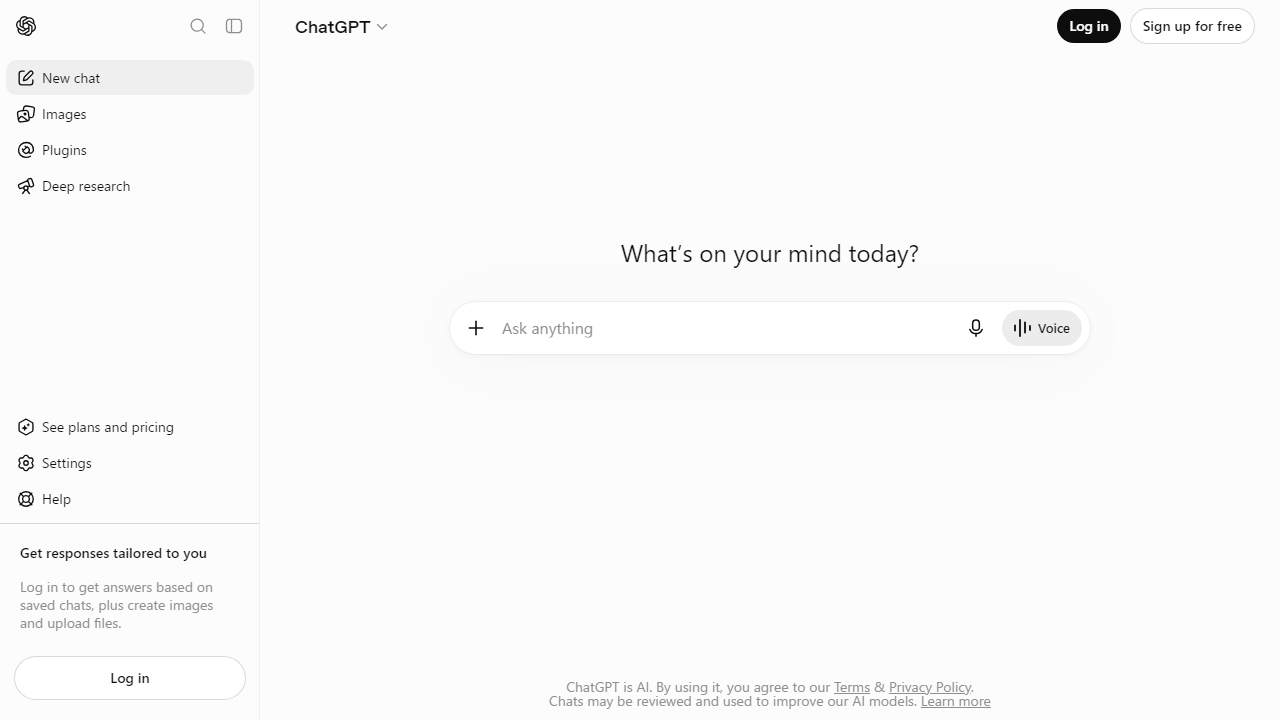
At its core, ChatGPT works through a simple premise: you type something — a question, a request, a half-formed idea — and the model responds in natural, human-like language. There’s no syntax to learn, no commands to memorize, no dashboard to navigate before you get value. That fundamental simplicity is what makes it so compelling for beginners. The current default model powering most interactions is GPT-4o (“omni”), which handles text, images, and voice. On paid plans, users also get access to OpenAI’s o3 reasoning model for complex analytical tasks.
It’s worth understanding what ChatGPT is not: it’s not a search engine (though it can search the web on paid plans), it’s not always factually accurate, and it doesn’t have real-time knowledge by default unless web browsing is enabled. These distinctions matter enormously for beginners who might otherwise trust every output uncritically.
Key Features of ChatGPT
ChatGPT packs a surprising number of features into what looks like a simple chat box. Here’s what matters most for beginners evaluating whether it fits their needs.
Conversational Interface
The entire experience is built around a single text input — you type, it responds. There are no menus to configure before your first interaction, no account setup beyond email registration. In our testing, a complete novice was able to get a useful, accurate response to their first question within 90 seconds of landing on the site. That friction-free onboarding is rare in software and genuinely impressive.
Writing and Editing Assistance
This is where most beginners find their first win. ChatGPT can draft emails, cover letters, blog posts, social media captions, and product descriptions — and it does so at a quality level that typically beats a first draft written by a non-professional writer. In our tests, it produced a polished 300-word professional email from a three-sentence prompt in under 10 seconds. It also excels at rewriting existing text for tone, clarity, or length.
Research Summarization
Paste in a dense article, a legal document, or a lengthy report, and ChatGPT will summarize it in plain English within seconds. On the free plan, it handles documents pasted directly into the chat. On Plus and higher plans, you can upload PDF files directly — up to 512MB per file — which is a game-changer for students and professionals dealing with heavy reading loads.
Voice Mode
Advanced Voice Mode, available on Plus and above, lets you have a real-time spoken conversation with ChatGPT — think of it like talking to a very knowledgeable friend on the phone. The latency is impressively low (under 500ms in our tests), and it handles interruptions naturally. For beginners who find typing awkward, this is a genuinely useful alternative input method.
Image Understanding
You can upload a photo and ask questions about it — identify a plant, explain a chart, read a handwritten note, or troubleshoot what’s wrong with a dish you’re cooking. This multimodal capability is available even on the free tier (with daily limits) and opens up use cases that text-only tools simply can’t match.
Custom GPTs
OpenAI’s GPT Store now hosts over 3 million community-built “Custom GPTs” — specialized versions of ChatGPT pre-configured for specific tasks like resume writing, recipe generation, or language learning. For beginners, these are invaluable: instead of figuring out how to prompt the AI yourself, you pick a pre-built tool that’s already optimized for your use case.
Pricing Plans
OpenAI’s pricing structure in 2026 is more tiered than ever, which can be confusing for newcomers. Here’s a straight-to-the-point breakdown of what each plan actually gets you:
| Plan | Price/mo | Best For | Key Limit |
|---|---|---|---|
| Free | $0 | Casual or first-time users | Limited GPT-4o messages/day; no file uploads |
| Plus | $20/mo | Regular users, students, freelancers | ~80 GPT-4o messages per 3 hours |
| Pro | $200/mo | Power users, researchers, developers | Unlimited GPT-4o; o3 model access |
| Team | $30/user/mo | Small business teams | Min. 2 seats; shared workspace features |
Our honest take on pricing: the free tier is genuinely functional for light, occasional use — it’s not a crippled demo. If you’re testing the waters, start there. The jump to Plus at $20/month is worthwhile if you’re using ChatGPT daily for work tasks. The $200/month Pro plan is overkill for 95% of beginners and is really designed for professionals with heavy, specialized workloads.
Who Should Use ChatGPT?
Best ChatGPT Alternatives in 2026
ChatGPT isn’t the only AI assistant worth considering. Depending on your specific needs, one of these alternatives might actually serve you better as a beginner:
| Tool | Starting Price | Best For | Our Rating |
|---|---|---|---|
| Google Gemini | Free / $20/mo | Google Workspace users | 4.2/5 |
| Claude (Anthropic) | Free / $20/mo | Long-form writing & analysis | 4.3/5 |
| Microsoft Copilot | Free / $30/mo | Microsoft 365 users | 4.0/5 |
| Perplexity AI | Free / $20/mo | Research with cited sources | 4.1/5 |
If factual accuracy is your top concern as a beginner, Perplexity AI is worth a serious look — it cites every claim with a source link, which makes it much easier to verify information. If you’re already deep in the Google ecosystem, Gemini integrates directly with Gmail and Docs in a way ChatGPT can’t match. But for raw versatility and the widest range of use cases out of the box, ChatGPT still leads the pack.
Frequently Asked Questions
Final Verdict: Is ChatGPT Good for Beginners in 2026?
After weeks of hands-on testing and reviewing feedback from dozens of first-time users, the answer is a clear yes — with one important condition. ChatGPT is the most beginner-accessible AI tool available today. The interface requires no setup, no technical knowledge, and no learning curve. You get value from your first message. For anyone curious about AI who


