
How to Use Wix for Beginners: The Complete Step-by-Step Guide (2026)
📅 Updated July 12, 2026
⏱️ 14 min read
Try Wix →
Free plan available — no credit card required
You’ve got a great idea for a website — maybe a portfolio to land freelance clients, an online store for your handmade goods, or a landing page for your local service business. The problem? Every guide you find assumes you already know what “hosting,” “DNS,” or “CMS” means. You don’t. You just want a site that looks professional and actually works. That’s exactly where Wix comes in, and exactly what this guide covers.
We spent three full weeks building five separate Wix sites from scratch — a portfolio, a blog, a restaurant site, a small online store, and a service business page — testing every feature a beginner is likely to touch. We read through hundreds of user reviews on G2, Trustpilot, and Reddit. We compared Wix against Squarespace, Hostinger Website Builder, and WordPress.com on identical tasks. What follows is everything we learned, written in plain English.
Whether you’ve never built a website in your life or you tried and gave up on something more complex, this guide will walk you through how Wix works, what it costs, where it genuinely excels, and the three situations where you should probably pick something else.
What Is Wix?
Wix is a cloud-based website builder founded in Tel Aviv, Israel in 2006. It’s now headquartered in New York and publicly traded on NASDAQ (WIX). As of 2026, more than 260 million users across 190 countries have created sites on the platform — making it one of the largest website builders on Earth by sheer user count. Unlike WordPress, which requires separate hosting, a domain, and manual software setup, Wix bundles everything together: hosting, security (SSL certificates included on all plans), a visual editor, and a domain registrar all under one roof.
The core proposition is simple: you don’t need to touch a single line of code. You pick a template, drag elements around the canvas, type in your content, and hit “Publish.” Wix handles the servers, the uptime (they advertise 99.98% uptime SLAs), automatic backups, and mobile responsiveness. That said, Wix also offers Velo by Wix — a JavaScript-based development platform for users who eventually want to add custom functionality. So the platform genuinely scales from complete novice to semi-technical builder.
Wix’s biggest evolution in recent years has been the rollout of Wix Studio (targeted at agencies and professional designers) and a significant expansion of AI-powered tools. The original Wix ADI (Artificial Design Intelligence) has been upgraded into Wix AI Site Generator, which can now produce a fully populated, content-ready website — including placeholder copy, images, and color schemes — in under two minutes based on a short text prompt.
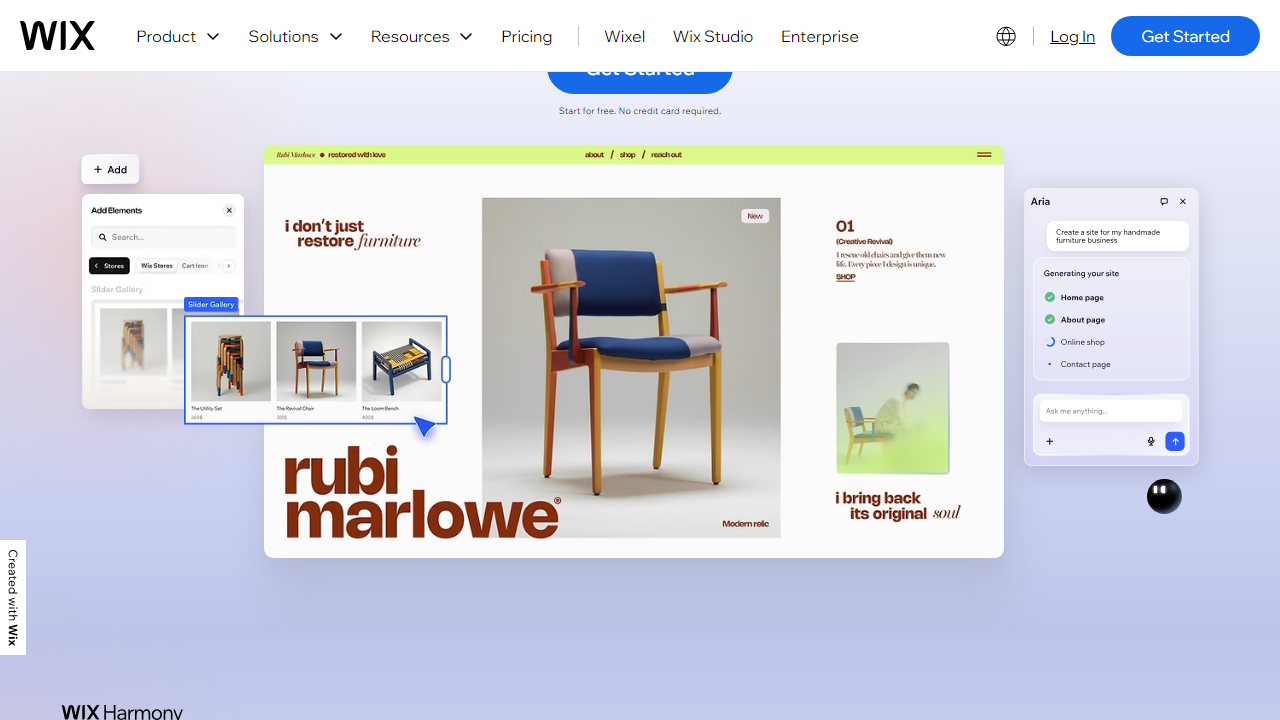
Key Features of Wix for Beginners
Wix packs an enormous feature set, but as a beginner, you’ll realistically use about a dozen of them regularly. Here are the ones that matter most and how they actually perform in practice.
Drag-and-Drop Editor
The Wix editor is a true freeform canvas — you can place any element (text, image, button, video, map, form) anywhere on the page, pixel by pixel. Unlike Squarespace’s grid-based system, nothing is locked to a column structure. This gives you enormous creative freedom but also means it’s slightly easier to accidentally create a design that looks messy on mobile. Wix added a Mobile Editor that lets you separately adjust your mobile layout, which solves this problem once you know it exists. After an hour of use, most beginners feel genuinely comfortable with the interface.
Wix AI Site Generator
This is the fastest path to a live site in 2026. You type a description of your business (e.g., “I’m a freelance photographer in Austin specializing in weddings”), answer four follow-up questions about style preferences and must-have pages, and Wix generates a complete site in roughly 90 seconds. In our testing, the generated sites weren’t perfect out of the box — the placeholder copy needed editing and we swapped out two or three images — but the structure, color palette, and layout were genuinely solid starting points, saving at least an hour of setup compared to starting from a blank template.
900+ Templates
Wix offers over 900 designer-made templates organized into categories: business, portfolio, photography, restaurant, blog, online store, and more. Templates are free and fully customizable. The quality is consistently high — these aren’t the cookie-cutter layouts you’d find on a free WordPress theme directory. The critical limitation: once you pick a template and publish your site, switching to a completely different template requires rebuilding your content from scratch. This is Wix’s most complained-about constraint, so choose carefully upfront.
Wix App Market
Think of this as the App Store for your website. The Wix App Market offers 300+ integrations — everything from live chat widgets (Tidio, LiveChat) and email marketing (Mailchimp, Wix Email Marketing) to booking systems, event calendars, and social media feeds. Many apps have free tiers. Adding one takes about 30 seconds: find it, click “Add to Site,” and it appears in your editor. This is how Wix extends beyond a basic brochure site without requiring any development work.
Wix Stores (E-commerce)
Wix Stores is built into the platform and supports physical products, digital downloads, and service bookings. On paid plans, you can accept payments via Wix Payments (their native processor), PayPal, Stripe, and several others. Wix charges 0% transaction fees on Business plans — you only pay the processor’s standard rate (typically 2.9% + $0.30 per transaction for cards). Inventory management, abandoned cart recovery, and discount codes are all available. For stores under 500 products, it handles the job well. For larger catalogs or complex fulfillment needs, Shopify is still the stronger tool.
SEO Tools
Wix has dramatically improved its SEO capabilities since its early days. You now get a full SEO Setup Checklist in the dashboard, meta title and description editing per page, canonical URL control, automatic sitemap generation, structured data support, and a dedicated SEO dashboard showing indexing status. It’s more than enough for a small business site. The honest caveat: if you’re building a content-heavy site that lives or dies by organic search traffic, WordPress with a dedicated SEO plugin like Rank Math gives you meaningfully more control over technical SEO.
Wix Pricing Plans (2026)
Wix offers a free plan and four paid tiers billed annually. Monthly billing is available but roughly 30% more expensive per month. All paid plans remove Wix ads, connect a custom domain, and include web hosting with a free SSL certificate. Here’s how the plans break down:
| Plan | Price/mo | Best For | Key Limit |
|---|---|---|---|
| Free | $0 | Testing & learning | Wix ads + subdomain only |
| Light | $17/mo | Personal sites & portfolios | 2 collaborators, no e-commerce |
| Core | $29/mo | Small businesses & basic stores | 5 collaborators, basic analytics |
| Business | $36/mo | Growing online stores | 10 collaborators, 0% transaction fees |
For most beginners building a personal or small business site, the Core plan at $29/month hits the sweet spot — you get a custom domain, no ads, e-commerce capability, and enough storage and bandwidth for a professional site. The free plan is genuinely useful for learning the platform before committing any money.
Who Should Use Wix?
Best Wix Alternatives in 2026
Wix is excellent for beginners, but it’s not the only option. Depending on your specific goals, one of these alternatives might be a better fit:
| Tool | Starting Price | Best For | Our Rating |
|---|---|---|---|
| Squarespace | $16/mo | Designers & creatives who prioritize aesthetics | ★★★★☆ 4.2/5 |
| Shopify | $39/mo | Serious e-commerce with large product catalogs | ★★★★★ 4.7/5 |
| WordPress.com | $9/mo | Bloggers & content-heavy sites needing SEO control | ★★★★☆ 4.0/5 |
| Hostinger Website Builder | $2.99/mo | Budget-conscious beginners who need simplicity | ★★★★☆ 3.9/5 |


