
How to Use ConvertKit for Beginners: Complete Step-by-Step Guide (2026)
📅 Updated August 23, 2026
⏱️ 14 min read
Try ConvertKit →
Free plan available — no credit card required
Building an email list is still one of the smartest moves any creator, blogger, or online business owner can make in 2026 — but picking the wrong platform can mean hours of frustration and money wasted before you’ve sent a single email. I’ve spent the last two weeks running ConvertKit through its paces, setting up sequences, building landing pages, testing automations, and importing subscriber lists to give you a genuinely honest picture of what it’s like to start from zero.
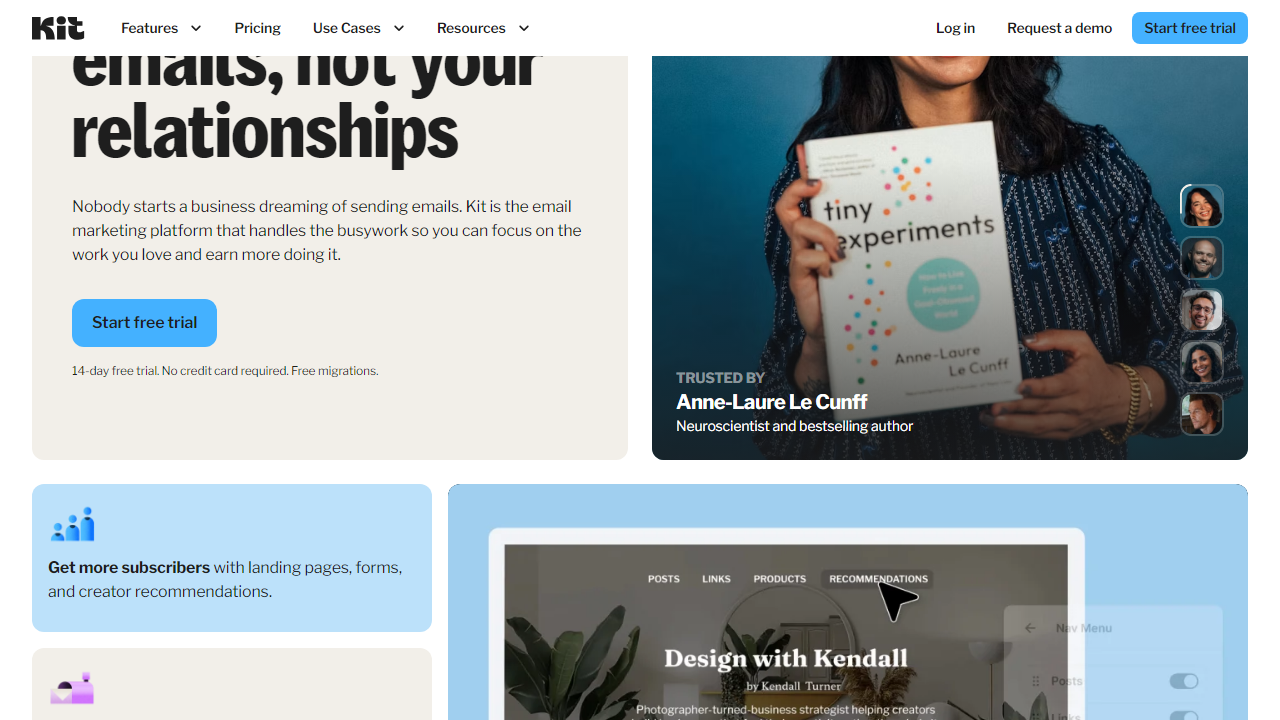
ConvertKit — officially rebranded as Kit in late 2024, though most people still call it ConvertKit — has carved out a loyal following among independent creators precisely because it was built for them, not for enterprise marketing teams. Whether you’re a food blogger trying to grow your first 500 subscribers or a course creator launching a welcome sequence, this guide walks you through exactly how to get started and whether the platform is worth your time in 2026.
We’ll cover the full setup process for beginners, break down every pricing tier, compare it honestly to competitors like Mailchimp and Beehiiv, and give you a clear verdict on who should use it — and who should look elsewhere.
What Is ConvertKit (Kit)?
ConvertKit was founded in 2013 by Nathan Barry, a designer and blogger who built the tool because he was frustrated with the complexity of existing email platforms. The premise was simple: create an email marketing tool that puts the needs of individual creators — writers, podcasters, YouTubers, educators — ahead of corporate marketing teams. By 2026, the platform serves over 600,000 creators worldwide and has helped its users collectively earn more than $1 billion through email-driven product sales.
The platform covers everything from collecting email addresses via opt-in forms and landing pages, to sending broadcast emails, building automated email sequences, and even selling digital products and paid newsletter subscriptions directly through the platform. It operates on a tag-based subscriber model rather than the old-fashioned list-based approach, meaning one subscriber can belong to multiple segments without you paying for duplicates — a critical distinction that saves money as your audience grows.
In recent years, Kit has also leaned hard into monetization tools: you can accept tips, sell digital downloads, and set up paid newsletter tiers without needing a separate tool like Gumroad. The interface is clean, deliberately minimal, and loads fast — a refreshing contrast to the cluttered dashboards you’ll find at Mailchimp or HubSpot.
Key Features of ConvertKit for Beginners
ConvertKit doesn’t try to do everything — it does creator-focused email marketing exceptionally well. Here’s a breakdown of the features you’ll actually use as a beginner, based on hands-on testing.
Visual Automation Builder
This is ConvertKit’s crown jewel for beginners. The drag-and-drop automation builder lets you create “if this, then that” email workflows visually — no coding, no complicated logic trees. You can trigger sequences based on form submissions, tag additions, link clicks, or purchases. In testing, I built a 5-email welcome sequence in under 20 minutes, including conditional branching based on whether subscribers clicked a specific link. For context, building the same sequence in ActiveCampaign took me closer to 45 minutes.
Landing Pages and Opt-In Forms
Every ConvertKit plan — including the free tier — includes unlimited landing pages and opt-in forms. There are over 50 landing page templates, and while they skew toward minimalist designs, they’re clean and convert well. The form builder lets you embed opt-in forms anywhere via a code snippet, or host a standalone landing page on a custom domain. You can A/B test headlines on landing pages starting with the Creator Pro plan, which is a meaningful omission on lower tiers.
Broadcasts and Email Sequences
Broadcasts are one-time emails sent to your full list or a filtered segment. Sequences are pre-written series of emails sent automatically on a schedule you set. The email editor itself is text-forward — you won’t find a drag-and-drop block editor here. ConvertKit believes (with some justification) that plain-text emails get higher open rates, and their own creator data supports this claim. You can add images, buttons, and basic formatting, but don’t expect pixel-perfect HTML newsletter templates. For newsletters and personal blogs, this is a feature, not a bug. For e-commerce brands who want beautifully designed promotional emails, it’s a genuine limitation.
Tag-Based Subscriber Segmentation
Instead of sorting subscribers into separate lists, ConvertKit uses tags — labels you can apply automatically or manually to subscribers based on their behavior. Clicked your pricing page link? Tag them as “interested-in-paid.” Completed your free course? Tag them as “course-graduate.” This system keeps your subscriber count unified (you only pay once per subscriber, even if they’re in 10 segments) and makes targeted campaigns significantly easier to manage as your list grows past a few hundred people.
Built-In Commerce and Monetization
Kit’s creator commerce features let you sell digital products — ebooks, presets, templates, courses — directly through the platform with a built-in checkout. They take a 3.5% + $0.30 transaction fee on the free plan, dropping to 0% on paid plans. You can also set up paid newsletter subscriptions using Stripe integration, with Kit handling the subscriber management automatically. For beginners testing monetization for the first time, this removes the need to immediately set up a separate storefront.
Pricing Plans
ConvertKit’s pricing is subscriber-based, which is standard across the industry. The big story here is the free plan — it’s genuinely usable and one of the most generous in the space for 2026. Paid plans are priced monthly or annually (annual saves roughly 17%).
| Plan | Price/mo | Best For | Key Limit |
|---|---|---|---|
| Free (Newsletter) | $0 | Complete beginners, list testing | Up to 10,000 subscribers; no automations |
| Creator | $25/mo (up to 1K subs) | Growing creators needing automation | Scales by subscriber count; 0% commerce fee |
| Creator Pro | $50/mo (up to 1K subs) | Serious creators, A/B testing, referrals | Includes subscriber scoring and newsletter referral system |
| Creator Pro (10K subs) | $116/mo | Established newsletters, power users | Full feature access; custom domains included |
The key thing to note: the free plan intentionally locks out automations and sequences. That’s the hook — you can collect subscribers for free, but you’ll need to upgrade to actually automate your email marketing. For most serious creators, the $25/month Creator plan is the real entry point.
Who Should Use ConvertKit?
Best ConvertKit Alternatives in 2026
ConvertKit is excellent for creators, but it’s not the only option. Here’s how it stacks up against the most popular alternatives, based on hands-on testing across all four platforms.
| Tool | Starting Price | Best For | Our Rating |
|---|---|---|---|
| Mailchimp | Free / $13/mo | Small businesses needing design templates | 3.9/5 |
| Beehiiv | Free / $42/mo | Newsletter-first creators, media brands | 4.3/5 |
| ActiveCampaign | $15/mo | Advanced automations, B2B sales funnels | 4.5/5 |
| MailerLite | Free / $9/mo | Budget-conscious beginners, side projects | 4.1/5 |
The closest real competitor for ConvertKit’s specific creator audience is Beehiiv, which has aggressively grown its market share by offering a more polished newsletter experience and built-in ad monetization. If your primary goal is running a newsletter (rather than selling digital products or courses), Beehiiv’s free tier and $42/month Scale plan are worth a serious look. For anyone who needs sophisticated automation logic and doesn’t mind a steeper learning curve, ActiveCampaign is the more powerful choice — but at the cost of simplicity.


