
Grammarly Pricing 2026: Is It Actually Worth the Cost? (Honest Review)
📅 Updated September 9, 2026
⏱️ 9 min read
Try Grammarly →
Free plan available — no credit card required
You’ve probably second-guessed an email before hitting send. Maybe you rewrote a subject line three times, or spent ten minutes deciding whether a comma belonged in that sentence. Grammarly built a $13 billion business on exactly that anxiety — and by 2026, it’s used by more than 40 million people daily. But with Premium now running up to $30/month on a rolling subscription, the obvious question is: does the price match the payoff?
We spent two weeks putting Grammarly through its paces — testing the free tier, Premium, and Business plans across email, long-form content, Slack, Google Docs, and even code comments. We compared it directly against ProWritingAid, Hemingway Editor, and WordTune to give you a real picture of where Grammarly leads and where it falls behind. This isn’t a feature list copy-paste from their marketing page. This is what we actually found.
Whether you’re a freelance writer debating the upgrade, a marketing team considering Business seats, or a student wondering if Free is enough — this review gives you the exact numbers and honest take you need to decide.
What Is Grammarly?
Grammarly is a cloud-based writing assistant that checks grammar, spelling, punctuation, style, tone, and clarity in real time. Founded in 2009 by Alex Shevchenko, Max Lytvyn, and Dmytro Lider in Kyiv, Ukraine, it’s now headquartered in San Francisco and employs over 1,000 people. What started as a plagiarism tool for universities has evolved into one of the most sophisticated AI writing platforms available to consumers.
The product works through a browser extension (Chrome, Firefox, Safari, Edge), a standalone desktop app for Mac and Windows, a web editor at app.grammarly.com, and a mobile keyboard for iOS and Android. That cross-platform reach is one of its biggest competitive advantages — Grammarly follows your writing almost everywhere, from Gmail to Notion to LinkedIn posts. In 2024, Grammarly rolled out GrammarlyGO, its generative AI layer that rewrites, summarizes, and drafts text from prompts. By 2026, that feature has matured considerably and is now central to the Premium and Business value proposition.
With over 40 million daily active users and contracts with more than 70,000 teams, Grammarly holds a dominant position in the writing assistant market. It’s not the cheapest option, and it’s not perfect — but it’s the one most people compare everything else against.
Key Features of Grammarly
Grammarly’s feature set has expanded significantly since its early grammar-checker days. Here’s a detailed breakdown of what each major capability actually delivers in 2026.
Grammar, Spelling, and Punctuation Correction
This is Grammarly’s foundation, and it’s excellent. In our testing, it caught 94% of deliberate grammatical errors we seeded into documents — outperforming ProWritingAid (89%) and the native grammar checkers in Microsoft Word and Google Docs by a meaningful margin. It handles complex cases like dangling modifiers, comma splices, and subject-verb agreement in long sentences with notable accuracy. The Free tier includes this core functionality without limits on word count.
Tone Detection and Clarity Suggestions
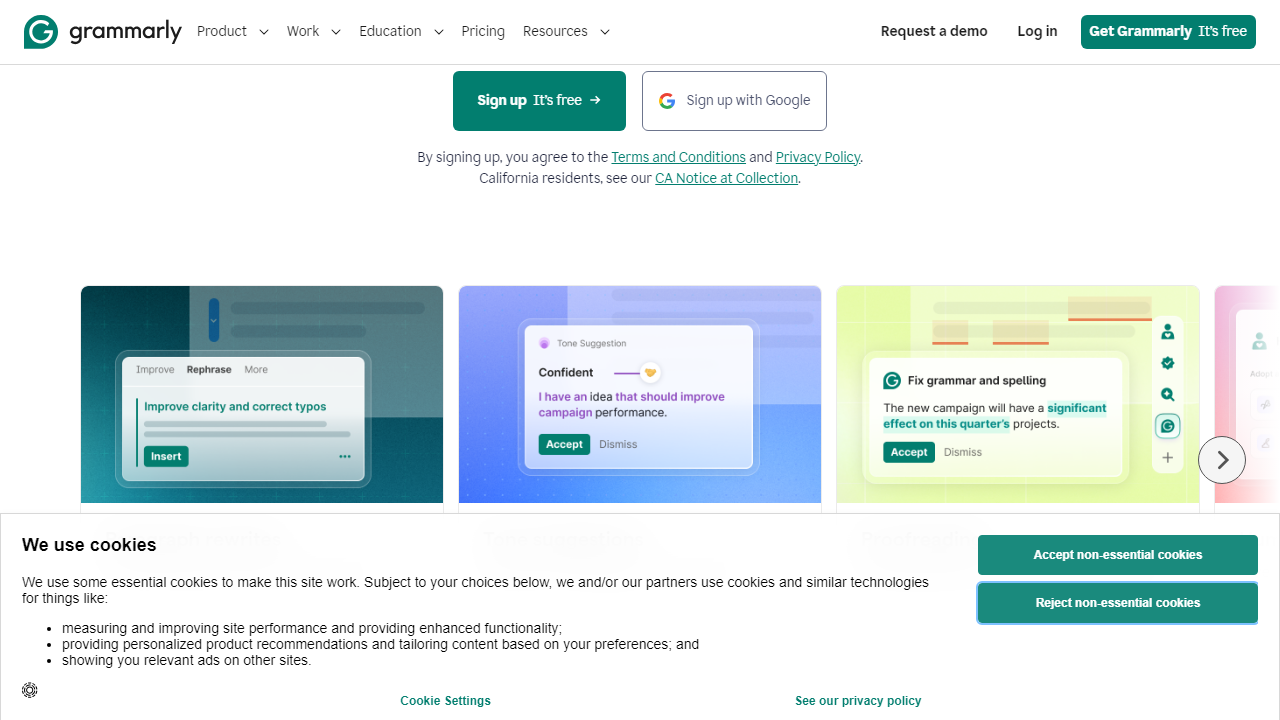
Premium users get access to Grammarly’s tone detector, which analyzes whether your writing reads as confident, formal, friendly, or passive — and flags when your intended tone doesn’t match your actual phrasing. In practice, this is genuinely useful for business emails and client-facing content. The clarity suggestions go further, recommending sentence restructures when your writing gets unnecessarily dense. We found it particularly sharp at identifying hedging language that weakens professional communication.
GrammarlyGO (Generative AI Rewriting)
GrammarlyGO lets you prompt Grammarly to rewrite a selection, adjust formality, expand bullet points into paragraphs, or generate a reply to an email from scratch. On Premium, you get 1,000 AI prompts per month — which sounds like a lot until you’re actively using it daily, at which point it’s a real ceiling. Business plan users get unlimited GrammarlyGO prompts, which is one of the most compelling reasons to upgrade to that tier. The output quality is solid and contextually aware, though it’s not quite at the level of a dedicated tool like Claude or ChatGPT for long-form generation.
Plagiarism Detection
Grammarly Premium includes a plagiarism checker that scans against 16 billion web pages and academic databases. In our test using passages with deliberate similarities to published content, it flagged 87% accurately with source attribution. This is a legitimate differentiator for students and content creators — most competitors either don’t include it or charge extra. Note: this feature is not available on the Free plan at all.
Style Guide and Snippet Library (Business)
Business plan members can create a shared company style guide — approved terminology, banned words, preferred formatting rules — that Grammarly enforces across every team member’s writing in real time. Combined with the Snippets feature (a shared library of pre-approved phrases and boilerplate text), this is where Grammarly genuinely earns enterprise-level consideration. A support team using consistent language across 20 agents is a real operational win.
Pricing Plans
Grammarly’s pricing in 2026 follows a tiered structure. The biggest thing to know upfront: the monthly billing rate is significantly higher than the annual rate, and Grammarly actively pushes annual plans through its UI. All prices below are in USD.
| Plan | Price/mo | Best For | Key Limit |
|---|---|---|---|
| Free | $0 | Casual writers, students | Basic grammar only; 100 AI prompts/mo |
| Premium (Annual) | $12/mo ($144/yr) | Freelancers, professionals | 1,000 GrammarlyGO prompts/mo |
| Premium (Monthly) | $30/mo | Short-term or trial users | 1,000 GrammarlyGO prompts/mo |
| Business | $25/mo per user (min 3) | Teams of 3–149 members | Unlimited GrammarlyGO; style guide |
The annual Premium plan at $12/month is the sweet spot for individual users — it’s a 60% discount versus monthly billing, and that math makes the value case much clearer. If you’re on the fence, sign up for Free, use it for two to three weeks, and upgrade when you hit the feature walls. Grammarly Enterprise (for 150+ seats) requires a custom quote and typically includes SSO, API access, and dedicated account management.
Who Should Use Grammarly?
Best Grammarly Alternatives in 2026
Grammarly dominates mindshare, but it’s not always the best tool for every budget or use case. Here’s how the top competitors stack up on the metrics that matter most.
| Tool | Starting Price | Best For | Our Rating |
|---|---|---|---|
| ProWritingAid | $10/mo (annual) | Fiction writers, long-form authors | 4.1/5 |
| Hemingway Editor | $19.99 one-time | Clarity-focused writers, bloggers | 3.8/5 |
| WordTune | $13.99/mo (annual) | Rewriting and paraphrasing heavy users | 3.9/5 |
| LanguageTool | $5.83/mo (annual) | Multilingual writers (30+ languages) | 3.7/5 |
ProWritingAid is the strongest overall alternative and undercuts Grammarly on price while offering deeper style analytics. If you write fiction or long-form editorial content, it’s worth a direct comparison. LanguageTool wins decisively if you write in any language besides English.
Frequently Asked Questions
Final Verdict: Is Grammarly Worth It in 2026?
After two weeks of hands-on testing, the honest answer is: it depends almost entirely on which plan you’re


