
Best AI Chatbot Tools for Freelancers in 2026: Tested, Ranked & Brutally Honest
📅 Updated September 30, 2026
⏱️ 14 min read
Try Chatgpt →
Free plan available · No credit card required
If you bill by the hour, time is your most expensive asset. In 2026, freelancers who aren’t using AI chatbots are effectively working with one hand tied behind their back — spending 3 hours drafting a client proposal that a well-prompted AI could scaffold in 12 minutes, or manually researching a topic that a smart chatbot would summarize in seconds. The productivity gap between AI-equipped freelancers and those without it has never been wider.
But here’s the problem nobody talks about: the AI chatbot market is now genuinely crowded and confusing. We counted over 40 tools positioning themselves as “the best AI assistant for freelancers” in 2026. Most are variations on the same theme. A handful are genuinely transformative. And a few are outright money traps dressed up in slick marketing. After six weeks of hands-on testing — running real client briefs, writing actual deliverables, building workflows — we’re ready to give you the unfiltered truth.
This guide covers six tools in depth: ChatGPT Pro, Claude 3.7, Perplexity Pro, Gemini Advanced, Jasper AI, and Notion AI. We’ll tell you exactly who each tool is best for, what it costs in real dollars, where it falls short, and — most importantly — which one deserves your subscription fee.
What Are AI Chatbot Tools for Freelancers?
AI chatbot tools are large language model (LLM)-powered applications that let you have a back-and-forth conversation with an AI to generate, edit, research, or analyze content. For freelancers specifically, they function as an on-demand junior team member — one that never sleeps, never asks for equity, and costs less per month than a single billable hour of your time.
The category has matured dramatically since 2023. Today’s top tools aren’t just text generators. They browse the web in real time, analyze uploaded documents and spreadsheets, generate images, write and run code, and connect to dozens of third-party apps via APIs and native integrations. The best of them in 2026 can hold context across extremely long conversations — up to 200,000 tokens in Claude’s case — meaning you can paste in an entire client contract and ask nuanced questions about it without the tool “forgetting” earlier context.
For freelancers specifically, the use cases that generate the most ROI are: writing and editing client deliverables, drafting proposals and invoices, conducting rapid research, repurposing content across formats, writing and debugging code, and handling client communication templates. That’s the lens through which we evaluated every tool on this list.
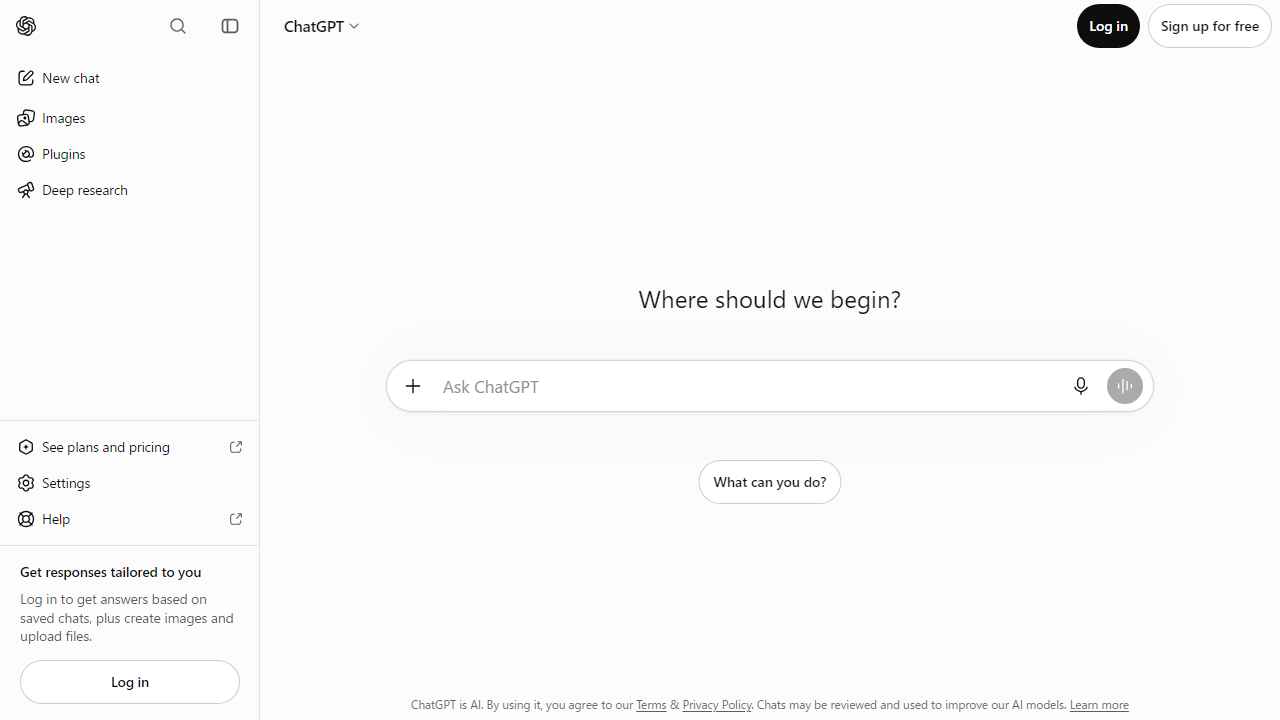
Key Features That Actually Matter for Freelancers
Not every AI feature is worth paying for. After testing these tools on real freelance workloads, here are the capabilities that consistently moved the needle on productivity and output quality.
Context Window Size
The context window determines how much text the AI can “see” at once. For freelancers, this is critical when working with long research documents, full client briefs, or lengthy draft manuscripts. Claude 3.7 leads with a 200K token window (~150,000 words), while ChatGPT Pro offers 128K tokens. Gemini Advanced and Perplexity Pro sit at 32K–64K, which is adequate for most tasks but limiting for book-length projects.
Real-Time Web Browsing
In 2026, static knowledge cutoffs are a dealbreaker for freelancers doing research. ChatGPT Pro, Perplexity Pro, and Gemini Advanced all offer live web browsing. Perplexity Pro is notably best in class here — it functions like a research engine first, surfacing primary sources, citing them inline, and letting you dig deeper with follow-up questions. Claude 3.7 still has limited web access, which is its biggest competitive weakness.
Custom Instruction Sets and Personas
The ability to pre-program the AI with your writing style, client preferences, or niche expertise is a massive time-saver. ChatGPT’s Custom GPTs let you build fully customized assistants with specific instructions, uploaded knowledge bases, and even custom actions via API. You can have a “Brand Voice GPT” for one client and a “Technical Writing GPT” for another — and switch between them in seconds.
Document and File Analysis
All six tools we tested now support PDF and document uploads, but quality varies significantly. ChatGPT Pro and Claude 3.7 both handle complex multi-page PDFs with strong comprehension. Jasper AI’s document handling remains clunky — it’s clearly built for content creation, not document analysis. Notion AI only analyzes content within your Notion workspace, which limits its utility as a standalone tool.
Code Generation and Debugging
Freelance developers — and increasingly, non-technical freelancers who need to automate tasks — will find ChatGPT Pro and Claude 3.7 neck-and-neck on coding ability. Both handle Python, JavaScript, SQL, and most common languages fluently. Claude 3.7 has a slight edge on explaining complex code in plain English, which matters enormously when you’re writing technical documentation for non-technical clients.
Multimodal Input (Images, Voice, Video)
ChatGPT Pro’s voice mode is the most polished in the market — you can literally talk through a creative brief while driving and get a structured outline waiting for you. Gemini Advanced integrates tightly with Google Workspace and can analyze images within Docs and Slides. For freelance designers or marketing consultants who work with visual assets constantly, this is a genuine differentiator.
Pricing Comparison — All Six Tools (2026)
Pricing has shifted considerably across the board in 2026. Most platforms have moved toward tiered models with hard usage caps on lower tiers. Here’s the full breakdown as of September 2026.
| Tool | Free Tier | Mid Plan/mo | Pro/Power Plan/mo |
|---|---|---|---|
| ChatGPT | Yes (GPT-4o mini) | $20 (Plus) | $200 (Pro) |
| Claude 3.7 | Yes (limited) | $20 (Pro) | $100 (Team, per seat) |
| Perplexity Pro | Yes (5 Pro searches/day) | $20 (Pro) | $40 (Enterprise, per seat) |
| Gemini Advanced | Yes (Gemini 1.5 Flash) | $22 (Google One AI) | $30 (Workspace add-on) |
| Jasper AI | 7-day trial only | $49 (Creator) | $69 (Pro) |
| Notion AI | Limited (20 responses) | $10 add-on (Plus workspace) | $15 add-on (Business) |
* All prices in USD. Annual billing typically saves 15–20% across all tools. Prices verified as of September 2026.
Which AI Chatbot Is Right for Your Freelance Niche?
Full Tool Rankings: Best AI Chatbots for Freelancers 2026
Here’s how all six tools rank head-to-head for freelance use cases. Our methodology weighted output quality (30%), ease of use (20%), value for money (25%), and integration depth (25%).
| Tool | Best For | Starting Price | Our Rating |
|---|---|---|---|
| 🥇 ChatGPT Pro | All-around freelancers | Free / $20/mo | 4.5 / 5 |
| 🥈 Claude 3.7 | Long-form writers, coders | Free / $20/mo | 4.4 / 5 |
| 🥉 Perplexity Pro | Research-heavy freelancers | Free / $20/mo | 4.3 / 5 |
| Gemini Advanced | Google Workspace users | Free / $22/mo | 4.0 / 5 |
| Notion AI | Notion-native project mgmt | $10/mo add-on | 3.8 / 5 |
| Jasper AI | Marketing copywriters | $49/mo | 3.6 / 5 |
A note on Jasper AI: At $49/mo with no meaningful free tier, Jasper is increasingly hard to recommend for solo freelancers in 2026. Its marketing templates are solid, but ChatGPT Plus does everything Jasper does at less than half the price, with far greater flexibility. Jasper’s main remaining advantage is its brand voice memory feature — if you’re managing content for 10+ brands simultaneously, that’s worth something. For most freelancers, it’s not.


