
Zoom Pros and Cons: Full Breakdown — Is It Still Worth It in 2026?
📅 Updated August 19, 2026
⏱️ 10 min read
Try Zoom →
Free plan available — no credit card required
You’ve been on a bad video call. The one where someone’s audio cuts out every 30 seconds, the screen share freezes mid-demo, and three people are talking over each other while one person is still stuck on the loading screen. It’s a special kind of professional misery — and it’s exactly why Zoom became a household name almost overnight. When the world went remote in 2020, Zoom didn’t just survive the stress test; it defined what reliable video conferencing looks like.
But it’s 2026 now. The market has matured dramatically. Microsoft Teams comes bundled with Microsoft 365, Google Meet is free and deeply embedded in Google Workspace, and newer entrants like Whereby and Around have carved out loyal niches. So the question worth asking is no longer “does Zoom work?” — it’s “is Zoom still the right choice, and is the price tag justified?” We spent several weeks stress-testing Zoom across real team workflows, large-scale webinars, and solo freelance use to give you the definitive answer.
This breakdown covers every meaningful pro and con, exact 2026 pricing, who Zoom genuinely serves well, and honest alternatives when it doesn’t. No fluff, no sponsored talking points — just the real picture.
What Is Zoom?
Zoom Video Communications, Inc. was founded in 2011 by Eric Yuan, a former Cisco WebEx engineer who believed enterprise video conferencing didn’t have to be painful. The company went public in 2019 and then experienced one of the most dramatic growth stories in tech history — daily active meeting participants exploded from 10 million in December 2019 to 300 million by April 2020. That growth trajectory cemented Zoom’s position as the cultural default for remote communication.
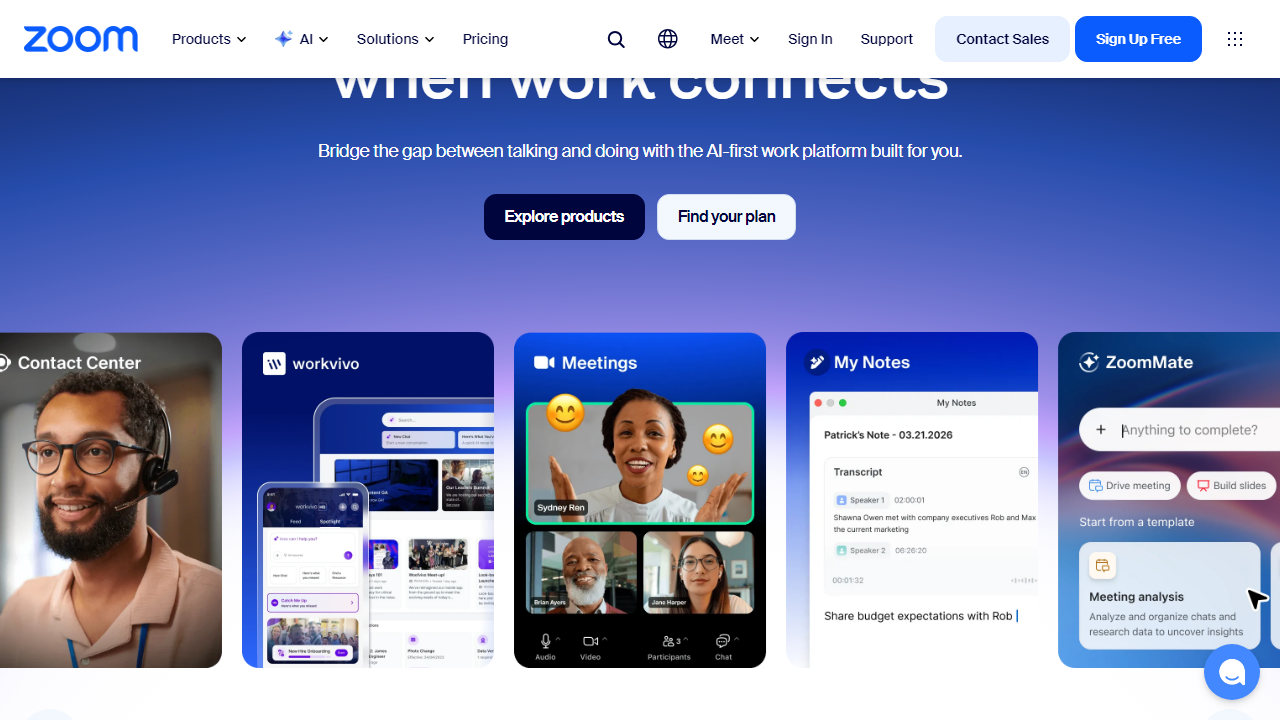
Today, Zoom is far more than just a video call tool. The platform has evolved into a full unified communications suite, encompassing Zoom Phone (a cloud VoIP system), Zoom Webinars, Zoom Events, Zoom Contact Center, and the increasingly capable Zoom AI Companion — the company’s native AI layer that handles meeting summaries, smart replies, and real-time coaching. As of mid-2026, Zoom reports over 220,000 enterprise customers and more than 7 million active paying users worldwide.
The product sits in the “professional video conferencing” category alongside Microsoft Teams and Cisco Webex, but unlike those two, Zoom’s core identity remains meeting-first. It doesn’t try to replace your project management tool or your intranet — it tries to be the best place to talk to people, and by most objective measures, it still is.
Key Features of Zoom
Zoom’s feature set in 2026 has expanded significantly from its early video-call-only roots. Here’s what actually matters and how each feature performs in practice.
HD Video and Audio Quality
Zoom supports 1080p HD video on Pro plans and above, with automatic bandwidth optimization that degrades gracefully on poor connections — something competitors still handle more clumsily. In our testing across varied network conditions (including a deliberately throttled 5 Mbps connection), Zoom maintained intelligible audio and recognizable video quality where Google Meet had already broken up entirely. The noise suppression is excellent and doesn’t require a third-party plugin.
Zoom AI Companion
Included at no additional cost on paid plans, Zoom AI Companion generates meeting summaries, action items, and chapter breakdowns automatically after calls end. In 2026, it’s been upgraded to offer real-time in-meeting suggestions and smart compose for Zoom Chat. It’s not perfect — summaries sometimes miss nuanced decisions — but it’s genuinely useful and doesn’t cost the $15–$30/month extra that some competitors charge for equivalent AI features.
Breakout Rooms
Zoom’s breakout rooms remain best-in-class. Hosts can create up to 50 rooms simultaneously, pre-assign participants, and broadcast messages to all rooms at once. The ability to move participants between rooms manually or let them self-select is a feature trainers and educators rely on heavily, and it works without hiccups even in sessions with 200+ attendees.
Zoom Phone
For teams wanting to consolidate their phone system, Zoom Phone offers a full cloud PBX with local numbers in 45+ countries, call recording, voicemail transcription, and seamless hand-off between phone calls and video meetings. It starts at $10/user/month as an add-on and competes directly with RingCentral and 8×8, often winning on integration tightness with the core Zoom experience.
Integrations and API
Zoom’s App Marketplace lists over 1,500 integrations as of 2026, covering CRMs (Salesforce, HubSpot), productivity tools (Notion, Asana, Slack), LMS platforms, and healthcare-specific HIPAA-compliant workflows. The REST API is well-documented and actively maintained, making Zoom a developer-friendly choice for organizations that want custom workflows embedded in their own software.
Security Controls
After the “Zoom-bombing” era of 2020, the company invested heavily in security. Waiting rooms are on by default, end-to-end encryption is available for all paid plans, and admins on Business plans and above get granular controls over recording permissions, data residency, and user authentication methods including SSO. That said, Zoom’s history of routing call data through Chinese servers (addressed but not entirely forgotten) still gives some government and legal sector clients pause.
Pricing Plans
Zoom’s pricing underwent another upward revision in early 2026. The free tier remains available but the jump to a paid plan is now considerably more expensive than it was two years ago — something teams should budget carefully for, especially as per-seat costs add up quickly.
| Plan | Price/mo | Best For | Key Limit |
|---|---|---|---|
| Basic (Free) | $0 | Individuals, occasional use | 40-min cap on group meetings |
| Pro | $15.99/user | Freelancers, small teams | Up to 100 participants |
| Business | $21.99/user | Growing teams (10+ seats) | Up to 300 participants |
| Business Plus / Enterprise | $26.99/user+ | Large orgs, compliance needs | 1,000 participants; custom storage |
All prices are billed annually. Month-to-month billing adds roughly 20–30% to these figures. Zoom AI Companion is included in all paid plans. Zoom Phone, Webinars, and Events are separate add-ons priced individually. For a five-person team on Pro, you’re looking at $79.95/month billed annually — worth it for daily users, questionable for teams that meet only a few times a week.
Who Should Use Zoom?
Best Zoom Alternatives
Zoom dominates, but it’s not the only serious option. Depending on your team size, budget, and existing software stack, one of these alternatives might serve you better.
| Tool | Starting Price | Best For | Our Rating |
|---|---|---|---|
| Microsoft Teams | Included in M365 ($6/user/mo) | Microsoft-heavy organizations | 4.0/5 |
| Google Meet | Free / Included in Workspace | Google Workspace users, casual calls | 3.8/5 |
| Webex by Cisco | Free / $14.50/user/mo | Enterprise, government, security-first | 4.0/5 |
| Whereby | Free / $6.99/host/mo | Small teams, no-install simplicity | 3.7/5 |
Frequently Asked Questions
Final Verdict: Is Zoom Worth It in 2026?
Zoom has earned its market position the hard way — by being genuinely excellent at the thing it promises to do. In six years of being the dominant video conferencing platform, it has absorbed enormous competitive pressure from Microsoft, Google, and Cisco without meaningfully losing ground on the feature or reliability fronts. The 2026 version of Zoom is the most capable it’s ever been: tighter AI integration, broader telephony features, and a security posture that’s genuinely improved since the dark days of 2020.
The real debate in 2026 is about value, not capability. At $15.99/user/month for Pro, Zoom is no longer a budget-friendly option. A 10-person team pays over


