
Calendly Review 2026: Honest Look at Features, Pricing & Alternatives
📅 Updated August 2, 2026
⏱️ 9 min read
Try Calendly →
Free plan available — no credit card required
If you’ve ever exchanged six back-and-forth emails just to lock in a 30-minute call, you understand the problem Calendly set out to solve. The “does Tuesday at 2pm work for you?” spiral is one of the most quietly maddening inefficiencies in modern work — and it costs businesses real time. A 2025 study by Doodle estimated that professionals lose an average of 4.8 hours per week to meeting coordination. That’s nearly a full workday, gone.
Calendly has been the go-to fix for that problem since 2013, and in 2026 it remains the category leader by a comfortable margin. But “category leader” doesn’t automatically mean “right for you.” Over the past several weeks, our team ran Calendly through its paces — testing everything from the free plan’s real limitations to how the Teams tier holds up for a distributed sales team. We also compared it head-to-head against its sharpest competitors. Here’s the full, unfiltered picture.
This review covers Calendly’s features, its current pricing structure, who it genuinely helps (and who should look elsewhere), and the best alternatives if Calendly doesn’t fit your workflow or budget.
What Is Calendly?
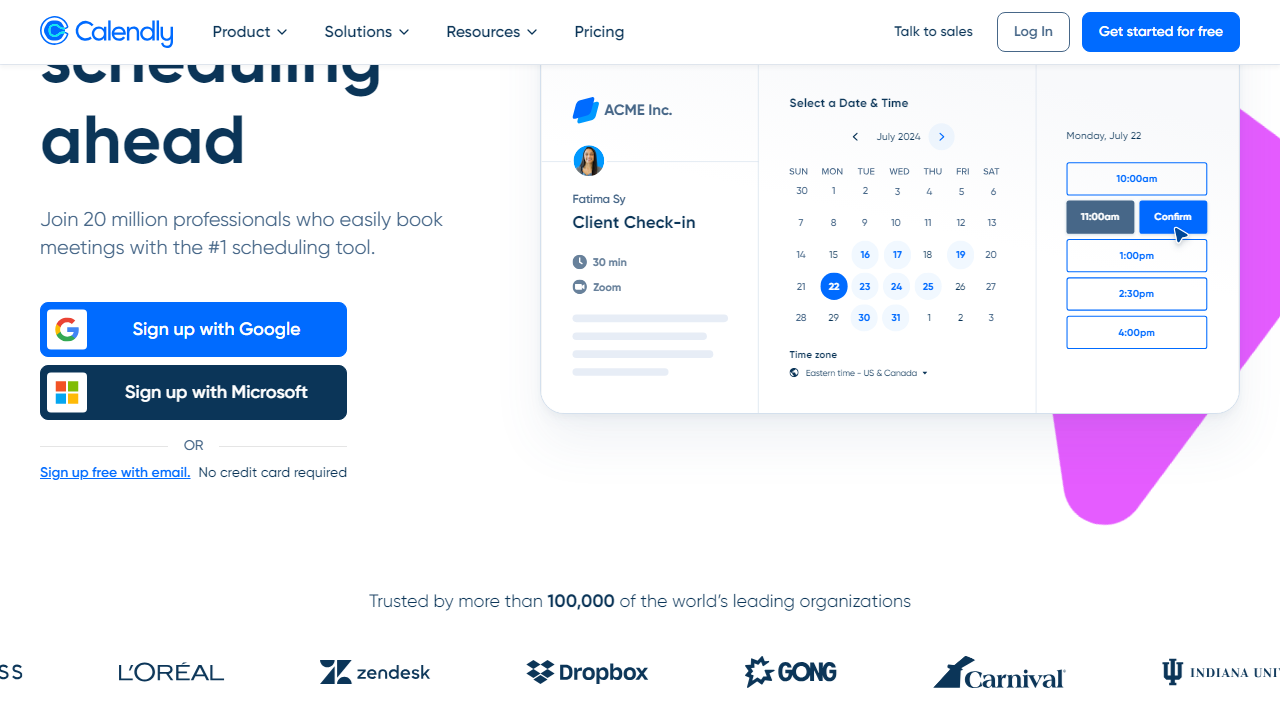
Calendly is a cloud-based scheduling automation platform that lets you share a booking link, and invitees pick a time that works from your live availability — no back-and-forth required. You connect your calendar (Google, Outlook, iCloud, or Office 365), set your availability rules, and Calendly handles the rest: sending confirmations, reminders, video conference links, and follow-up emails automatically.
Founded in Atlanta in 2013 by Tope Awotona, Calendly bootstrapped for years before becoming one of the SaaS world’s more remarkable growth stories. The company crossed 20 million users and $100 million ARR, and by 2026 its user base has expanded to over 25 million registered users across 180+ countries. It raised $350 million at a $3 billion valuation back in 2021 and has remained independent, which means product focus rather than acquisition-driven distraction.
What sets Calendly apart from a basic “pick a time” widget is its depth of scheduling logic. You can set buffer times between meetings, cap the number of daily bookings, create complex routing rules for teams, and build multi-step workflows around every booking event. It’s not just a calendar link — it’s a scheduling system that can sit at the center of a sales or customer success operation.
Key Features of Calendly
Calendly’s feature set has expanded significantly since its early days as a simple link-sharing tool. Here’s what matters most in practice.
Event Types and Scheduling Rules
Calendly supports one-on-one, group, collective (multiple hosts, one invitee), and round-robin event types. You can set minimum scheduling notice (e.g., no bookings within 2 hours), buffer time before and after meetings, and daily booking limits. Free users get one active event type; Standard and above unlock unlimited. The round-robin logic is genuinely smart — it can distribute by availability or enforce equal distribution across team members, which is critical for fair sales lead routing.
Calendar Integrations
Calendly connects to Google Calendar, Outlook, Office 365, and iCloud simultaneously — useful if you manage both a personal and professional calendar. It checks across all connected calendars for conflicts before showing available slots, so double-bookings are essentially eliminated. Zoom, Google Meet, Microsoft Teams, and Webex meeting links are generated automatically and included in confirmation emails.
Workflows and Automations
This is where Calendly earns its keep for power users — and where the paywall frustration kicks in. Paid users can build automated email and SMS sequences triggered by booking events: confirmation messages, 24-hour reminders, post-meeting follow-ups, and no-show sequences. You can customize the content and timing of each step. Free users get confirmation emails only, with no customization and Calendly branding throughout.
Routing Forms
Available on the Teams plan ($20/seat/mo) and above, Routing Forms let you qualify leads before they book. You ask custom questions, then route respondents to different event types or team members based on their answers. Think of it as a lightweight qualification funnel built directly into your scheduling flow — a genuine time-saver for inbound sales teams who otherwise waste demo time on unqualified prospects.
Embeds and Booking Pages
Calendly booking pages are clean, fast-loading, and mobile-optimized out of the box. You can embed them inline, as a pop-up widget, or as a floating button on any website. Custom branding (your logo, colors) requires a paid plan. The embed code is simple enough that non-technical users can handle it without developer help — a real differentiator versus some enterprise scheduling tools.
Reporting and Analytics
Calendly’s analytics dashboard shows booking trends, no-show rates, and event-type performance. It’s not deep by enterprise standards — you’re not getting funnel conversion data or revenue attribution out of the box — but it covers the basics well. Salesforce and HubSpot integrations push booking activity into your CRM automatically, which is where most teams do their real reporting anyway.
Pricing Plans
Calendly’s pricing is straightforward but scales quickly once you move beyond individual use. All prices below are per seat, billed annually. Monthly billing adds roughly 20% to each tier.
| Plan | Price/mo | Best For | Key Limit |
|---|---|---|---|
| Free | $0 | Freelancers, light users | 1 active event type, Calendly branding |
| Standard | $10/seat | Solopreneurs, small teams | Unlimited event types, no routing forms |
| Teams | $20/seat | Sales & CS teams | Routing forms, Salesforce/HubSpot sync |
| Enterprise | Custom (est. $30+/seat) | Large orgs, compliance needs | SSO, SAML, advanced security, SLAs |
The honest take on pricing: the Free plan is genuinely useful — not a bait-and-switch demo. But $20/seat for Teams means a 10-person sales team is paying $2,400/year just for scheduling software. That’s not unreasonable if it’s replacing manual coordination and driving meetings, but it’s worth comparing against alternatives like SavvyCal or Chili Piper at that scale.
Who Should Use Calendly?
Best Calendly Alternatives in 2026
Calendly doesn’t have the scheduling space to itself anymore. These four alternatives are the ones worth actually evaluating, depending on your use case and budget.
| Tool | Starting Price | Best For | Our Rating |
|---|---|---|---|
| SavvyCal | $12/mo flat | Individuals, invitee-friendly UX | 4.4/5 |
| Chili Piper | $22.50/seat/mo | Inbound sales & lead routing | 4.2/5 |
| Cal.com | Free / $15/mo | Open-source, self-host option | 4.1/5 |
| Acuity Scheduling | $20/mo | Service businesses, intake forms | 4.0/5 |
Quick take: SavvyCal is the strongest Calendly alternative for individuals who want a more invitee-friendly experience (it lets invitees overlay their own calendar). Cal.com is the right call if you’re technical, privacy-conscious, or want to self-host. Chili Piper beats Calendly specifically for high-volume inbound sales routing, though it’s more expensive and has a steeper learning curve. Acuity Scheduling is better suited to service businesses that need detailed intake forms and package selling at booking.


