
ChatGPT vs Zoom: Which Is Better in 2026? (Honest Head-to-Head Comparison)
📅 Updated November 1, 2026
⏱️ 11 min read
Try Chatgpt →
Free plan available for both tools
Here’s a question we get in our inbox at least three times a week: “Should I pay for ChatGPT or Zoom in 2026?” It’s an understandable source of confusion. Both are dominant tools in the modern workplace, both have free tiers that leave you wanting more, and both have evolved so aggressively over the past two years that the feature lists are almost unrecognizable from their 2023 versions. But here’s the honest answer upfront: these tools don’t compete with each other. Asking “ChatGPT vs Zoom” is a bit like asking “should I buy a whiteboard or a conference table?” You probably need both — but which one you prioritize depends entirely on your daily workflow.
That said, if you’re a solo freelancer, a bootstrapped startup, or someone managing a tight SaaS budget, you might genuinely need to choose one paid subscription over the other. This review covers exactly that scenario. We spent several weeks stress-testing both platforms across writing tasks, client calls, team meetings, and research workflows to give you a definitive, no-fluff answer. We’ll cover current 2026 pricing, real feature depth, who each tool genuinely serves best, and when it makes financial sense to upgrade.
What Are ChatGPT and Zoom?
ChatGPT is OpenAI’s flagship conversational AI assistant, launched in late 2022 and now serving over 200 million weekly active users as of mid-2026. At its core, it’s a large language model interface — you type (or speak) a prompt, and it generates text, code, analysis, images, or audio in response. The paid tier, ChatGPT Plus at $22/month, unlocks GPT-4o with vision, file uploads, custom GPTs, an Advanced Data Analysis tool that can crunch spreadsheets, and a voice mode that’s remarkably natural. OpenAI also offers a Team plan at $30/user/month and an Enterprise tier with custom pricing for organizations that need SSO, admin controls, and expanded context windows.
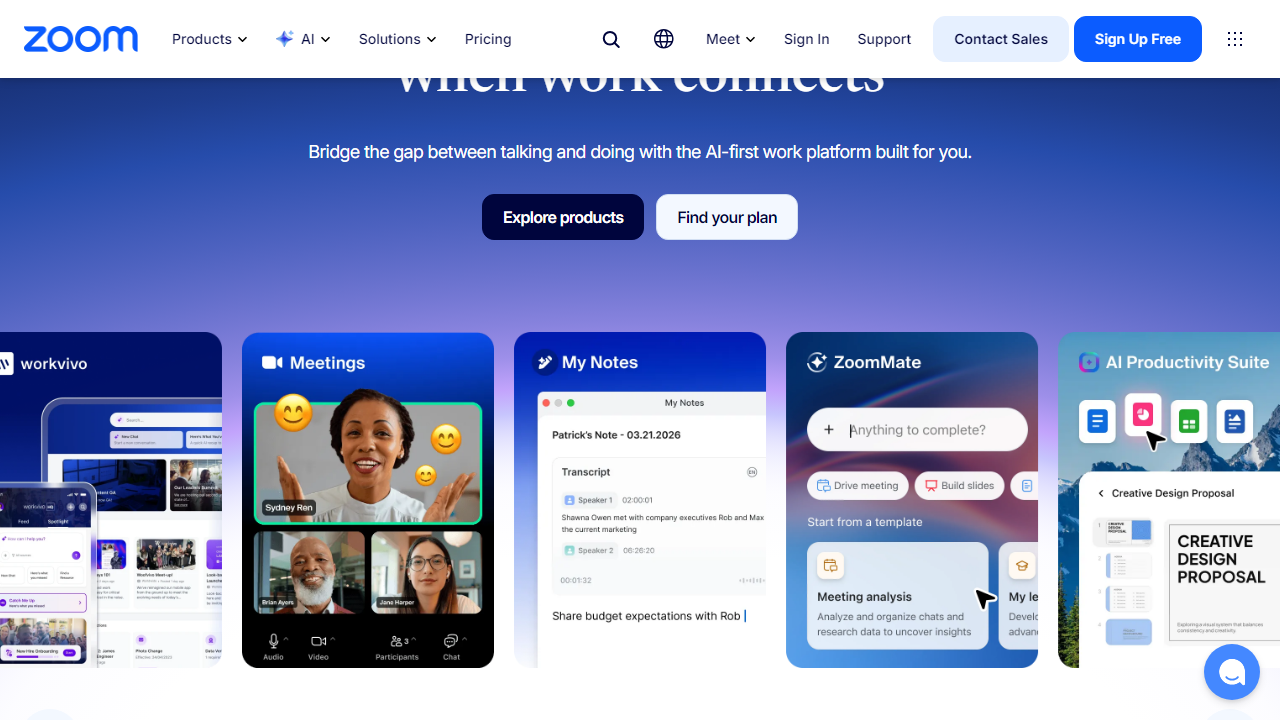
Zoom is the video conferencing and collaboration platform that became a household verb during the pandemic and has since evolved into a full unified communications suite. Founded in 2011 by Eric Yuan and headquartered in San Jose, California, Zoom now serves over 300 million daily meeting participants worldwide. In 2026, Zoom is far more than video calls — it includes Zoom Phone (VoIP), Zoom Whiteboard, Zoom Docs, Zoom Events, and its increasingly capable AI Companion, which generates meeting summaries, drafts follow-up emails, and answers questions about past call recordings. It’s a platform competing head-on with Microsoft Teams and Google Meet.
Key Features Compared
Since these tools operate in different categories, we’ve broken features into parallel lanes — what each does best, and where each falls short in 2026.
ChatGPT: Writing, Reasoning, and Research
ChatGPT’s GPT-4o model handles long-form writing, code generation, data interpretation, and multi-step reasoning with impressive consistency. You can upload a 200-page PDF and ask it to summarize, compare, or extract specific data points. The Advanced Data Analysis tool runs actual Python code in a sandboxed environment, meaning you can drop in a messy CSV and get a polished chart in under 30 seconds. The context window on Plus now supports up to 128,000 tokens — roughly 90,000 words — which means it can hold an entire novel in memory during a session.
Zoom: Video Meetings and Team Communication
Zoom’s core meeting experience in 2026 is rock-solid. HD video, noise cancellation, and auto-framing work reliably across even mid-range hardware. The platform supports up to 1,000 video participants on enterprise plans and up to 50,000 attendees for webinars. Breakout rooms, live polls, Q&A panels, and collaborative whiteboards are all built in natively — no third-party integrations required for basic collaboration workflows.
Zoom AI Companion vs. ChatGPT for Meeting Workflows
This is where the comparison gets genuinely interesting. Zoom’s AI Companion (included at no extra charge with paid plans as of 2026) generates real-time meeting summaries, creates action item lists, and can draft follow-up emails the moment a call ends. It’s impressive for passive, automatic capture. ChatGPT, by contrast, requires you to paste in a transcript or upload a recording summary — it won’t join your meeting. However, ChatGPT produces dramatically more nuanced, customizable output once you give it that content. Think of Zoom AI as the automatic camera; ChatGPT is the editor who shapes the footage into a story.
ChatGPT Custom GPTs and Plugins
One underrated feature of ChatGPT Plus in 2026 is the Custom GPT library. OpenAI’s GPT Store now hosts over 4 million custom GPTs built by developers and businesses — everything from a legal document reviewer to a brand-voice writing assistant pre-trained on your company’s style guide. For knowledge workers, this is a massive productivity multiplier that Zoom simply doesn’t replicate.
Zoom Phone and Unified Communications
Zoom Phone, the platform’s VoIP offering, now handles over 4 billion minutes of calls per month globally. For businesses looking to consolidate their phone system, video conferencing, and team chat into a single vendor, Zoom’s unified communications play is genuinely compelling. ChatGPT has no equivalent here — it doesn’t make or receive calls, manage extensions, or route customer inquiries.
Pricing Plans
Both tools have restructured their pricing in 2026. Here’s a clear breakdown of what you’ll actually pay and what you actually get at each tier.
ChatGPT Pricing (2026)
| Plan | Price/mo | Best For | Key Limit |
|---|---|---|---|
| Free | $0 | Casual users | GPT-4o mini only, limited messages/day |
| Plus | $22/mo | Freelancers, power users | 80 GPT-4o messages per 3 hours |
| Team | $30/user/mo | Small to mid-size teams | Min. 2 seats, shared workspace |
| Enterprise | Custom | Large orgs, compliance-heavy industries | SSO, admin controls, no data training |
Zoom Pricing (2026)
| Plan | Price/mo | Best For | Key Limit |
|---|---|---|---|
| Basic (Free) | $0 | Individuals, quick calls | 40-min cap on group meetings |
| Pro | $15.99/mo | Freelancers, solo professionals | 100 attendees, 30-hr meeting limit |
| Business | $21.99/user/mo | Small to mid teams (min. 10 users) | 300 attendees, AI Companion included |
| Enterprise | Custom | Large organizations | 1,000 attendees, dedicated CSM |
Who Should Use Each Tool?
Top Alternatives to Consider
If neither tool feels like a perfect fit — or you want to evaluate the full landscape before committing — here are the strongest alternatives in each category heading into 2026.
| Tool | Starting Price | Best For | Our Rating |
|---|---|---|---|
| Claude (Anthropic) | $20/mo | Long document analysis, safer outputs | 4.4/5 |
| Microsoft Teams | $6/user/mo | Microsoft 365 shops, enterprise comms | 4.1/5 |
| Google Meet + Gemini | $14/mo | Google Workspace users wanting AI + video | 4.2/5 |
| Notion AI | $10/mo add-on | Teams needing AI embedded in a wiki/PM tool | 4.0/5 |

