
Copy.ai Pros and Cons: Full Breakdown (2026) — Honest Review After 2 Weeks of Testing
📅 Updated October 27, 2026
⏱️ 11 min read
Try Copy.ai →
Free plan available — no credit card required
You’ve got a product launch in two weeks, a sales deck half-finished, and a content calendar that’s more wishful thinking than actual plan. Sound familiar? That’s exactly the scenario Copy.ai was built to solve — and in our two weeks of hands-on testing across three different use cases, it delivered more often than it didn’t.
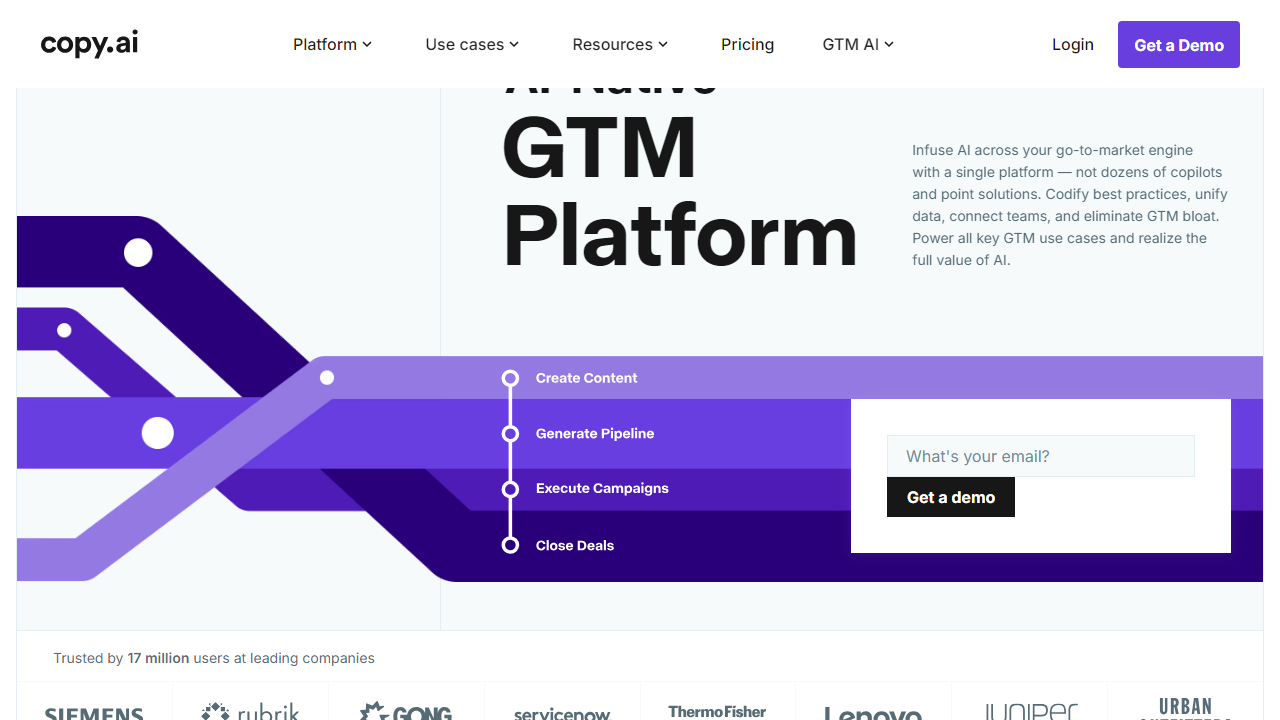
Copy.ai started life in 2020 as a scrappy AI copywriting tool and has since evolved into something considerably more ambitious: a full GTM (go-to-market) AI platform targeting marketing and revenue teams. With over 10 million users globally as of 2026 and backed by serious venture funding, it’s no longer just a tool for writing snappy ad headlines. It handles multi-step workflows, brand voice consistency, CRM integrations, and more. The question is whether that expanded scope makes it better — or just bigger.
In this review, we break down every significant pro and con with real specifics: actual pricing numbers, feature limitations we hit ourselves, and honest comparisons to the competition. Whether you’re a solo content creator or a VP of Marketing managing a 10-person team, this breakdown will tell you exactly whether Copy.ai belongs in your stack.
What Is Copy.ai?
Copy.ai is an AI-powered content and workflow automation platform founded by Paul Yacoubian and Chris Lu in 2020. It launched as one of the first consumer-facing AI writing tools on GPT-3, riding the early wave of interest in large language model applications for marketing copy. Today, it’s headquartered in Memphis, Tennessee, and has repositioned itself under the banner of “GTM AI” — the idea being that AI should automate the entire go-to-market motion, not just individual copy tasks.
The platform now houses three core product pillars: a Chat interface (similar to ChatGPT but trained for marketing context), a Templates library with 100+ pre-built use cases ranging from cold email sequences to product descriptions, and Workflows — a no-code automation builder that can chain together multiple AI tasks, pull from external data sources, and push outputs to tools like HubSpot, Salesforce, and Slack. That last feature is where Copy.ai genuinely differentiates itself from basic AI writing tools.
As of 2026, Copy.ai reports over 10 million registered users, with a notable enterprise customer list that includes Zoho, Lenovo, and several Fortune 500 marketing departments. The free tier remains one of the most generous in the category, which explains a lot of that user volume.
Key Features of Copy.ai
Copy.ai packs a lot into its interface. Here’s a focused look at the features that matter most and where each one stands up — or falls short — in real use.
AI Chat (Copy.ai Chat)
Copy.ai’s Chat interface gives you a dedicated marketing-context AI assistant that can draft emails, brainstorm campaign angles, rewrite existing copy, and summarize briefs. Unlike generic AI chats, it maintains conversation history and allows you to feed in brand context docs so responses stay relevant. In our tests, it handled short-form copy tasks — subject lines, social captions, CTA variants — with noticeably better marketing instincts than vanilla LLM interfaces. Long-form blog drafts, though, still needed a meaningful pass of editing before they were publish-ready.
Templates Library
The templates library includes over 100 pre-built use cases organized by category: sales, marketing, social media, e-commerce, and more. Standout templates include the AIDA framework generator, cold email sequencer, LinkedIn post creator, and product description builder. Each template prompts you for specific inputs — audience, tone, key differentiators — which produces tighter, more targeted output than a blank prompt. Templates are genuinely one of Copy.ai’s strongest suits for users who don’t want to engineer prompts from scratch.
Workflows (GTM Automation)
Workflows is Copy.ai’s most powerful and most underappreciated feature. It lets you build multi-step AI automation chains: for example, pull a prospect’s LinkedIn URL, research their company, generate a personalized cold email, and push it to your CRM — all without human intervention at each step. You can trigger workflows manually, on a schedule, or via webhook. Native integrations include HubSpot, Salesforce, Zapier, Google Sheets, and Slack. We built a working content repurposing workflow (blog post → 5 social snippets → email newsletter summary) in about 25 minutes. It’s genuinely impressive for teams that move fast.
Brand Voice
Brand Voice lets you upload existing content — web pages, past emails, campaign assets — and Copy.ai analyzes the tone, style, and vocabulary to create a reusable voice profile. All subsequent outputs can be filtered through that profile. In our testing with a B2B SaaS brand and a direct-to-consumer food brand, the voice matching was noticeably better than default outputs and saved significant editing time. You can store multiple Brand Voices, which is useful for agencies managing several clients.
Infobase (Knowledge Management)
Infobase is Copy.ai’s internal knowledge base where you store company facts, product details, FAQs, personas, and positioning documents. The AI references Infobase automatically when generating content, which dramatically reduces hallucinations and off-brand claims. It’s not a RAG system in the full enterprise sense, but for a marketing team’s day-to-day needs it works reliably. Storage limits depend on your plan tier.
Pricing Plans
Copy.ai’s pricing has shifted significantly since its early days. It now targets teams and enterprises more aggressively, which shows in the jump from the free tier to the first paid plan. Here’s the current structure as of October 2026:
| Plan | Price/mo | Best For | Key Limit |
|---|---|---|---|
| Free | $0 | Individuals, trial users | 2,000 words/mo, 1 seat |
| Starter | $49/mo | Freelancers, solo marketers | Unlimited words, 1 seat, 5 workflows |
| Team | $249/mo | Marketing teams (up to 5 seats) | Unlimited words, 5 seats, 15 workflows |
| Enterprise | Custom (typically $1,000+/mo) | Large orgs, revenue teams | Unlimited seats, SSO, API access, dedicated CSM |
The pricing cliff between Starter ($49) and Team ($249) is the most significant friction point we identified. A two-person content team gets penalized hard for needing a second seat. Annual billing brings roughly a 20% discount across paid plans. The free plan’s 2,000-word monthly limit is genuinely restrictive — expect to hit it within a few days of serious use.
Who Should Use Copy.ai?
Best Copy.ai Alternatives
Copy.ai isn’t the only credible player in this space. Here’s how it stacks up against the tools we’d genuinely recommend evaluating before you commit:
| Tool | Starting Price | Best For | Our Rating |
|---|---|---|---|
| Jasper AI | $49/mo | Long-form content, SEO teams | 4.3/5 |
| Writesonic | $16/mo | Budget-conscious solo creators | 3.9/5 |
| HubSpot AI Content | Included in Starter ($20/mo) | HubSpot users wanting native AI | 3.7/5 |
| Notion AI | $10/mo add-on | Teams already living in Notion | 3.8/5 |
Our honest take: if long-form SEO content is your primary output, Jasper is a more refined choice. If you’re budget-constrained, Writesonic undercuts Copy.ai on price with solid output. But if workflow automation and GTM integration are your priority, nothing in this list touches Copy.ai’s Workflows feature at the same price point.
Frequently Asked Questions
Final Verdict: Is Copy.ai Worth It in 2026?
After two weeks of putting Copy.ai through its paces across short-form copy, email sequences, workflow automation, and long-form content drafts, our verdict is a confident yes — with a clear asterisk. Copy.ai is


