
Wix Pros and Cons: Full Breakdown — Is It Still Worth It in 2026?
📅 Updated October 10, 2026
⏱️ 11 min read
Try Wix →
Free plan available — no credit card required
Every week, someone asks us some variation of the same question: “Is Wix actually good, or is it just well-marketed?” After spending two weeks building four different test sites across Wix’s plans — a portfolio, a restaurant site, a small online store, and a service business — we have a definitive answer. It’s both. Wix is genuinely impressive in the areas it prioritizes, and genuinely frustrating in the areas it doesn’t.
With over 250 million users worldwide and a market cap that keeps climbing, Wix is not a fluke. But “popular” and “right for you” are very different things. This breakdown cuts through the marketing gloss to tell you exactly what Wix does well, where it falls flat, who should use it in 2026, and — critically — when you should walk away and use something else instead.
We’ve covered every major plan tier, stress-tested the editor, published actual pages and measured their Core Web Vitals, attempted SEO optimization, and even contacted support three times to evaluate response quality. Here’s everything we found.
What Is Wix?
Wix is a cloud-based website builder founded in Tel Aviv, Israel in 2006 by Avishai Abrahami, Nadav Abrahami, and Giora Kaplan. What started as a Flash-based site builder has evolved into one of the most feature-rich no-code web platforms on the market. Today it competes directly with Squarespace, Shopify (for ecommerce), and Webflow (for design-forward users).
The platform’s core value proposition is simple: anyone — regardless of technical skill — should be able to build a professional website. Its drag-and-drop editor delivers on that promise more convincingly than almost any competitor. You place elements exactly where you want them on the canvas, which gives it a freeform flexibility that grid-based builders like Squarespace simply don’t match. That freedom, however, is also where some of Wix’s problems begin.
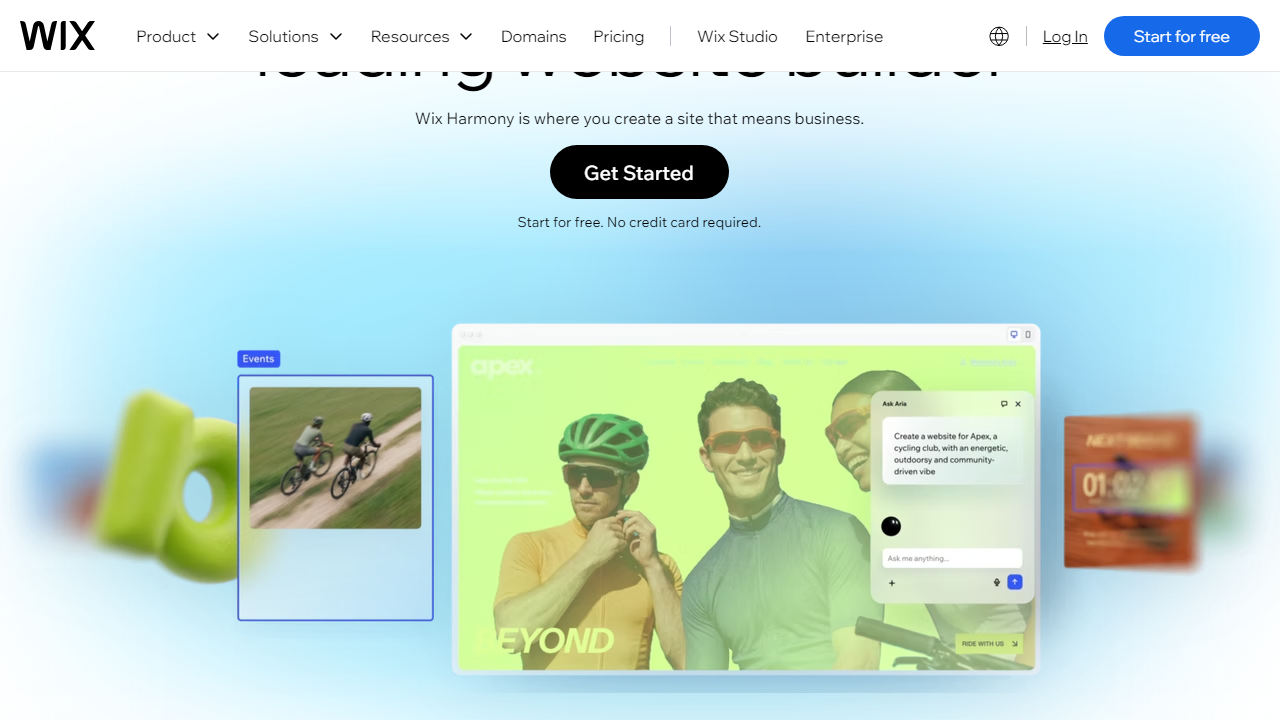
In 2026, Wix has doubled down on AI features, expanding its Wix AI tools to include text generation, image creation, and a fully AI-generated site setup flow. The company also continues to build out Wix Studio, its more advanced editor aimed at web professionals and agencies — a clear signal that Wix is trying to grow upmarket beyond the beginner audience it’s always served.
Key Features of Wix
Wix packs a lot into a single platform. Below are the features that actually matter — tested firsthand, not just bullet-pointed from a press release.
Drag-and-Drop Editor
Wix’s editor is the gold standard for beginner-friendly design. Unlike Squarespace’s column-based layout system, Wix lets you place any element — text block, image, button, video — anywhere on the page with pixel-level control. In our testing, we built a fully functional five-page site in under three hours with zero prior experience. The undo history is deep (50+ steps), and the snap-to-grid assistant keeps things visually aligned without being restrictive.
Wix ADI (Artificial Design Intelligence)
Wix ADI is the AI-powered setup flow that asks you a few questions about your business and generates a fully designed, content-populated website in about 90 seconds. In 2026, it’s meaningfully better than it was two years ago — the generated sites look credible, not templated. It’s best for users who want something functional immediately and plan to iterate over time. Power users will find it limiting, but for absolute beginners, it’s a genuine time-saver.
Template Library
Wix offers over 900 templates organized into 70+ categories including restaurants, portfolios, online stores, blogs, and professional services. Template quality is high — most look current and mobile-responsive. The critical caveat: once you choose a template and publish your site, you cannot switch to a different template without rebuilding from scratch. This is a design decision Wix has never reversed, and it remains one of the platform’s most complained-about limitations.
Wix App Market
The Wix App Market includes over 300 apps, covering everything from live chat (Tidio, Intercom) and email marketing (Mailchimp, Wix Email Marketing) to booking systems (Wix Bookings), restaurant tools (OpenTable, Wix Table Reservations), and analytics. About 60% of the apps are free or freemium; the rest add $5–$25/month to your bill. This modular approach keeps the base platform lean while letting you add functionality as needed.
Wix eCommerce
Wix’s built-in store handles product listings, inventory tracking, abandoned cart recovery, and multichannel selling (including Instagram and Facebook shops). It supports 50+ payment methods including Wix Payments, PayPal, Stripe, and Afterpay. However, ecommerce is where Wix’s plan structure gets punishing — the Business plan ($36/month) is the minimum tier for a genuinely capable store, and transaction fees on lower tiers eat into margins. For stores with over 1,000 SKUs or high monthly volume, Shopify is a more scalable choice.
SEO Tools
Wix has improved its SEO capabilities substantially since the days when tech bloggers routinely called it “SEO-unfriendly.” In 2026, Wix supports custom meta tags, structured data markup, a dedicated SEO Setup Checklist, automatic sitemap generation, and canonical URL control. The Wix SEO Wiz walks beginners through optimization step by step. That said, page speed — a confirmed Google ranking factor — is still a weakness. In our testing, Wix pages averaged a Lighthouse performance score of 68 on mobile, compared to 79 for Squarespace and 84 for a comparable Webflow site.
Pricing Plans
Wix’s pricing structure was reorganized in late 2025 into cleaner tiers. All prices below are monthly rates when billed annually — month-to-month rates run roughly 30% higher. A free plan exists but displays Wix branding, limits you to a Wix subdomain, and cannot accept payments.
| Plan | Price/mo | Best For | Key Limit |
|---|---|---|---|
| Light | $17/mo | Personal sites, portfolios | 2 GB storage, no ecommerce |
| Core | $29/mo | Small businesses, basic stores | 50 GB storage, limited analytics |
| Business | $36/mo | Growing online stores | 100 GB storage, subscriptions included |
| Business Elite | $159/mo | High-volume ecommerce | Unlimited storage, priority support |
Value assessment: The Light and Core plans are reasonably priced for what they offer. Business at $36/month is competitive with Squarespace’s comparable Commerce Basic at $36/month. Where Wix loses value is when you start adding App Market subscriptions — it’s easy to find yourself paying $70–$100/month total once you layer in a booking tool, a live chat app, and an email marketing integration.
Who Should Use Wix?
Best Wix Alternatives
Wix is strong, but it’s not the right tool for every situation. Here’s how it stacks up against the four most credible competitors in 2026.
| Tool | Starting Price | Best For | Our Rating |
|---|---|---|---|
| Squarespace | $16/mo | Design-forward creatives, bloggers | 4.3/5 |
| Shopify | $39/mo | Serious ecommerce stores | 4.6/5 |
| Webflow | $18/mo | Designers and developers who want control | 4.4/5 |
| WordPress.com | $9/mo | Bloggers, content publishers, SEO focus | 4.0/5 |
The short version: choose Squarespace if visual polish matters more than layout freedom. Choose Shopify the moment ecommerce becomes your primary focus. Choose Webflow if you have design skills and want production-quality code. Choose WordPress if content publishing and SEO are your top priorities. Choose Wix if you want the easiest possible path from zero to live website.