
Wix Free Plan Review 2026: Is It Actually Enough for Your Website?
📅 Updated October 2, 2026
⏱️ 9 min read
Try Wix →
Free plan available — no credit card needed
Every week, someone signs up for Wix’s free plan thinking they’re about to launch their business website — only to discover their new URL looks like john123.wixsite.com/mycoolbrand and there’s a Wix banner plastered across the top of every page. Sound familiar? You’re not alone. With over 250 million registered users worldwide, Wix is arguably the world’s most popular website builder, and its free plan is the gateway for most of them. But “free” doesn’t always mean useful.
I spent two weeks building and testing sites on Wix’s free plan in 2026 — a portfolio, a blog, and a simulated small-business site — to give you an honest, no-fluff answer to the question everyone’s asking: is the Wix free plan actually enough? This review covers everything you get, everything you don’t, and exactly when you should upgrade or walk away entirely.
What Is Wix?
Wix is a cloud-based website builder founded in Tel Aviv in 2006 and publicly traded on Nasdaq (WIX) since 2013. It’s designed to let anyone — regardless of coding ability — drag and drop their way to a fully functional website. As of 2026, Wix hosts over 250 million sites globally and has evolved well beyond basic website building: it now competes in ecommerce (Wix Stores), blogging, bookings, events, and even enterprise-level web development through Wix Studio.
The free plan has existed since the company’s early days and remains central to Wix’s growth strategy — get users in free, convert them as their needs grow. That model works well for Wix financially. Whether it works well for you depends heavily on what you’re actually trying to build. The free tier sits at the bottom of a five-tier paid ladder, and understanding exactly where that line falls is what this review is all about.
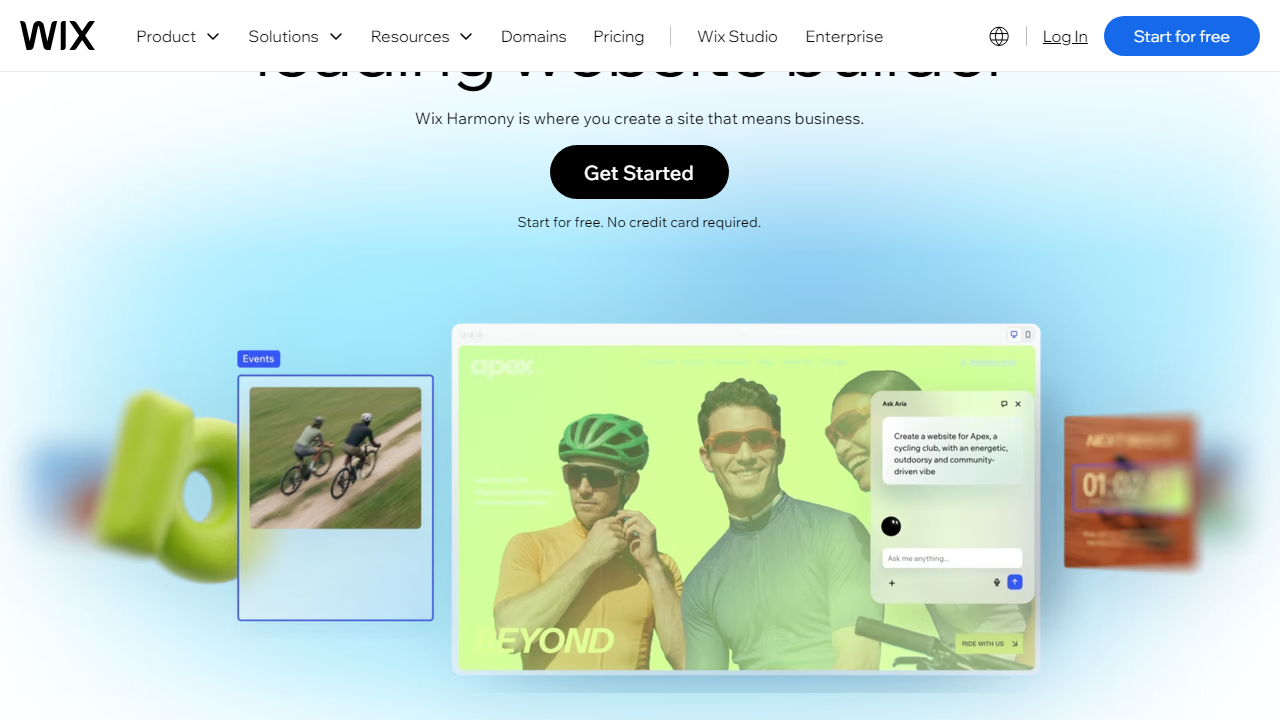
What the Wix Free Plan Actually Includes
The free plan isn’t stripped bare — Wix is genuinely generous in some areas. Here’s what you’re actually working with when you sign up for free.
Drag-and-Drop Editor
You get full access to Wix’s flagship editor, which remains best-in-class for visual freedom in 2026. Unlike Squarespace’s section-based editing, Wix lets you place any element literally anywhere on the canvas — pixel-perfect positioning with no grid constraints. This is a real, substantive feature, not a watered-down demo mode.
500+ Templates
All 900+ Wix templates are technically accessible on the free plan. Realistically, the best-designed ones cluster in niches like portfolios, restaurants, and blogs. Templates are mobile-responsive out of the box, though you’ll still want to check and adjust the mobile view manually — Wix’s auto-adaptation isn’t always perfect.
Wix AI Website Builder (ADI)
Wix’s AI-powered site builder, now deeply integrated with generative tools as of 2026, lets you answer five questions and have a complete site skeleton — with copy, images, and layout — in under three minutes. Free plan users get full access to this, including AI text generation for basic page content. It’s genuinely impressive for getting started fast.
500MB Storage
You get 500MB of storage for images, videos, and files. That sounds tight, but for a text-heavy blog or a simple portfolio with compressed images, it’s workable. Upload a few unoptimized 4K photos or embed a video file directly and you’ll hit the ceiling fast. Use YouTube/Vimeo embeds instead of direct video uploads and you’ll stretch that storage considerably.
Wix App Market Access
You can browse and install apps from the Wix App Market, but free-plan compatibility varies by app. Core apps like Wix Blog, Wix Bookings (limited), and Wix Events work in a reduced capacity. Premium third-party apps — Tidio live chat, Printful, most marketing tools — require either a paid Wix plan or a separate app subscription.
What’s Missing on Free
No custom domain. No removal of Wix ads. No ecommerce or payment processing. No Google Analytics integration (you can’t add custom tracking scripts). No password-protected pages. Bandwidth is throttled. These aren’t minor inconveniences — for any business use, they’re blockers.
Wix Pricing Plans (2026)
Wix restructured its pricing tiers in late 2024 and the current lineup — as of October 2026 — is simpler than the old “Combo/Unlimited/Pro” naming mess. Here’s the full breakdown with monthly prices billed annually:
| Plan | Price/mo | Best For | Key Limit |
|---|---|---|---|
| Free | $0 | Testing & learning | Wix subdomain + ads, 500MB storage |
| Light | $17/mo | Personal sites & portfolios | 2GB storage, no ecommerce |
| Core | $29/mo | Freelancers & small businesses | 50GB storage, basic ecommerce |
| Business | $36/mo | Growing online stores | 100GB storage, subscriptions & recurring payments |
Month-to-month pricing runs roughly 30–40% higher than annual billing. Wix frequently runs promotional discounts — 50% off the first year is common. The free plan has no trial period restriction; it’s genuinely free indefinitely, just permanently branded.
Who Should Use the Wix Free Plan?
Best Wix Free Plan Alternatives
If the Wix free plan’s limitations are dealbreakers, these are the strongest alternatives worth considering in 2026 — each with their own free tiers or comparable entry-level pricing.
| Tool | Starting Price | Best For | Our Rating |
|---|---|---|---|
| Squarespace | $16/mo (no free plan) | Designers & creatives | 4.4/5 |
| Weebly (by Square) | Free / $10/mo paid | Simplest free option | 3.5/5 |
| WordPress.com | Free / $9/mo paid | Bloggers & content sites | 4.1/5 |
| Webflow | Free / $14/mo paid | Developers & agencies | 4.5/5 |
For pure free-plan value, WordPress.com edges Wix slightly — no Wix-style ads, more blogging power, and a cleaner subdomain format. But Wix wins decisively on ease of use and design flexibility. If you can spare $17/month, Wix’s Light plan is a better comparison point than the free tier.
Frequently Asked Questions
Final Verdict: Is the Wix Free Plan Worth It in 2026?
After two weeks of hands-on testing, here’s my honest take: the Wix free plan is excellent for exactly one thing — figuring out if Wix is the right tool for you before you spend any money. The editor is the real deal. The templates are genuinely impressive. Wix AI is legitimately useful for getting a site off the ground fast. None of that is locked behind a paywall, which is genuinely unusual in this market.
But the moment you want to show your site to a client, a customer, an employer, or any professional context, the free plan fails you. A .wixsite.com URL with a “Created with Wix” banner is not a website — it’s a draft. The lack of custom domain support, ecommerce, analytics integrations, and the ever-present branding ads means the free plan has a very specific ceiling. Wix is transparent about this, to their credit, but a lot of new users discover these limitations only after they’ve invested hours building their site.
If you need a real website for a business, freelance work, or anything revenue-adjacent, budget for at least Wix’s Light plan at $17/month. That removes the ads, connects your custom domain, and gets you 2GB of storage — which is genuinely sufficient for most personal and portfolio sites. The free plan earns its score of 3.7 out of 5 because it’s one of the best free plans in the category, just not one that’s “enough” for most actual use cases.


