
Notion vs Figma: Full Comparison 2026 — Which Tool Does Your Team Actually Need?
📅 Updated May 28, 2026
⏱️ 12 min read
Try Notion →
Free plan available for both tools
Here’s a scenario that plays out in thousands of product teams every month: a startup or agency is evaluating their software stack, someone mentions they’re using either Notion or Figma, and the follow-up question is almost always, “Wait, should we be using the other one too?” It’s an honest question born from genuine confusion — both tools are wildly popular, both live in the “modern workplace” category, and both are plastered across every productivity influencer’s YouTube setup tour. But they are not interchangeable, and in most cases, a high-functioning team needs both.
We spent three weeks running active projects through both platforms in 2026 — product roadmaps in Notion, UI component libraries and prototype flows in Figma — and brought in feedback from a seven-person mixed team of designers, developers, and product managers. The goal was simple: give you a definitive, no-fluff answer on what each tool does best, where they fall short, and how to make a smart budget decision when you can’t have everything.
This comparison covers features, real 2026 pricing, collaboration quality, AI capabilities, and the specific team profiles that will thrive (or suffer) with each tool. Let’s get into it.
What Are Notion and Figma?
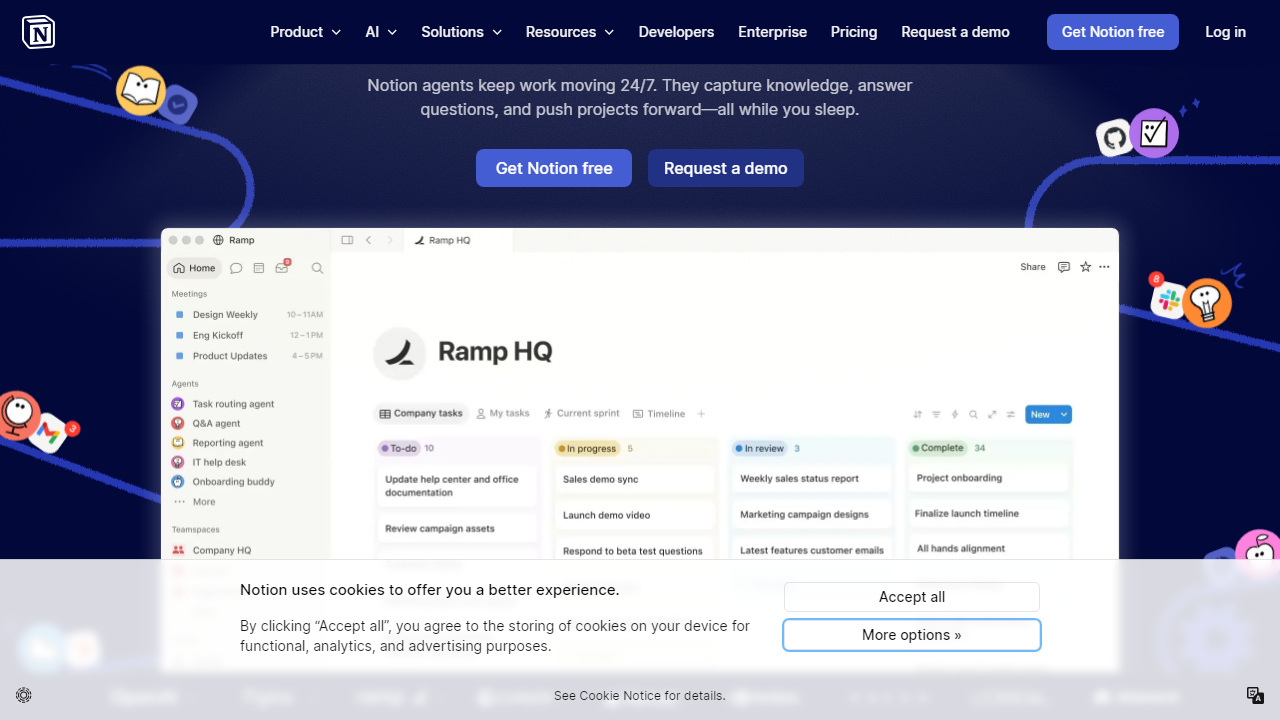
Notion, founded in 2016 by Ivan Zhao and Simon Last and headquartered in San Francisco, is a connected workspace platform that blends document creation, databases, project management, and team wikis into a single interface. As of 2026, Notion serves over 30 million users globally and has become the default knowledge management layer for thousands of startups and enterprise teams alike. Its core promise: eliminate the chaos of scattered Google Docs, Confluence pages, and Trello boards by centralizing everything in one flexible, block-based environment. The addition of Notion AI — now deeply embedded across all paid plans — has made it significantly more powerful for drafting, summarizing, and automating routine content work.
Figma, founded in 2012 by Dylan Field and Evan Wallace, is a browser-based interface design tool that fundamentally changed how design teams collaborate. Before Figma, design files lived on one person’s Mac in Sketch or Adobe XD; Figma moved everything to the cloud and enabled real-time co-editing that designers, developers, and stakeholders could all participate in simultaneously. Adobe’s attempted $20 billion acquisition was blocked by regulators in late 2023, and Figma has since operated as a fully independent company — a fact that’s actually played in their favor, as the product roadmap has accelerated with renewed independence. Figma now claims over 5 million active users, heavily concentrated in product, design, and engineering teams.
The critical distinction: Notion is a productivity and documentation platform. Figma is a design and prototyping platform. They occupy adjacent but distinct categories of your software stack, which is exactly why the “vs” framing is a little misleading — but also why this comparison is worth writing, because teams regularly face a choice between paying for one or both.
Key Features Side-by-Side
Rather than listing features in isolation, we’ve organized this section around the workflows that matter most to cross-functional teams. Here’s where each tool shines — and where it hits a wall.
Document Creation and Knowledge Management
Notion is the clear winner here, and it’s not close. Its block-based editor supports 50+ content types — rich text, toggles, callouts, embeds, code blocks, databases, kanban boards — all nested within a single page. Teams can build a full company wiki, sprint planning board, and meeting notes system without ever leaving the app. Figma has a basic FigJam whiteboard product that handles brainstorming and light documentation, but it’s not a document editor and was never meant to be.
UI/UX Design and Prototyping
Figma dominates completely. Its vector design tools, auto-layout system, component libraries, and interactive prototyping (supporting smart animate, conditional logic, and multi-state variants) are best-in-class. Notion has zero design capability — you cannot create wireframes, mockups, or prototypes in Notion. If design work is on your list, Figma is non-negotiable.
Real-Time Collaboration
Both tools handle live collaboration well, but in different ways. Figma’s multiplayer editing is exceptional — you can see every cursor in real time, leave comments pinned to specific design elements, and track version history frame-by-frame. Notion’s collaboration is solid for documents: live editing, inline comments, and @mentions work reliably, though heavy simultaneous editing (10+ people in one page) can occasionally cause sync lag. For design review cycles involving developers, Figma’s Dev Mode — which auto-generates CSS, iOS, and Android specs from any design frame — is a genuine productivity multiplier with no Notion equivalent.
AI Features
Notion AI is more mature and more useful for knowledge workers in 2026. It can draft entire pages from a prompt, summarize lengthy meeting notes, auto-fill database properties, translate content, and answer questions about your workspace content using RAG (retrieval-augmented generation) against your own docs. Figma’s AI features — introduced in 2024 and expanded in 2025 — are interesting but narrower: they include AI-powered auto-layout suggestions, a “make design” feature that generates rough UI frames from text prompts, and a background removal tool. Useful, but not transformative in the way Notion AI has become for writing-heavy teams.
Integrations and Ecosystem
Notion connects with Slack, GitHub, Jira, Google Drive, Zapier, and hundreds of other tools via its API and native integrations. Figma integrates deeply with Jira, Slack, Zeplin, Storybook, and has a robust plugin marketplace with over 1,500 community plugins covering everything from icon libraries to accessibility checkers. Both ecosystems are mature; neither will leave you stranded.
Pricing Plans Compared
Pricing is where the “vs” question gets genuinely interesting. Both tools have free tiers, but the jump to paid plans is structured very differently — and for small teams, those differences can be significant. All prices below reflect 2026 annual billing rates in USD.
Notion Pricing (2026):
| Plan | Price/mo | Best For | Key Limit |
|---|---|---|---|
| Free | $0 | Solo users, students | Limited block history, 5 guest invites |
| Plus | $12/user | Small teams | Unlimited blocks, Notion AI add-on |
| Business | $18/user | Growing teams | SAML SSO, advanced analytics |
| Enterprise | Custom | Large orgs | Advanced security, dedicated CSM |
Figma Pricing (2026):
| Plan | Price/mo | Best For | Key Limit |
|---|---|---|---|
| Starter | $0 | Freelancers, students | 3 Figma files, 3 FigJam files |
| Professional | $15/editor | Design teams | Unlimited files, shared libraries |
| Organization | $45/editor | Multi-team design orgs | Org-wide libraries, analytics, SAML |
| Enterprise | Custom | Large enterprises | Advanced admin, DLP, priority support |
One important nuance on Figma pricing: the per-seat cost applies to editors only. Viewers — developers, stakeholders, and anyone just reviewing designs — remain free on all plans. This makes Figma’s real-world cost lower than the sticker price suggests for most teams, since typically only 2–4 people are actively editing design files.
Who Should Use Which Tool?
Top Alternatives to Notion and Figma
If neither tool feels like a perfect fit — or you’re looking to consolidate further — here are the strongest alternatives worth evaluating in 2026.
| Tool | Starting Price | Best For | Our Rating |
|---|---|---|---|
| Confluence | $4.89/user/mo | Teams deep in the Atlassian ecosystem | 3.8/5 |
| Coda | $10/user/mo | Notion alternative with stronger formulas | 4.1/5 |
| Sketch | $9/editor/mo |
Frequently Asked Questions
Can Notion and Figma be used together?
Yes. Many teams use both tools simultaneously — Figma for UI/UX design workflows and Notion for project documentation, wikis, and task tracking. They complement each other rather than compete directly.
Is Notion suitable for non-technical teams?
Absolutely. Notion’s drag-and-drop interface and flexible templates make it accessible to HR, marketing, and operations teams with no coding knowledge required. Figma has a steeper learning curve aimed at designers and developers.
Which tool offers better value for small teams?
Notion’s free plan is generous for small teams needing an all-in-one workspace. Figma’s free tier limits you to three projects. For budget-conscious startups that aren’t design-heavy, Notion typically delivers more day-to-day value per dollar.
Does Figma replace the need for Notion?
No. Figma is purpose-built for design prototyping and collaboration on visual assets. It lacks Notion’s database, documentation, and project management capabilities. Replacing Notion with Figma would leave significant workflow gaps for most teams.
Final Verdict
Choosing between Notion and Figma ultimately comes down to your team’s core function. If your work revolves around design, prototyping, and developer handoff, Figma is the clear industry standard with unmatched collaborative design tooling. However, if your team needs a centralized hub for documentation, planning, knowledge management, and cross-departmental collaboration, Notion is the more versatile and cost-effective choice for 2026.
For the majority of mixed teams — product managers, marketers, founders, and operators — Notion delivers broader utility across more use cases. It has matured significantly with its AI features and database capabilities, making it a genuine productivity backbone rather than just a notes app. Most teams will find themselves reaching for Notion daily, and Figma only when design work is on the agenda.
⭐ Editor’s Pick 2026
Notion — Best All-in-One Workspace
Start free and scale your entire team’s workflow in one place.
Jamie Mercer
Senior Productivity Tools Analyst · Tested 40+ SaaS platforms since 2019


