
Copy.ai Review 2026: Honest Look at Features, Pricing & Performance
📅 Updated September 9, 2026
⏱️ 11 min read
Try Copy.ai →
Free plan available — no credit card required
You’ve got a content calendar that looks like a mountain range, a marketing team of three, and a CMO who keeps asking why the blog isn’t publishing four times a week. Sound familiar? Copy.ai was built for exactly this kind of pressure — but after a week of heavy hands-on testing in 2026, we can tell you it’s become something much more ambitious than a simple content shortcut.
What started in 2020 as a snappy short-copy generator has spent the last two years repositioning itself as a full Go-to-Market (GTM) AI platform. That’s a big claim. In this review, we break down exactly what Copy.ai does well, where it falls flat, who it genuinely helps, and whether the updated pricing structure is worth the spend. We ran it through real marketing workflows — blog posts, cold email sequences, LinkedIn ads, and sales enablement content — so you don’t have to guess.
We’ve also stacked it against competitors like Jasper, Writesonic, and Notion AI to give you a clear picture of where it sits in an increasingly crowded market. Let’s get into it.
What Is Copy.ai?
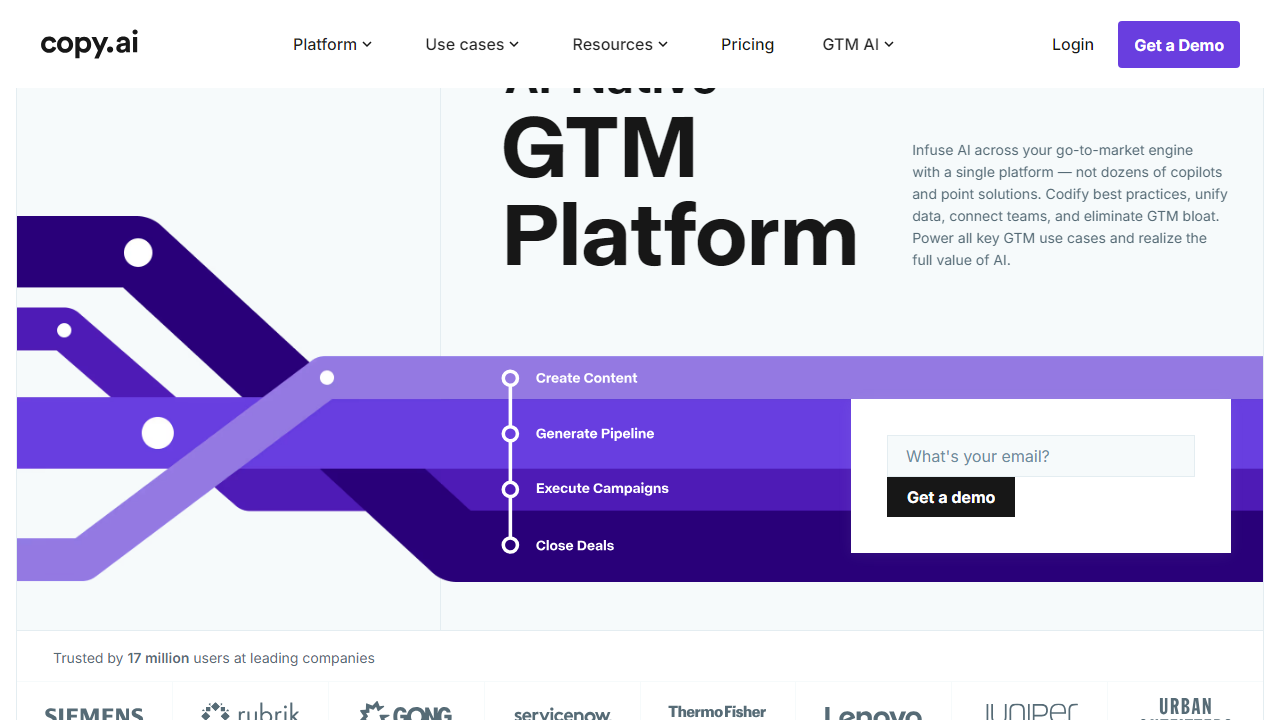
Copy.ai is a cloud-based AI content and workflow platform founded by Paul Yacoubian and Chris Lu in 2020. Headquartered in Memphis, Tennessee, the company raised over $13.9 million in funding before becoming profitable and now serves more than 10 million registered users across 100+ countries. In 2026, it positions itself not as a writing assistant, but as a GTM AI platform — meaning it wants to own your entire content-to-revenue pipeline, from first blog draft to sales outreach automation.
The core product lets users generate marketing copy using a library of over 100 templates. But the differentiating layer in 2026 is Workflows — a no-code automation builder that chains prompts, data sources, and content outputs together. Think of it like Zapier, but purpose-built for content and sales teams. You can feed it a product URL and have it spit out a complete campaign: landing page copy, three email nurture sequences, five LinkedIn ad variations, and a one-pager — all in under ten minutes.
Copy.ai supports over 25 languages and integrates natively with HubSpot, Salesforce, Notion, Webflow, and Google Docs, with deeper Zapier connectivity for everything else. The platform runs on a mix of proprietary model fine-tuning layered on top of frontier LLMs, which means output quality has improved substantially since 2023.
Key Features of Copy.ai
Copy.ai packs a lot into its interface. Below are the features we spent the most time testing — and the ones that actually matter for day-to-day marketing work.
GTM Workflows
This is Copy.ai’s crown jewel in 2026. Workflows let you build multi-step automation sequences that pull from external data (URLs, CSVs, CRMs) and produce batches of content without babysitting the process. We built a workflow that scraped 50 competitor product pages and returned differentiator briefs for each — it ran in about 8 minutes. For sales and content teams drowning in repetitive tasks, this alone can justify the subscription.
Template Library
Copy.ai offers 115+ templates across categories including blog posts, Facebook and Google ads, email subject lines, product descriptions, YouTube scripts, and sales cold outreach. Template quality is genuinely high — the AIDA and PAS frameworks for ad copy produced ready-to-use results in our tests with minimal editing. The blog post template, however, still produces somewhat generic long-form output that needs a human pass for factual accuracy and personality.
Brand Voice
Available on Pro and Team plans, Brand Voice lets you paste in sample content — existing blog posts, website copy, brand guidelines — and Copy.ai extracts your tone, vocabulary preferences, and style rules. Every output thereafter is filtered through that voice profile. In testing with a B2B SaaS client’s brand guide, the difference was immediately noticeable: outputs felt on-brand rather than generic. Teams with multiple writers will find this feature alone worth the upgrade.
Infobase (Knowledge Base)
Infobase is Copy.ai’s answer to grounding outputs in your specific business context. You upload documents, FAQs, product specs, and persona data, and the platform references them when generating content. This dramatically reduces hallucinations and keeps messaging accurate. We uploaded a 12-page product spec and the resulting copy referenced correct feature names, pricing tiers, and use cases without a single fabrication — impressive.
Chat Interface
Copy.ai’s Chat mode functions similarly to a purpose-trained ChatGPT for marketers. You can have a back-and-forth conversation to refine copy, ask for rewrites in different tones, or brainstorm angles for a campaign. It’s less powerful than a Workflow for bulk tasks, but faster for one-off requests. Response times averaged under 3 seconds in our testing sessions.
Pricing Plans
Copy.ai updated its pricing structure in early 2026, simplifying the tier names while nudging team-level features into higher-cost plans. Here’s the current breakdown — all prices reflect monthly billing; annual billing saves roughly 25% across all paid plans.
| Plan | Price/mo | Best For | Key Limit |
|---|---|---|---|
| Free | $0 | Individuals testing the platform | 2,000 words/month, 1 seat |
| Pro | $49/mo | Solopreneurs and small teams | Unlimited words, 1 seat, 5 Workflows |
| Team | $249/mo | Marketing teams of 5+ people | Up to 5 seats, unlimited Workflows, Brand Voice |
| Enterprise | Custom | Large orgs and agencies | SSO, custom Workflows, dedicated CSM, SLA |
The Free plan is genuinely one of the better freemium offerings in this category — 2,000 words per month is enough to run meaningful tests. The jump from Pro to Team at $200/month feels steep, but the Workflow volume difference and multi-seat access make the math work out for any team producing more than 15 pieces of content per month. Enterprise pricing requires a demo call and typically starts around $1,000/month based on user reports from community forums.
Who Should Use Copy.ai?
Best Copy.ai Alternatives
Copy.ai has strong competitors across different use cases. Here’s how it stacks up against the field in 2026 — we’ve tested all four tools below for at least two weeks each.
| Tool | Starting Price | Best For | Our Rating |
|---|---|---|---|
| Jasper | $49/mo | Long-form blog content & SEO teams | 4.3/5 |
| Writesonic | $16/mo | Budget-conscious solo creators | 4.0/5 |
| Notion AI | $10/mo add-on | Teams already using Notion for docs | 3.8/5 |
| Rytr | $9/mo | Freelancers needing simple, fast copy | 3.6/5 |
Jasper remains the closest head-to-head competitor, particularly for teams that prioritize long-form SEO content. Copy.ai edges it out on workflow automation depth. Writesonic is the value pick for individuals. Notion AI wins purely on workspace integration. None of them match Copy.ai’s GTM automation breadth at the Team plan level.
Frequently Asked Questions
Final Verdict: Is Copy.ai Worth It in 2026?
After a full week of testing Copy.ai across blog content, cold email automation, ad copy, and GTM workflow builds, the honest verdict is this: it’s one of the best tools on the market for marketing teams producing content at scale, and one of the harder sells for individuals who just want to write faster. The GTM Workflows feature is genuinely category-defining — no competitor offers this level of no-code marketing automation baked directly into a content platform.
The weaknesses are real but manageable. Long-form content still needs a human editor. The pricing jump between Pro and Team is steep. And the absence of a native SEO grader means you’ll need a separate tool like Surfer SEO or Clearscope in your stack. But if your team is spending hours each week on repetitive copy tasks — sales sequences, campaign variations, product descriptions, ad testing — Copy.ai pays for itself quickly. Teams we’ve spoken


