
Notion AI Review 2026: Honest Look at Features, Pricing & Real-World Performance
📅 Updated September 4, 2026
⏱️ 11 min read
Try Notion →
Free trial available — no credit card required
You open a 47-page project wiki at 9 AM and you need the key decisions from Q3 in the next five minutes before a stakeholder call. Sound familiar? That exact pain point — buried knowledge, wasted search time, context you can’t surface fast enough — is precisely what Notion AI was built to solve. The question in 2026 is whether it actually delivers, or whether it’s just a shiny badge slapped on a productivity app to justify a higher price tag.
We spent three weeks putting Notion AI through its paces across two real workspaces: a 12-person marketing team and a solo freelance content operation. We tested everything from AI-assisted writing and database autofill to the much-hyped workspace Q&A feature, and we compared it head-to-head against Confluence AI, Coda AI, and using a standalone ChatGPT workflow alongside plain Notion. What follows is everything we found — the good, the genuinely frustrating, and the features that made us say “okay, that’s actually clever.”
This review covers Notion AI as of September 2026, including the model upgrades Notion rolled out in Q2 2026 that improved response speed and introduced multi-page context summarization. If you’ve read older reviews, some of that criticism is now partially outdated — we’ll flag where things have changed.
What Is Notion AI?
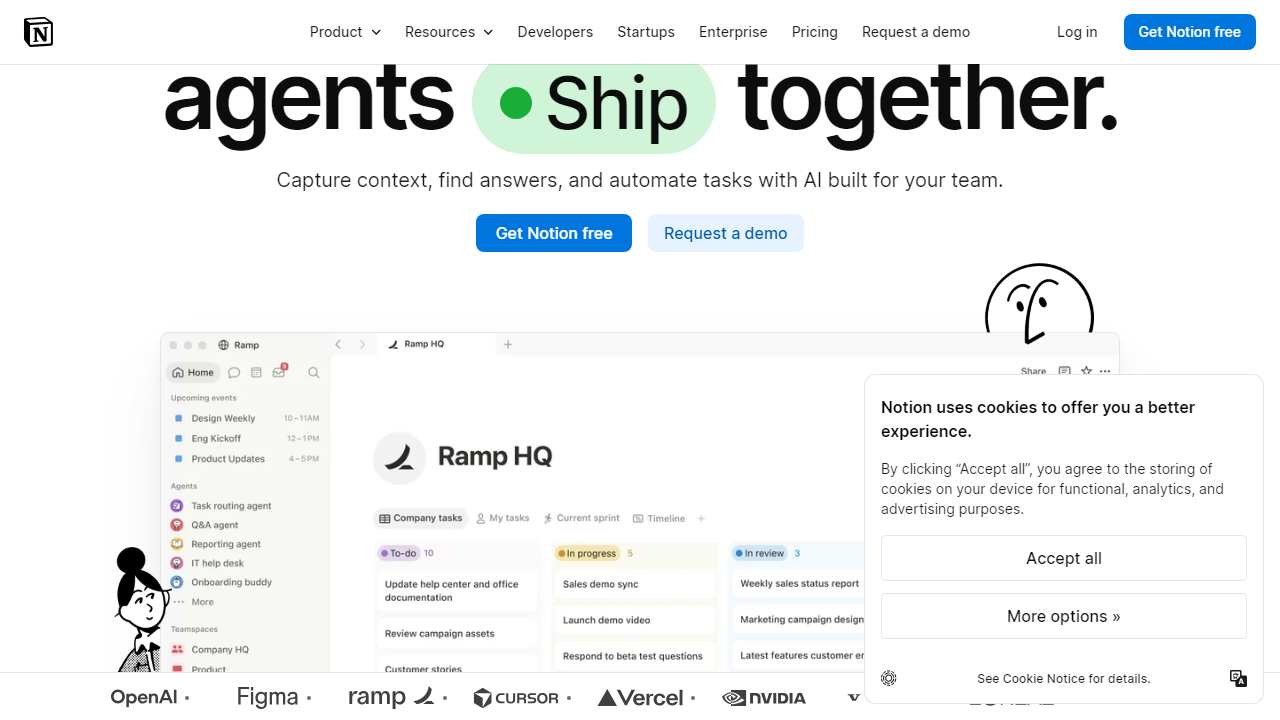
Notion AI is an artificial intelligence layer built natively into the Notion all-in-one workspace platform. Unlike third-party AI plugins that bolt onto productivity tools after the fact, Notion AI is developed and maintained by Notion Labs, Inc. — the San Francisco company founded in 2016 by Ivan Zhao and Simon Last. Notion launched its AI features in public beta in early 2023 and has been iterating steadily since, with 2026 representing arguably its most mature iteration to date.
The core premise is contextual AI: because Notion AI lives inside your workspace, it has access to your pages, databases, and documents in a way that a generic chatbot never could. By mid-2026, Notion reported over 35 million users on its platform globally, making it one of the most widely used productivity tools on the market. The AI add-on is available across all paid plans and is offered as an optional add-on for free-tier users. It’s worth noting that Notion AI is not a standalone product — you cannot purchase it without a Notion subscription, which shapes the value calculation significantly.
Notion’s positioning in 2026 is squarely in the “connected workspace” category, competing with Confluence, Coda, and ClickUp on the team side, while also brushing up against dedicated AI writing tools like Jasper and standalone LLM interfaces. It’s a broad target to aim at, and that breadth is both its strength and its occasional weakness.
Key Features of Notion AI
Notion AI packs a range of capabilities, but they’re not all created equal. Here’s an honest breakdown of what works, what’s impressive, and what still needs work as of September 2026.
Workspace Q&A (Ask AI)
This is the headline feature and, frankly, the most impressive one. You can ask Notion AI a question in plain English — “What did we decide about the rebrand timeline in Q3?” — and it scans your connected pages to surface a cited answer with links to source documents. In our testing with a moderately sized workspace (around 800 pages), it returned accurate, cited answers roughly 78% of the time. It stumbles with ambiguous page titles and extremely dense databases, but for conversational knowledge retrieval it’s genuinely faster than manual search.
AI Writing Assistant
Highlight any text block and summon AI actions: summarize, expand, shorten, change tone, translate into one of 14 supported languages, or fix grammar. You can also generate text from a prompt inline. The output quality is solid for short-to-medium content — meeting summaries, action item lists, first-draft emails — but long-form blog posts or technical documentation still benefit from human heavy lifting. Response speed improved noticeably after Notion’s Q2 2026 model update, dropping average generation time from roughly 8 seconds to under 3 seconds in our tests.
Database Autofill
This feature flew under the radar when it launched but it’s become one of our favorite practical tools. You can set up an AI property on any Notion database — say, a CRM or content calendar — and Notion AI will auto-populate fields based on the page content. For example, it can auto-generate a “summary” or “SEO description” field for every new blog post entry, or auto-tag support tickets by category. In practice, this saves repetitive manual work and is surprisingly accurate once you write a clear prompt for the property.
AI Meeting Notes & Summaries
Drop a raw transcript or meeting notes into a Notion page and ask AI to extract action items, decisions, and a structured summary. In our testing with real meeting transcripts ranging from 1,500 to 6,000 words, the summaries were accurate and well-structured about 85% of the time. Occasionally it missed nuanced decisions buried in off-topic tangents, which is worth knowing if your meetings wander (and whose don’t?).
AI-Powered Page Templates
When creating a new page, Notion AI can suggest and auto-populate a structured template based on a brief description of what you’re building. Type “product launch plan for a SaaS app” and it generates a reasonable skeleton with relevant sections. These templates are a good starting point, though experienced Notion users will likely customize them significantly from the default output.
Pricing Plans
Notion AI’s pricing structure requires understanding two layers: the base Notion plan and the AI add-on. As of September 2026, Notion AI costs $10 per member per month (billed annually) on top of any Notion plan. That means pricing math gets important fast for teams. Here’s the full picture:
| Plan | Base Price/mo | Best For | AI Add-on |
|---|---|---|---|
| Free | $0 | Personal use, trying Notion | +$10/mo (limited trial available) |
| Plus | $12/member/mo | Freelancers, small teams | +$10/member/mo |
| Business | $18/member/mo | Growing teams, departments | +$10/member/mo |
| Enterprise | Custom (typically $25+/member/mo) | Large orgs, compliance needs | Included or negotiated |
The honest math: a 10-person team on the Business plan with AI enabled is paying $280 per month ($18 + $10 × 10). That’s real money, and it’s the primary reason our value-for-money score sits at 3.7 rather than higher. For solo users or very small teams, the $10 AI add-on is reasonable. For teams of 20+, you’ll want to run the numbers carefully against alternatives. All prices are billed annually; monthly billing costs approximately 20% more.
Who Should Use Notion AI?
Best Notion AI Alternatives
Notion AI doesn’t exist in a vacuum. Depending on your workflow, one of these alternatives may serve you better — or you may find that combining a leaner Notion plan with a standalone AI tool beats the native option on both cost and capability.
| Tool | Starting Price | Best For | Our Rating |
|---|---|---|---|
| Coda AI | $30/doc maker/mo (AI included) | Teams needing powerful doc + data workflows | 4.0/5 |
| Confluence AI | $6.40/user/mo (AI add-on extra) | Enterprise teams on Atlassian stack | 3.7/5 |
| ChatGPT (Team) | $30/user/mo | General-purpose AI writing & research | 4.4/5 |
| Obsidian + AI plugin | $50/yr + model costs | Power users who want local-first + AI | 3.9/5 |


